

What is a Share Token?
A share token is a unique identifier that grants read access to a specific shared portfolio. It’s generated from the Share button on a CoinStats portfolio and can be used to:- View portfolio holdings and balances
- Access transaction history
- Retrieve DeFi positions and staking data
- Get portfolio performance metrics and charts
Share tokens are a legacy, optional way to identify a portfolio. Portfolio endpoints work with just your API key. Reads: a share token lets you read a portfolio shared with you by another user. Writes:
POST /portfolio/transaction still accepts a sharetoken header (legacy), but only for share links you own. The recommended way is your API key plus a portfolioId from GET /portfolio/list.Getting Your Share Token
1
Visit your CoinStats Portfolio
Go to CoinStats Portfolio and make sure you are signed in to your account.
2
Access the Share Button
In the top-right corner of the page, click on the Share button.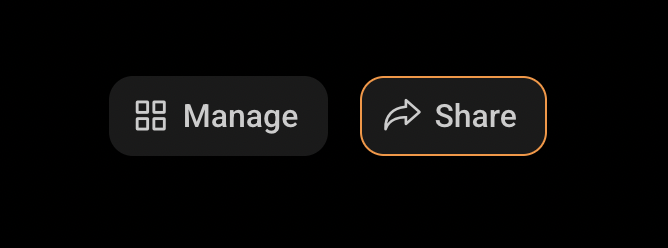
3
Generate a Share Link
This will bring up sharing preferences for your portfolio. Fill Title and Description and Click Generate Link.
4
Extract the Share Token
In the generated URL, the segment following 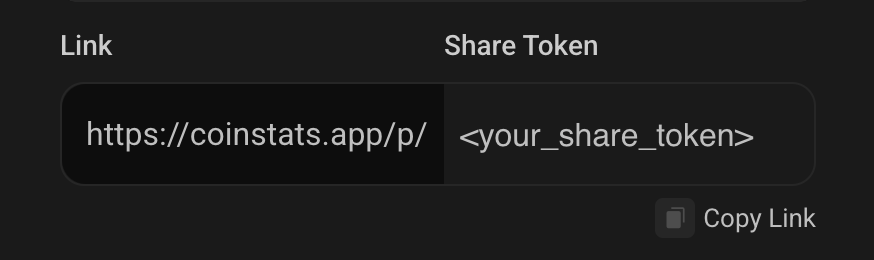
/p/ is your share token.Passcode Protection
Some portfolios may be protected with an additional passcode for extra security. If a portfolio requires a passcode, you can include it in your requests using either query parameters or headers (recommended):Method 1: Header (Recommended)
Method 2: Query Parameter
The passcode is an optional 6-digit code that can be set when sharing a portfolio for additional privacy protection. Headers are recommended for better security as they keep sensitive information out of URL logs.
Using Share Tokens in API Requests
Share tokens can be provided via thesharetoken request header (recommended) or as a query parameter.
Method 1: Request Header (Recommended)
Include the share token in thesharetoken header:
Method 2: Query Parameter
PassshareToken as a query parameter:
Hybrid Approach
You can also mix query parameters and headers:Headers take precedence over query parameters when both are provided for the same value.
Endpoints That Accept Share Tokens
These endpoints optionally accept a share token (instead ofportfolioId). Reads work for a portfolio shared with you; the write endpoint (legacy) works only for your own share links:
Portfolio Value
Get comprehensive portfolio profit/loss data and metrics
Portfolio Holdings
View all coins in your portfolio with current holdings and PnL
Portfolio Chart
Historical performance data for portfolio visualization
Transaction History
Complete transaction history with filtering options
DeFi Positions
Staking, liquidity pools, and yield farming data
Portfolio Snapshots
Historical portfolio snapshot data over time
Add Transaction (legacy)
Add a transaction to a manual portfolio. Own share links only; prefer
portfolioId with your API keySecurity Best Practices
Monitor Portfolio Access
Monitor Portfolio Access
- Keep track of where you’ve shared your portfolio links
- Consider using passcode protection for sensitive portfolios
Error Handling
Common errors when using share tokens:Passcode Required
Passcode Required
Permission Denied
Permission Denied
portfolioId from GET /portfolio/list (recommended).