
How to Build Your First Crypto Bot For Free — No Coding Required

0
0

The traders building their own AI tools right now are not engineers. They are people who decided to try. If you have been watching others ship custom bots, automate their workflows, and talk about vibe coding while you scroll past, this is where that changes.
Vibe coding collapses the gap between an idea and a working tool. You describe what you want to an AI, it writes the code, and you deploy it, no syntax, no tutorials, no paid courses. The only thing standing between you and your first working bot is 30 minutes.
Let’s start with something simple, yet useful. A crypto price alert bot that actually earns its place in your workflow.
It watches 500 tokens around the clock and pings your Telegram the moment anything moves 10% or more in one hour. But the bot itself is not the point. The workflow you learn to build it is. Every tool you want after this — whale trackers, funding rate alerts, sentiment scanners- follows the exact same pattern.
This is your first build. Everything else comes after.
What You Need Before Starting
The setup requires four things:
- A Mac or Windows computer that can stay on,
- A Telegram account on your phone,
- Python installed on your machine, and
- Access to any AI chatbot — Claude, ChatGPT, or Gemini all work.
Python is the programming language the bot runs on. But, fun fact: you do not need to learn it.
Open Terminal on Mac or Command Prompt on Windows, type python3 --version (Mac) or python --version (Windows), and press Enter. If a version number appears, you are ready. If not, ask your AI chatbot how to install Python on your operating system and follow its instructions.
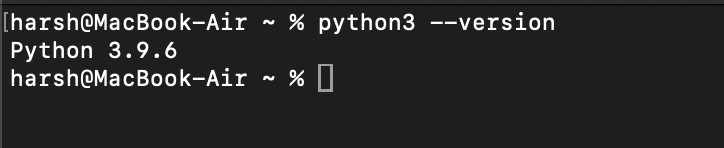 MacBook Terminal Snapshot. Source: BeInCrypto
Step 1 — Create Your Telegram Bot
Open Telegram and search for @BotFather, Telegram’s official bot creation tool. Send it /newbot.
BotFather will ask you two things — a display name (e.g. Crypto Whale Alert) and a username (e.g. my_crypto_alert_bot — must end with the word bot).
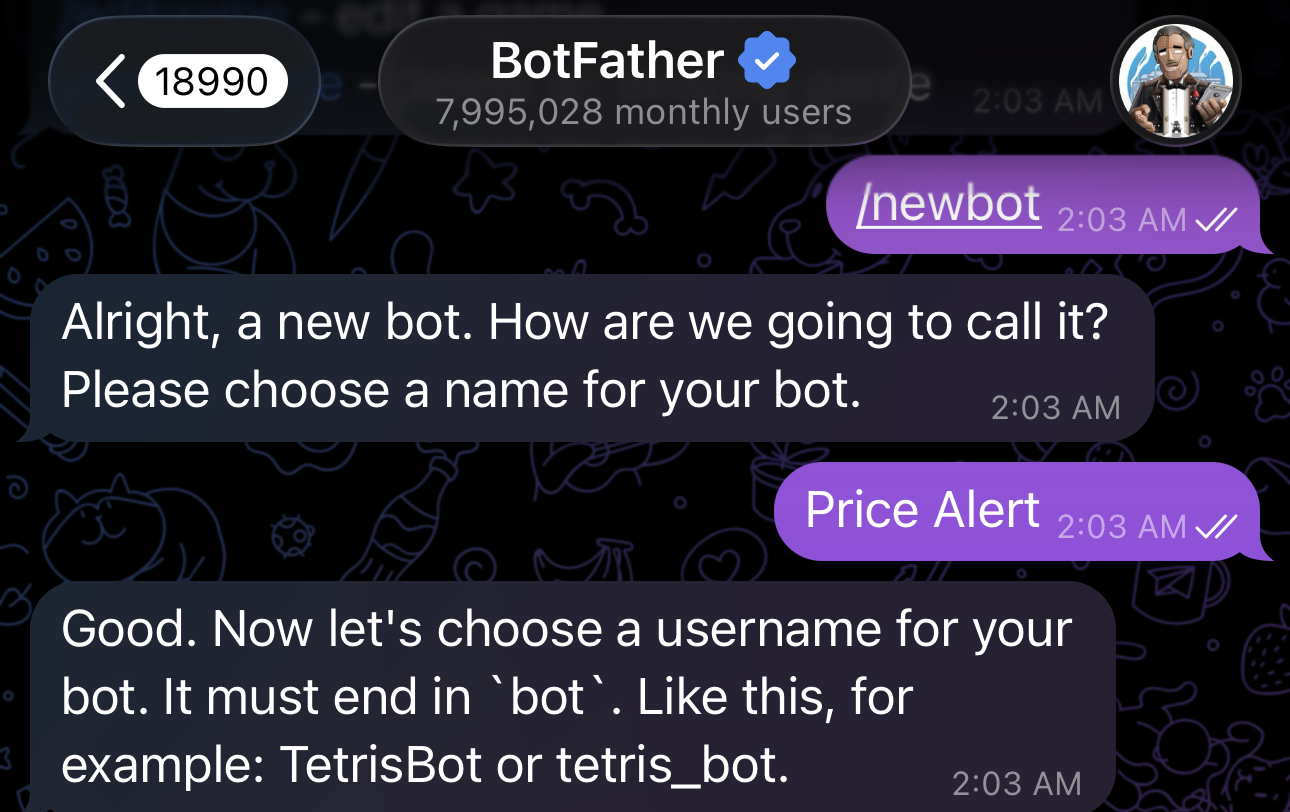 Telegram’s BotFather Tool. Source: BeInCrypto
After that, BotFather replies with a long code that looks something like 7123456789:AAHxyz-abc123def456. This is your bot token. Copy it somewhere, a note on your phone, a message to yourself, whatever. You’ll need it soon.
Open your new bot’s chat and send it any message. Telegram bots cannot message you first, so this step is required before alerts can reach you.
Step 2 — Prompt Your AI To Build the Crypto Bot
Open your AI chatbot and describe exactly what you want. Here is a prompt that works:
“Build me a crypto price alert system. It should monitor the top 500 tokens by market cap, trigger a Telegram notification if any token moves 10% or more within one hour, enforce a two-hour cooldown per token to prevent spam, and run automatically on my computer for free.”
After writing the entire code for you, the AI generally returns a complete set of files. These include:
- deploy.md, a plain-English guide walking you through the setup
- alert.py, the main script that fetches prices and triggers notifications;
- config.py, where your Telegram credentials and alert settings are stored;
- get_chat_id.py, a helper script to retrieve your Telegram chat ID;
- setup_mac.sh, a one-click script that installs everything and launches the bot;
- com.crypto.whalealert.plist, a background service file that ensures the bot auto-starts on login;
- requirements.txt, which lists the Python libraries the bot depends on;
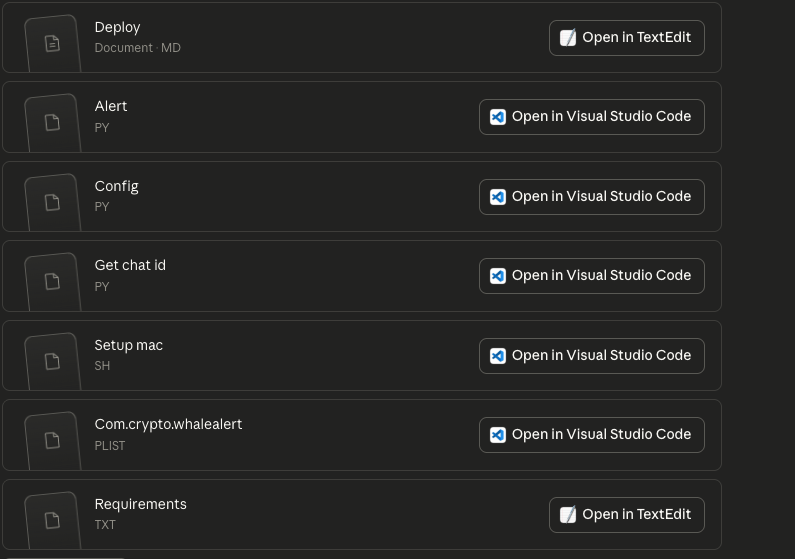 Claude Prepared a Set of Files to Build the Crypto Price Bot. Source: BeInCrypto
If something does not work, paste the error message back into the AI chat. It will tell you exactly what to fix. That back-and-forth is the entire debugging workflow.
Step 3 — Configure Your Credentials
Create a folder called crypto-alerts on your computer and place all the AI-generated files inside it.
Open the configuration file (config.py) in any text editor. Find two fields: one for your Telegram bot token and one for your Telegram chat ID. Paste your BotFather token into the first field.
TELEGRAM_BOT_TOKEN = "YOUR_BOT_TOKEN"TELEGRAM_CHAT_ID = "YOUR_CHAT_ID"To get your chat ID, open Telegram and search for @userinfobot. Start a chat with it.
It instantly replies with your account details, including your chat ID. Copy that number, paste it into the second field in your configuration file, and save.
Step 4 — Launch the Bot
On Mac, open Terminal and run these two lines. Hit enter after each.
chmod +x ~/crypto-alerts/setup_mac.sh ~/crypto-alerts/setup_mac.shThe first line gives your Mac permission to run the script. The second line runs it. You’ll see it checking Python, installing what’s needed, and starting the service.
If it worked, you’ll get a Telegram message saying “Crypto Whale Alert is now running.” That’s the moment. That hit of dopamine when something you built actually works.
Screenshot it. You’ve earned it.
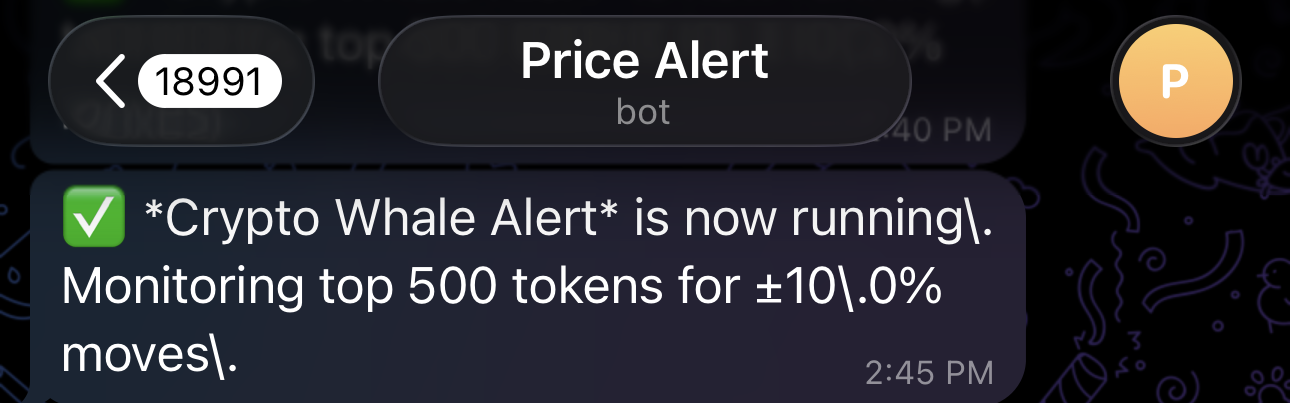 Crypto Whale Alert Telegram Message. Source: BeInCrypto
From that point, the bot checks prices every five minutes using CoinGecko’s free public API. After one hour of baseline data collection, comparisons begin. An alert arrives on your phone within minutes of any qualifying move, showing the token name, rank, direction, percentage change, price range, and market cap.
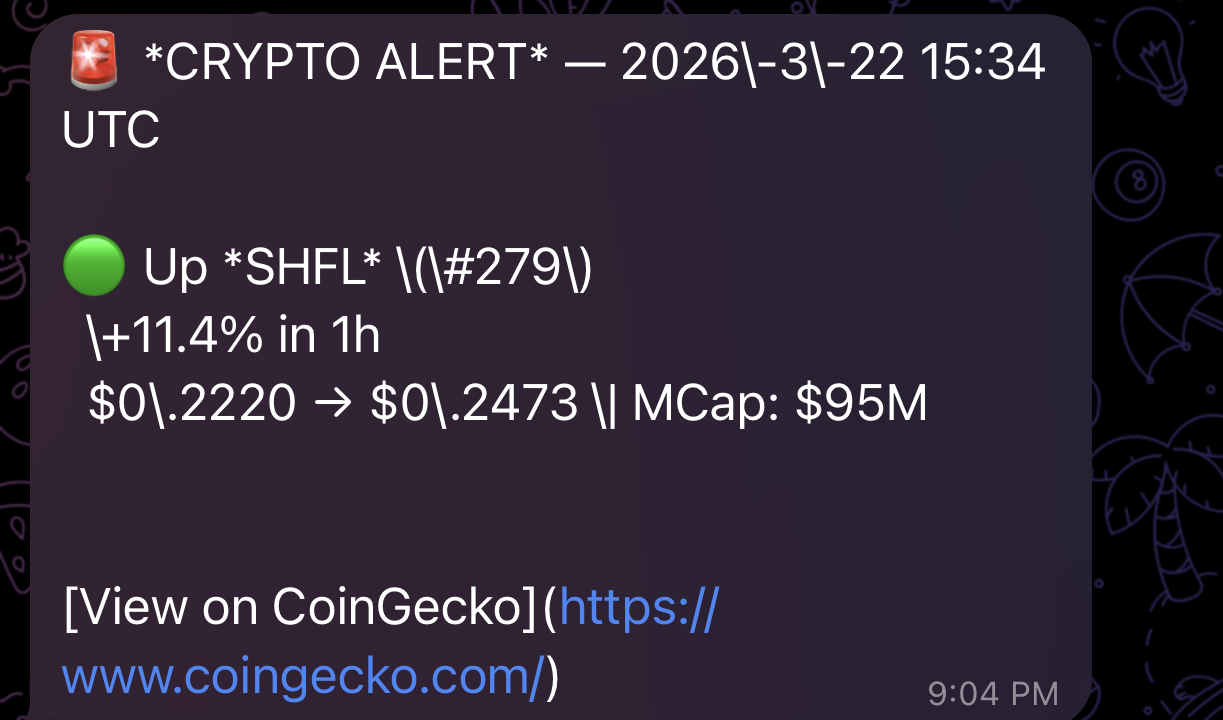 Crypto Price Alert Bot. Source: BeInCrypto
If your computer sleeps, alerts pause. On Mac, go to System Settings, then Battery, and disable automatic sleep.
On Windows, go to Settings, then System, then Power, and set sleep to “Never” while plugged in. Desktop machines on both platforms do not sleep by default.
However, for traders who want alerts running around the clock without depending on their personal device, a Virtual Private Server (VPS) is the cleaner solution. A basic VPS plan costs roughly $5 a month, about the price of a coffee, and keeps the bot running 24/7 regardless of whether your computer is on or off.
What To Build Next
The price alert bot is a foundation, not a ceiling. The same vibe coding workflow scales to more powerful trading tools with a different prompt fed into the same AI.
For instance, a whale wallet tracker monitors specific on-chain addresses for large movements. A funding rate monitor flags when perpetual futures markets show overheating. A social sentiment scanner tracks token mentions across platforms and surfaces volume spikes before price reacts.
Each follows the identical pattern: describe the problem, receive code, deploy in one session.
CryptoQuant CEO Ki Young Ju has encouraged crypto traders with no prior programming experience to try vibe coding, arguing the industry is shifting from an era of execution to an era of imagination.
But scammers and bad actors often target the crypto industry. An app purely built through vibe coding is likely to contain security vulnerabilities.
However, for a personal alert bot running locally with no sensitive financial credentials stored, the exposure is low. For anything connecting to exchange API keys or wallets, run a follow-up prompt asking the AI to audit the code for security issues before deploying.
Vibe coding is not a technical skill. It is a habit.
This bot is how you start building it. The traders who will have the most useful custom tools six months from now are the ones who built their first one today.
0
0


 Gestisci cripto, NFT e DeFi in un unico luogo
Connetti in sicurezza il portafoglio che usi per iniziare.

0
0

0
0

0
0

0
0