
A Guide to the Best Hardware Crypto Wallets of 2026

Let's get one thing straight: if you’re serious about crypto, you need to be serious about security. Think about it. Would you keep your life savings in a wallet you carry around a crowded city, or would you lock it in a private, offline vault? That's the difference between a software wallet and a hardware crypto wallet.
Building wallet tools? See crypto API alternatives with wallet data.
Why Hardware Wallets Are a Must-Have for Investors
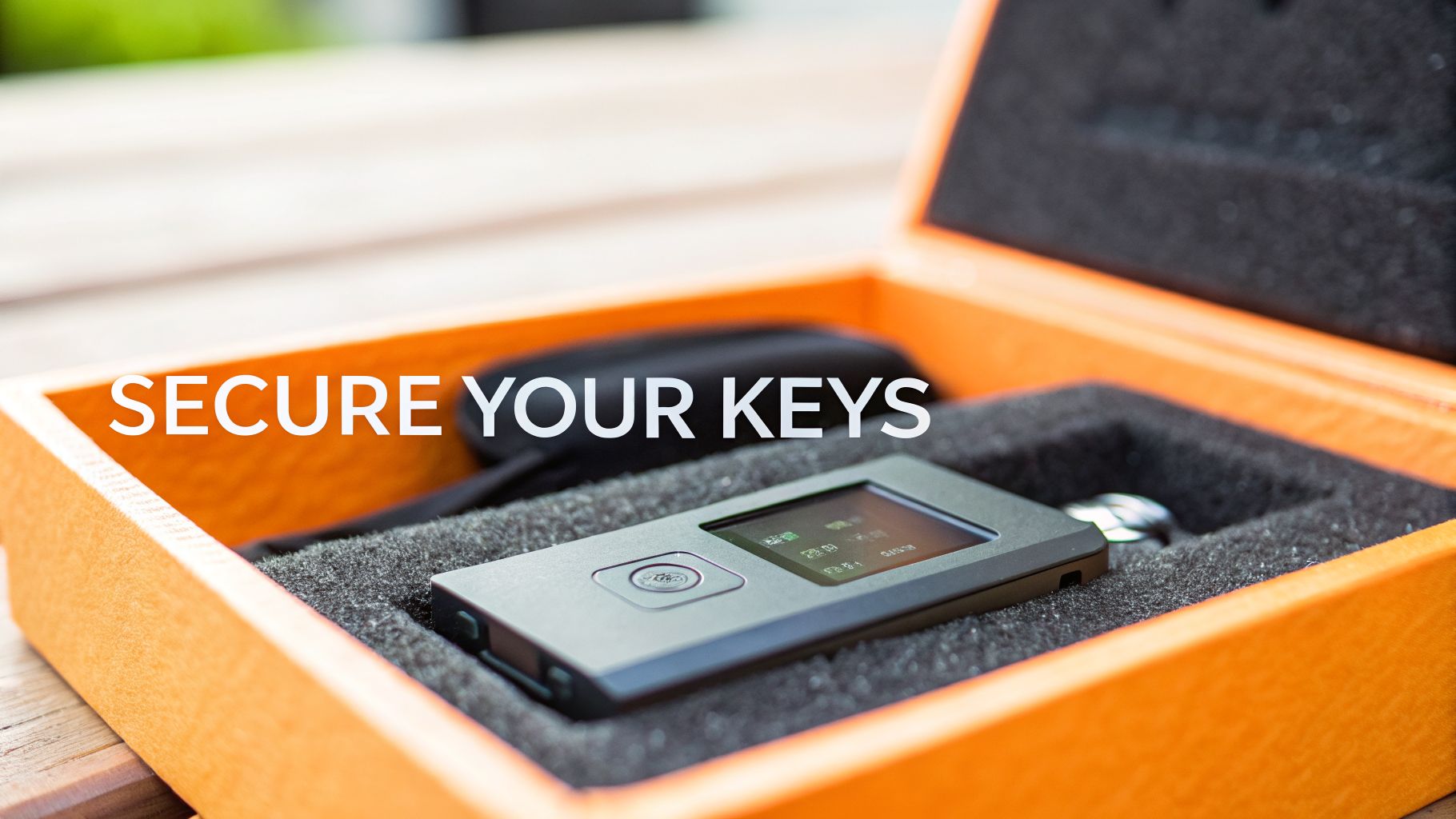
In a world full of digital threats, taking full control of your assets isn’t just smart—it’s non-negotiable. This is where hardware wallets come in. They are physical devices built for one job and one job only: keeping your private keys completely offline and disconnected from the internet. This is what we call cold storage.
Your software wallet on your phone or computer? It’s great for everyday use, but it's always online, making it a target for malware, phishing attacks, and other nasty surprises. A hardware wallet is your personal bank vault.
The core principle of a hardware wallet is creating an "air gap." It physically separates the secret codes that unlock your crypto—your private keys—from any device connected to the internet. This makes getting hacked online pretty much impossible.
It’s no surprise that confidence in these devices is exploding. A recent research report projects significant growth in the hardware wallet market as investors prioritize security. After seeing countless exchange hacks, people are moving their assets into their own hands. In fact, over 71% of users now prefer hardware wallets for their robust encryption and offline key storage.
Not Just for Security Geeks Anymore
Don't let the "hardware" part fool you. These devices are no longer clunky gadgets for tech wizards. Modern hardware wallets are surprisingly user-friendly and pair seamlessly with apps on your computer or phone, letting you check your portfolio and set up transactions just like you normally would.
The real magic happens at the final step. To actually approve a transaction, you have to physically confirm it on the hardware wallet's built-in screen and press a button. This is a game-changer for two reasons:
-
Your private keys never, ever leave the device. The transaction gets signed inside its secure chip, far away from your vulnerable computer.
-
You get one last, honest look. You verify the transaction details on a screen that can't be tricked by a virus, ensuring what you see is what you sign.
This mix of offline security and simple, secure interaction is what makes hardware wallets so essential. They give you total control and maximum security, laying a rock-solid foundation for any crypto investment strategy.
Alright, let's get into the guts of how these little devices actually keep your crypto safe. It’s not just about having a physical gadget; it’s a completely different way of thinking about security.
At the heart of any good hardware wallet is a special chip called a secure element. Think of it as a tiny, digital fortress. Its one and only job is to generate and guard your private keys, keeping them totally isolated from your computer, your phone, and the internet.
This isolation is the whole point. The secure element is built to fight off both digital hacks (like malware) and physical tampering. Even if your computer is a mess of viruses, they have no way to reach the keys locked away inside your wallet. This creates a critical "air gap" between your crypto and every online threat you can imagine.
The Transaction Signing Process
So if your keys are locked in a digital vault, how do you actually send crypto? This is where the magic happens. The process is a secure handshake between you, your computer, and your hardware wallet.
Here’s what that looks like step-by-step when you want to make a transaction:
-
You Start the Transaction: You kick things off on your computer or phone using a companion app, like Ledger Live or Trezor Suite. You’ll enter the recipient's wallet address and the amount you want to send.
-
The Unsigned Details Go to the Wallet: Your computer sends these details over to your hardware wallet. Right now, it's just a request—it has no power and can't move any funds on its own.
-
You Verify on the Device's Screen: Your hardware wallet’s screen will now show the transaction details: the exact amount and the address you’re sending to. This is the most critical step. Because the wallet’s screen is isolated, it can’t be tricked by malware on your PC. What you see is really what you’re approving.
-
You Physically Confirm: Once you’ve checked that everything is correct, you physically press a button (or two) on the device. This is you giving your final, explicit consent.
-
The Wallet Signs Internally: Only after you press that button does the secure element use your private key to cryptographically "sign" the transaction. This signature is the unbreakable mathematical proof that you authorized the transfer.
-
The Signed Transaction Is Sent Out: The wallet sends only the signed transaction back to your computer. Your computer then broadcasts this to the blockchain network to be confirmed.
Notice the most important part: your private key never, ever leaves the secure element. It does its job inside its fortress and only sends out the signed authorization, not the key itself.
Your Ultimate Backup: The Recovery Phrase
What if you lose your hardware wallet? Or your dog chews it up? Are your funds gone forever? Not at all. This is where your recovery seed phrase comes in.
When you first set up your device, it generates a unique list of 12 or 24 random words. This phrase isn't just a password; it’s the master key to your entire crypto portfolio.
Think of your recovery phrase as the DNA blueprint for all your private keys. You can use it to restore full access to your crypto on any new, compatible hardware or software wallet. Your crypto isn't on the device—it's on the blockchain. The wallet and the recovery phrase are just the keys that unlock it.
This is why protecting your recovery phrase is the single most important thing you will do. If someone else gets their hands on your phrase, they get your crypto. If you lose your phrase, you lose your access. Period.
Write it down on paper or stamp it into metal. Store it somewhere safe and offline, maybe even in multiple locations. And never, ever type it into a computer, take a picture of it, or store it in a digital file.
The Best Hardware Crypto Wallets in 2026
Picking the right hardware wallet is a big step, but it's simpler than you think. The market is packed with solid choices from well-established companies, whether you’re a beginner just looking for basic security or a power user who needs all the bells and whistles. We’ve cut through the noise to bring you the best options out there today.
And it’s not just you. The move to self-custody is getting serious. After watching one too many exchanges go up in smoke, people are finally taking control. Reports indicate that millions of hardware wallets are shipped each year, with North America and Europe leading the charge. It’s a clear signal: your keys, your crypto. If you want the full market breakdown, you can dig into the hardware wallet shipment report.
Here's the simple, powerful way these devices keep every single transaction safe.
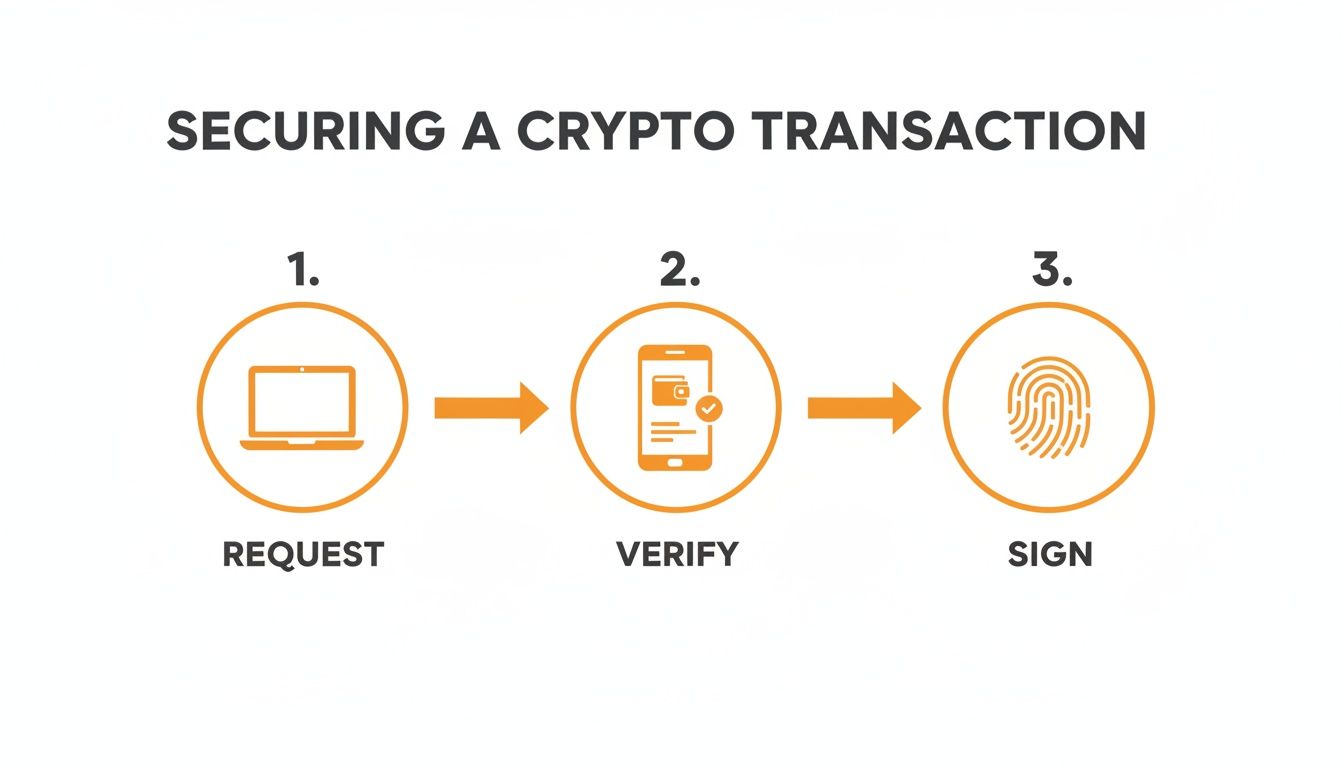
That infographic shows the "air gap" in action. The transaction starts on your computer or phone, but the crucial part—verification and signing—happens completely offline. Your private keys never, ever touch the internet.
To help you decide, here is a clean, precise list of the top hardware crypto wallets from reputable companies that are still operating and leading the market.
Top Hardware Wallet Comparison
This table breaks down the key features, current price points, and who each wallet is really built for.
| Wallet Model | Price (USD) | Best For | Connectivity | Key Feature |
|---|---|---|---|---|
| Ledger Nano S Plus | $79 | Beginners & Value Seekers | USB-C | Supports 5,500+ assets & NFTs |
| Ledger Nano X | $149 | Mobile-first Users & Flexibility | Bluetooth, USB-C | Manage assets on the go |
| Ledger Stax | $279 | Power Users & NFT Collectors | Bluetooth, Wireless Charging | Large E-Ink touchscreen for NFTs |
| Trezor Safe 3 | $79 | Security-conscious Beginners | USB-C | Open-source with Secure Element |
| Trezor Model T | $179 | Advanced Users & Security Pros | USB-C | On-device PIN entry via touchscreen |
| BitBox02 | ~$139 (€129) | Minimalists & Backup Fans | USB-C (direct connect) | microSD card for instant backup |
| Blockstream Jade | $64.99 | Bitcoin Maximalists & Air-Gap Fans | USB-C, Camera (QR) | Fully air-gapped QR transactions |
Choosing the right device really comes down to your personal workflow and what assets you’re securing. Now, let's dive a little deeper into the top contenders.
Ledger: The Industry Standard
Based in France, Ledger is probably the most recognized name in the game. Their devices are known for top-tier security, a clean design, and massive coin support. All Ledger devices are still actively developed and sold.
-
Ledger Nano X
-
Price: $149
-
Best For: Mobile-first users and anyone needing flexibility.
-
Key Features: This little beast connects to your phone or computer with Bluetooth or USB-C, making it perfect for managing assets on the fly. It handles over 5,500 coins and tokens through the clean Ledger Live app.
-
-
Ledger Stax
-
Price: $279
-
Best For: Power users and NFT collectors who want a premium experience.
-
Key Features: The Stax is a showstopper. It has a massive, curved E-Ink touchscreen that lets you actually see your NFTs clearly. It also rocks wireless charging and Bluetooth.
-
Trezor: The Open-Source Pioneer
Hailing from the Czech Republic, Trezor has built its reputation on being fully open-source. This means anyone in the security community can audit their code, adding a layer of trust you don't get with closed systems. Trezor continues to innovate and support its product line.
-
Trezor Safe 3
-
Price: $79
-
Best For: Security-focused beginners looking for a battle-tested, affordable option.
-
Key Features: The Safe 3 adds a Secure Element chip to its open-source design, offering enhanced physical protection. It connects via USB-C and supports over 9,000 coins and tokens.
-
-
Trezor Model T
-
Price: $179
-
Best For: Advanced users who want a touchscreen and top-notch security features.
-
Key Features: With the Model T's color touchscreen, you enter your PIN and passphrase directly on the device—a huge security plus. It works seamlessly with the Trezor Suite app for managing a huge range of assets.
-
Excellent Alternatives Worth Considering
While Ledger and Trezor get most of the spotlight, these other well-established players are building fantastic wallets with unique strengths.
-
BitBox02 (Multi-edition)
-
Price: ~$139 (€129)
-
Best For: Users who love minimalist design and dead-simple security.
-
Key Features: Made by the Swiss company Shift Crypto, the BitBox02 plugs right in via USB-C and uses touch sensors for confirmation. It also has a slick backup system that automatically saves your wallet to a microSD card.
-
-
Blockstream Jade
-
Price: $64.99
-
Best For: Bitcoin maximalists and anyone using the Liquid Network.
-
Key Features: The Blockstream Jade is built for air-gapped security. It has a camera for signing transactions entirely with QR codes. It’s focused primarily on Bitcoin and assets on the Liquid sidechain.
-
Key Takeaway: There's no single "best" wallet for everyone. Your choice comes down to balancing your budget, the coins you hold, and how you actually use your crypto—whether that's on the go with Bluetooth or from a desktop via USB.
No matter which hardware wallet you choose, your portfolio is probably spread across cold storage, a few exchanges, and some DeFi protocols. Keeping track of it all can be a mess. You need a single source of truth to make smart decisions.
This is where a powerful tool like the CoinStats Portfolio tracker becomes essential. You can securely monitor your holdings from Ledger, Trezor, and hundreds of other sources in one dashboard—without ever exposing your private keys. Pair that with market intelligence from CoinStats AI, and you’ve got the ultimate setup: elite security and total portfolio clarity.
So you’ve got a brand new hardware wallet. Nice. Unboxing that little device is a huge moment—it’s the day you take full, sovereign control of your crypto. But before you start sending funds, let’s walk through the setup. Getting this part right from day one is non-negotiable.
Purchase and Inspect Your Device
Your security starts before you even power the device on. Let’s get one thing straight: buy your hardware wallet directly from the manufacturer or an officially authorized reseller. That's it. No exceptions.
Never, ever buy from a random third-party seller on eBay or Amazon, no matter how juicy the discount looks. Why? Supply chain attacks are a real and costly threat. A scammer can intercept a device, tamper with its firmware, pre-record the seed phrase, and wait for you to load it up with funds. Then poof, it’s all gone.
When your wallet arrives, put on your detective hat and inspect the packaging. Look for anything that seems off:
-
Broken Seals: Is that holographic sticker or security tape damaged, peeled, or just crooked?
-
Shrink Wrap: Does the plastic look loose, messy, or like it’s been re-wrapped in someone’s basement? Check the manufacturer's website for what it should look like.
-
Box Condition: Any weird dents, tears, or signs the box has been pried open and glued back shut?
If anything feels wrong, trust your gut. Stop right there and contact the manufacturer's support. Don't use the device.
Initialize and Generate Your Keys
Okay, packaging looks pristine. Time to power it on. The wallet will walk you through its initialization process. The most critical step happens now: generating your new private keys and the recovery phrase that backs them up.
Your hardware wallet creates this phrase completely offline, inside its secure chip. It has never seen the internet and is totally unique to you. This is the master key to everything you will ever store on this device.
The screen will display a sequence of 12 or 24 words. Your only job is to write these down perfectly and in the correct order.
-
DO: Use the physical recovery sheets that came in the box. Use a pen.
-
DON'T: Take a picture of the words. Don't type them into a notes app, email them to yourself, or store them in a password manager. Doing any of that completely defeats the purpose of an offline wallet.
After you've written the words down, the wallet will quiz you, asking you to confirm the phrase. Double-check everything. A single misspelled word or wrong order will make the backup useless.
Secure Your Recovery Phrase and PIN
You’ve now got your recovery phrase written down on a piece of paper. That paper is now arguably the most valuable thing you own in your crypto life. Treat it that way.
Your next mission is to store it somewhere safe, fireproof, and waterproof where no one will find it or accidentally toss it out. Some people stamp their words into steel plates to survive fires and floods. For more advanced strategies, check out our guide on how to back up your hardware wallet recovery phrase.
Next, you'll set a PIN code. This is your device's bouncer. If someone swipes your wallet, they can't get in without the PIN. Pick a strong, random number—not your birthday or "1234." Most devices will wipe themselves clean after a few wrong guesses, which stops attackers from just trying over and over.
Moving Beyond Basic Security
Got a hardware wallet? Great. That's step one. But just owning one isn't the whole game. Now it's time to actually master it. This means thinking about your device less like a gadget and more like the vault for your entire digital wealth. It’s about building a real security system around it.
This isn’t just good advice; it’s a necessary shift in thinking. There's a reason 71% of crypto users now use hardware wallets for their offline security. It's a direct reaction to catastrophic hacks like the Mt. Gox disaster, which is what pushed pioneers like Trezor and Ledger to build these devices back in 2014. As the tech evolves, so should your security habits.
The Power of the Passphrase
One of the most potent—and criminally underused—features on a hardware wallet is the passphrase, often called the "25th word."
This is an extra, custom word or phrase you can add on top of your standard 24-word recovery seed. When you use it, you're not just adding a password; you're creating an entirely new, hidden set of wallets.
Think of it this way: your 24-word seed is the key to a building. The passphrase is the key to a secret, unmarked safe inside that building. This gives you two massive advantages:
-
Plausible Deniability: You can keep a small, "decoy" amount of crypto in the main wallet (the one accessed by the 24 words alone). The real stash stays in the passphrase-protected wallet. If you're ever in a tough spot and forced to give up your wallet, you can reveal the decoy while your primary funds remain completely hidden.
-
A Failsafe for Your Seed: Even if a thief manages to find and steal your 24-word recovery phrase, it's useless for accessing your main funds without the passphrase. They'll only see the decoy account, or nothing at all.
Rethinking Seed Phrase Storage
Scribbling your recovery phrase on a single piece of paper is just asking for trouble. It creates one single point of failure. A real security mindset means planning for disaster, whether it's theft, fire, or a flood. A popular strategy is to split your seed phrase into multiple pieces and store them in totally separate, secure locations.
For example: store words 1-12 in a bank's safe deposit box and words 13-24 with a trusted family member in another city. An attacker would have to compromise both locations to get the full key.
Staying One Step Ahead
Security isn't a "set it and forget it" task. It's an ongoing battle against an ever-changing landscape of threats. Staying vigilant is non-negotiable.
-
Firmware Updates: Always, always install official firmware updates directly from the manufacturer. These aren't just for new features; they contain critical patches for newly discovered vulnerabilities.
-
Phishing Scams: Get paranoid about phishing attacks. Scammers create pixel-perfect fake websites and emails to trick you into entering your recovery phrase. Remember: the only time you should ever type your seed phrase is into the physical hardware wallet itself during a recovery. These scams are getting dangerously good, and they can even be used to steal Bitcoin from your smartphone.
Ultimately, a true security mindset covers your whole financial picture. It's not just about locking down your crypto with a hardware wallet; it’s also about knowing how to handle your responsibilities, like learning how to calculate crypto taxes on your gains.
How to Track Your Hardware Wallets with CoinStats
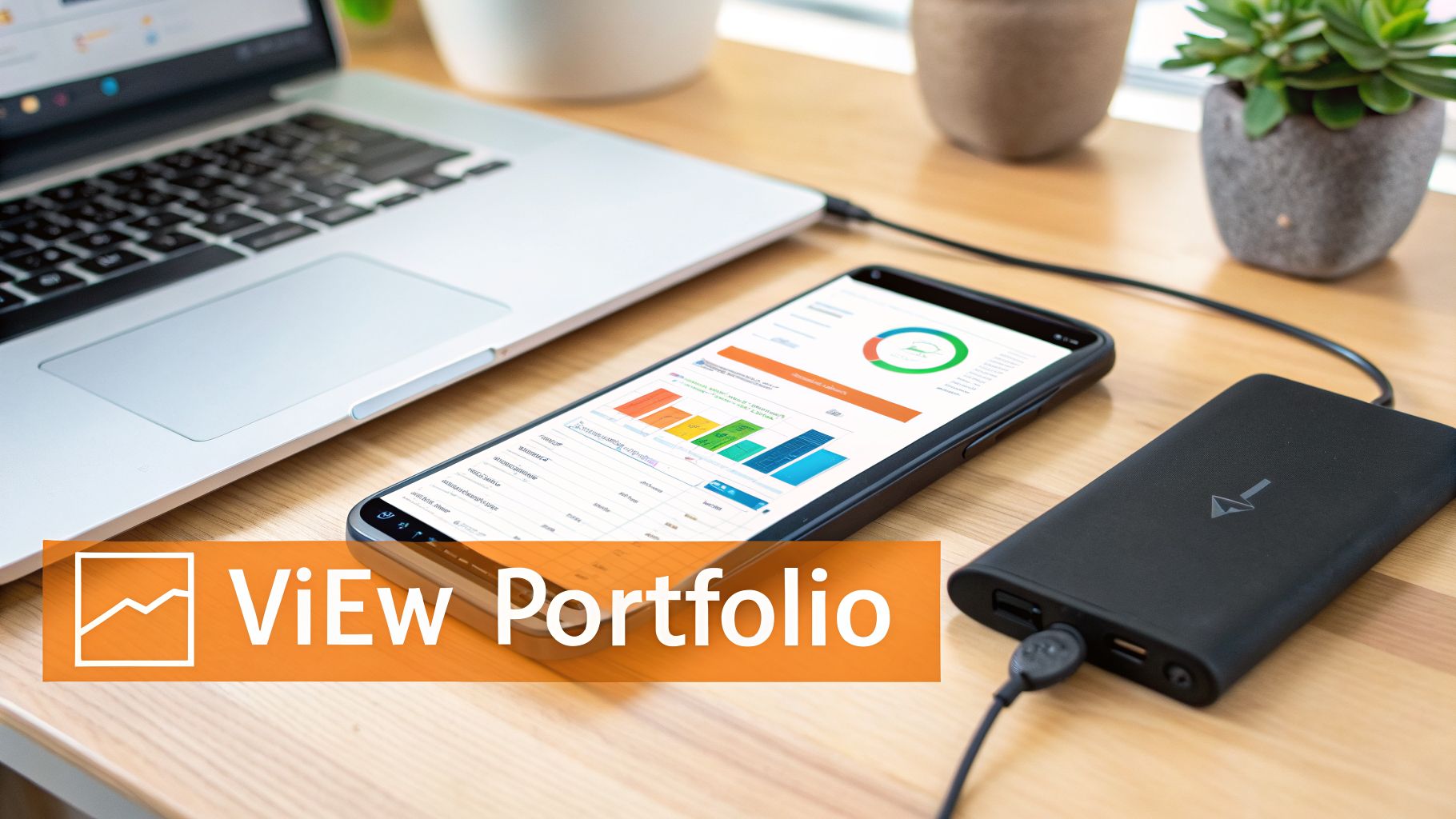
Let's be real: that feeling of security you get from a hardware crypto wallet is undefeated. Your keys are offline, safe from hackers. The downside? Your portfolio is now a black box. Trying to see your net worth means plugging things in, opening multiple apps, and probably wrestling with a spreadsheet. It’s a mess.
This is where a good portfolio tracker stops being a "nice-to-have" and becomes essential. CoinStats bridges the gap, giving you a single dashboard to see what's in your Ledger or Trezor, right next to your exchange accounts and DeFi positions. If DeFi is the bigger part of your portfolio, our DeFi tracker comparison goes deeper on protocol coverage. Finally, you can see the whole picture without sacrificing an ounce of security.
Connecting the Safe Way: Your Public Key
So, how does it work without giving away the keys to the kingdom? Simple. CoinStats connects using a read-only public key, sometimes called an xPub (extended public key). This key lets the app view your balances and transaction history. That’s it.
Your private keys never leave your hardware device. Let that sink in. The connection is one-way only. Your hardware wallet’s security is never, ever touched. You get total visibility without any risk.
This means no more logging into your hardware wallet just to check your balance. No more manual updates. Your cold storage holdings show up in real-time, right alongside everything else. If you want to learn how to organize all your crypto wallets, we've got you covered.
From Just Data to Smart Decisions
Once you’re connected, CoinStats gets to work. It takes all that raw transaction data and turns it into something actually useful. We’re talking detailed Profit & Loss (P&L) analysis, asset allocation breakdowns, and performance tracking over time. This is the kind of clarity you need to make better decisions.
You can even tap into CoinStats AI to get personalized insights on your portfolio and find opportunities you might’ve missed. It’s like having an analyst who actually understands your specific holdings.
At the end of the day, you bought a hardware wallet for top-tier security. You shouldn't have to give up clarity for it. By syncing it to the CoinStats Portfolio tracker, you truly get the best of both worlds: unbreachable security for your assets and an intelligent, complete view of your net worth.
Hardware Wallet FAQs
Alright, even with the basics down, you probably have a few "what if" scenarios running through your head. Let's tackle the common questions and clear up any lingering doubts.
What Happens if My Wallet’s Manufacturer Goes Out of Business?
Nothing. Your crypto is completely safe. This is one of the most important things to get straight: your assets are on the blockchain, not locked away inside the device or tied to the company that made it.
As long as you have your 12 or 24-word recovery phrase, you hold the master key. If the company disappears tomorrow, you can simply grab that phrase, buy a wallet from a competitor, and restore full access to all your funds. It works with any wallet—hardware or software—that uses the same BIP-39 standard.
Can I Use a Hardware Wallet with My Smartphone?
You bet. Many of the best hardware wallets are built for people on the move. Models like the Ledger Nano X or SafePal S1 use Bluetooth to sync with their companion apps on your phone.
This setup lets you check your portfolio and set up transactions from anywhere. But the magic is that the final, critical step—approving the transaction—still requires a physical button press on your hardware device. All the convenience, none of the security trade-offs.
What's the Real Difference Between a PIN and a Recovery Phrase?
Don't mix these two up; it's a critical distinction. Getting this wrong can open you up to serious security risks.
Think of your PIN as the key to your house's front door. It’s for daily use and stops someone who physically grabs your device from getting in. The recovery phrase, on the other hand, is the master deed to the property. It’s the ultimate proof of ownership that you must guard with your life.
You only ever touch your recovery phrase for one reason: disaster recovery. If your wallet gets lost, stolen, or smashed, that phrase is how you'll bring all your assets back to life on a brand new device.
Once you've secured your assets on one or more hardware crypto wallets like a Ledger or Trezor, the next challenge is keeping track of your entire portfolio. For this, CoinStats is the ultimate portfolio tracker. It allows you to track all your wallets, including those on Ledger and Trezor, alongside your exchange accounts and DeFi positions, all in one place. By connecting your public addresses, you get a comprehensive, real-time view of your net worth without ever compromising your private keys. You can monitor your P&L, analyze your asset allocation, and even get personalized insights with CoinStats AI. To bring all your crypto assets into one unified dashboard, check out the CoinStats Portfolio tracker today.