
How to connect Ledger with Zilpay
9M ago•
bullish:
0
bearish:
0
Share
Welcome to Part 2 of our tutorial series! In this tutorial, we'll walk you through how to connect your Ledger device to ZilPay.
If you missed Part 1, we covered how to set up your Ledger with MetaMask—be sure to check it out first for a smoother experience. Available here: https://blog.zilliqa.com/how-to-connect-ledger-with-metamask/
Let’s dive in!
Connect Ledger with Zilpay
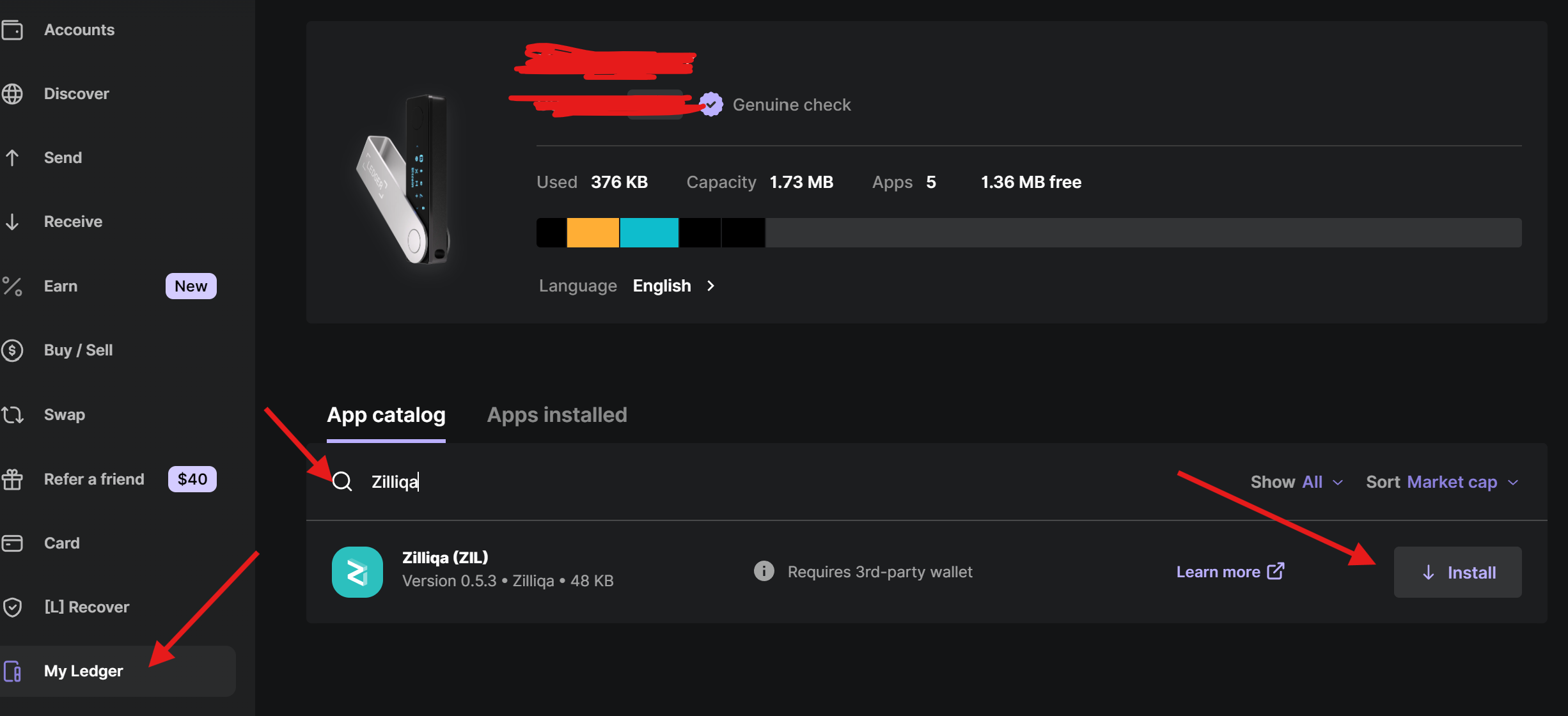
Important: Before you begin, make sure to install the Zilliqa app on your Ledger device using the Ledger Live app. Open Ledger Live, go to "My Ledger", search for "Zilliqa", and install it.
Follow these steps to set up Zilpay and link your Ledger device:
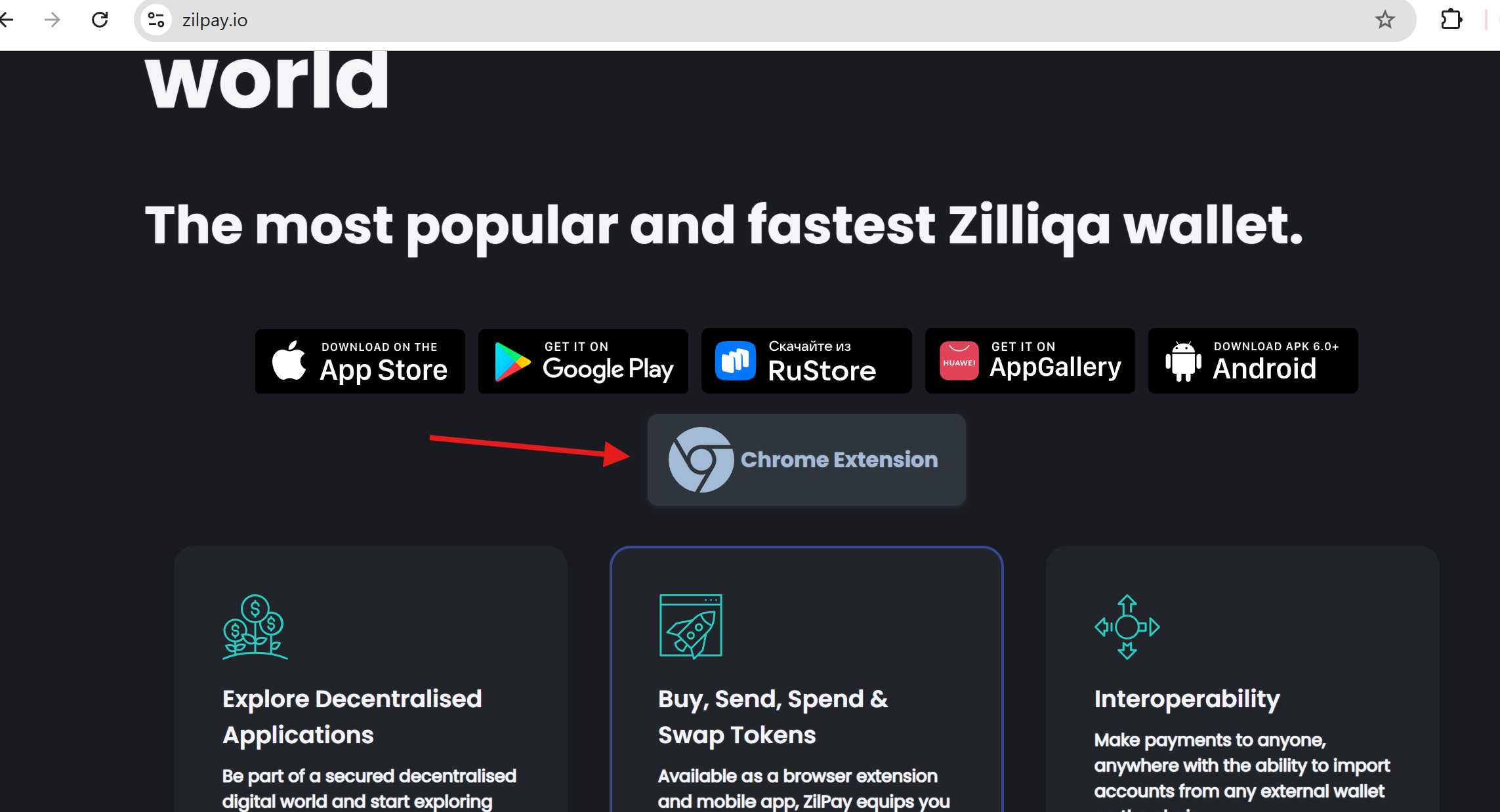
- Visit https://zilpay.io and click “Chrome Extension”.
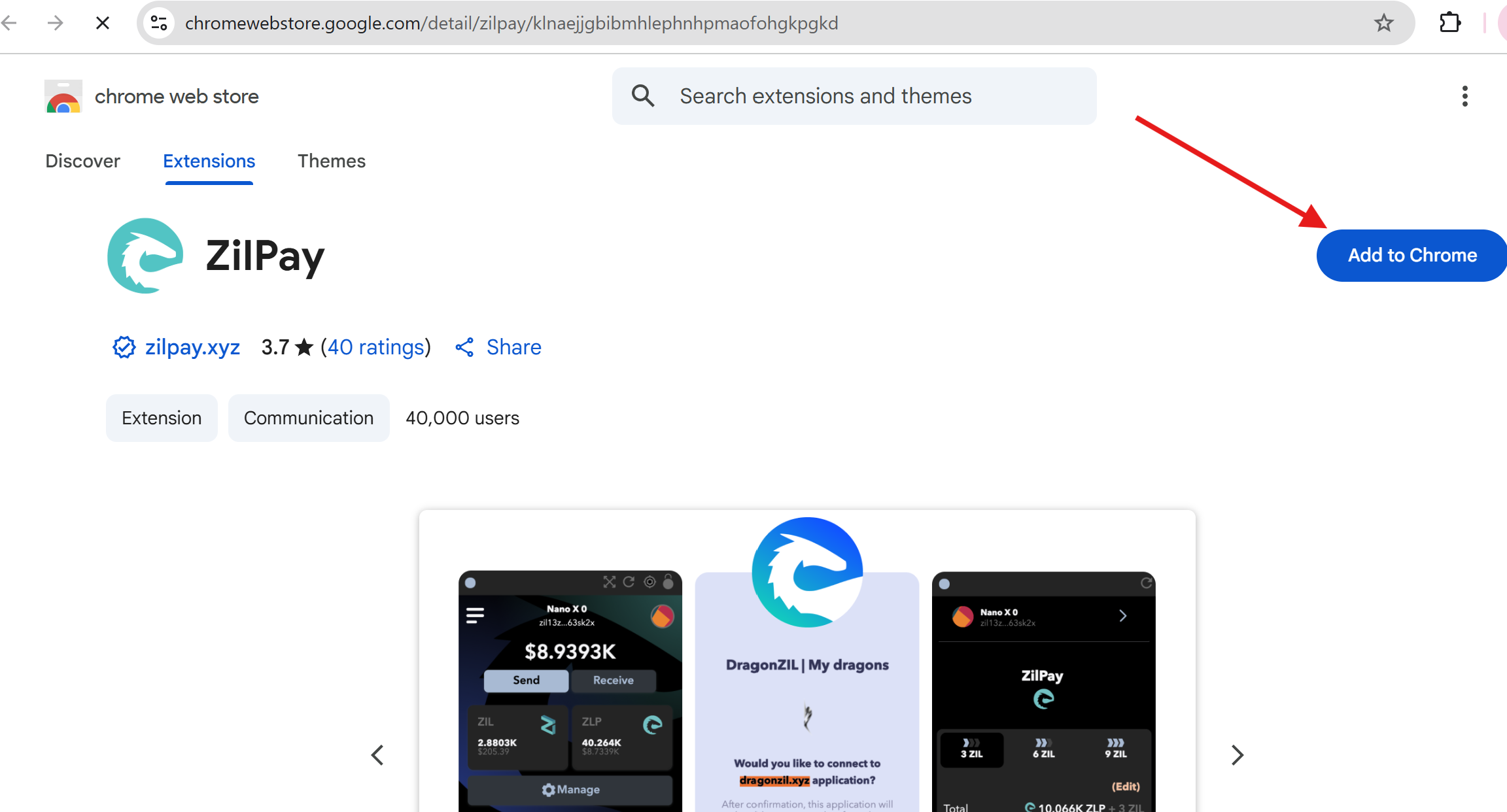
- Click “Add to Chrome” to install the extension.
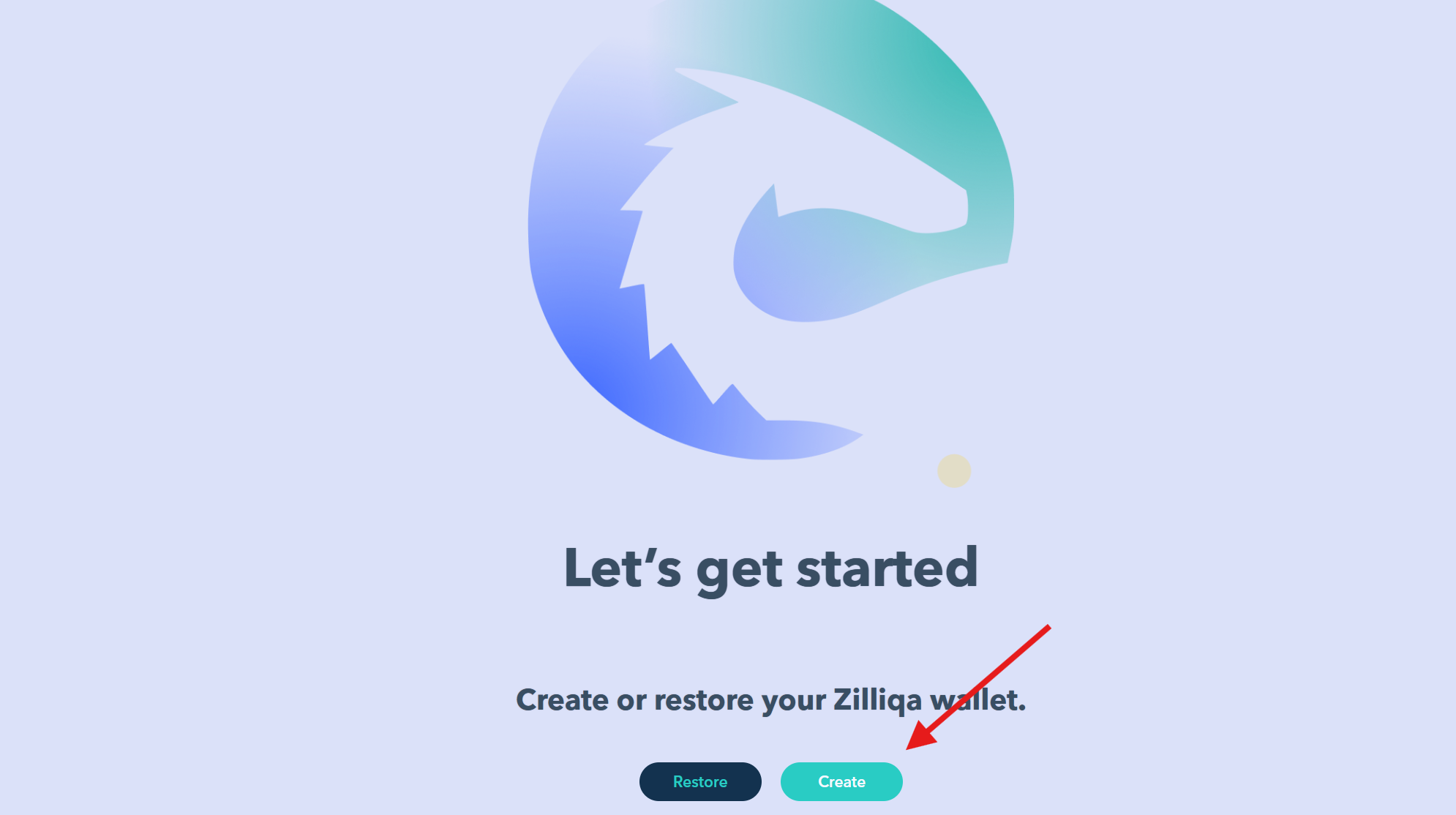
- Once ZilPay is installed, click “Create”, and click “Continue”.
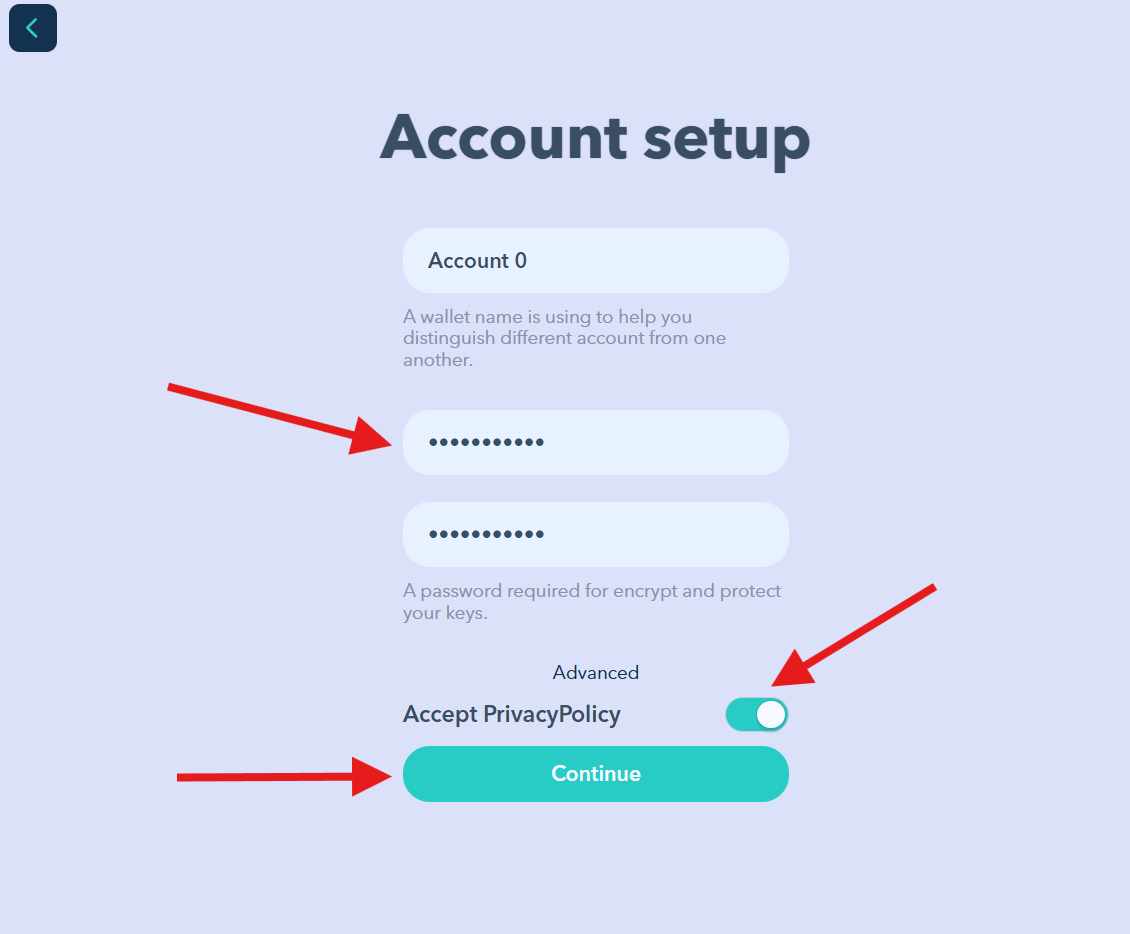
- Set a password, accept the Privacy Policy, and then click “Continue”.
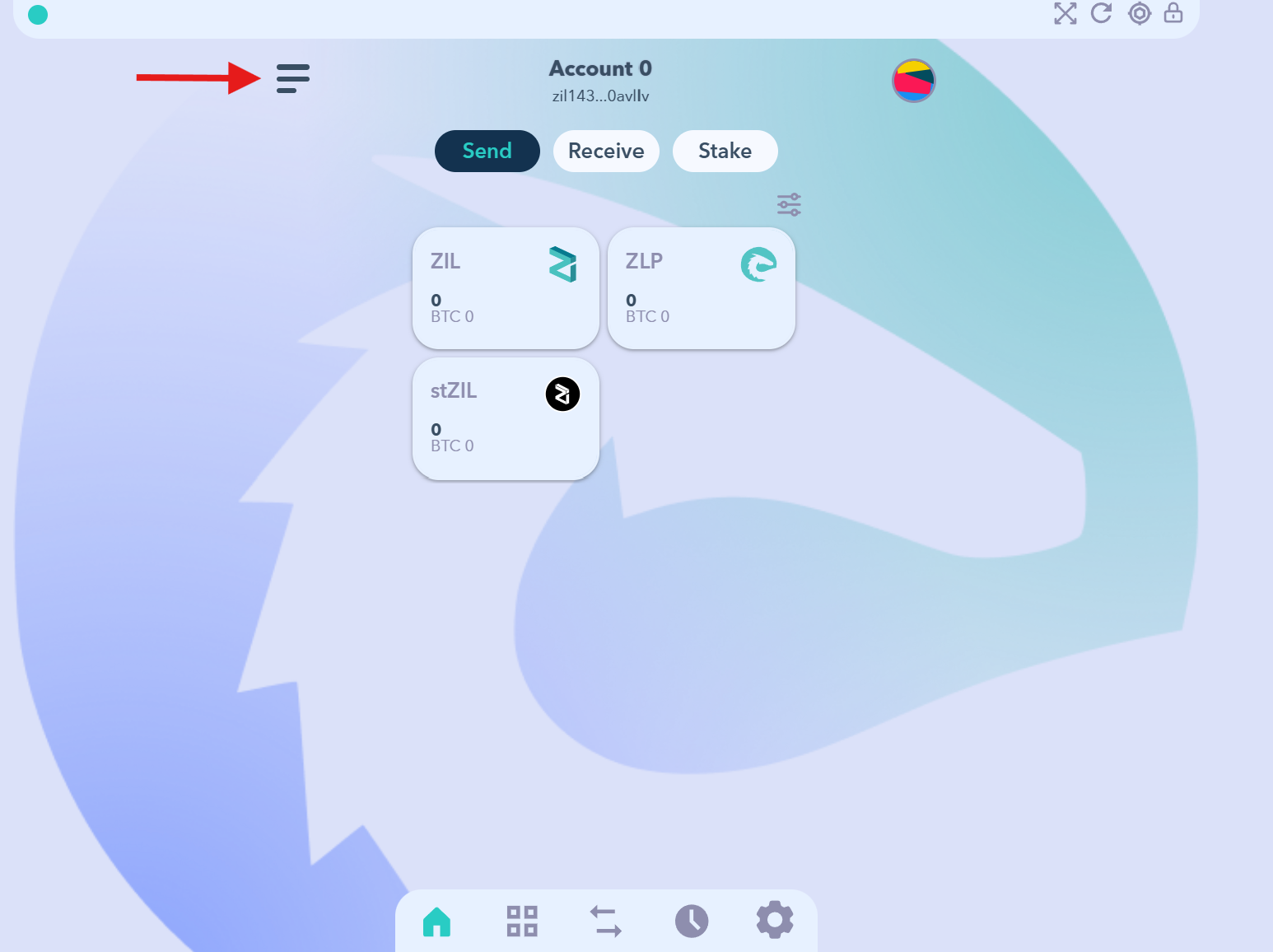
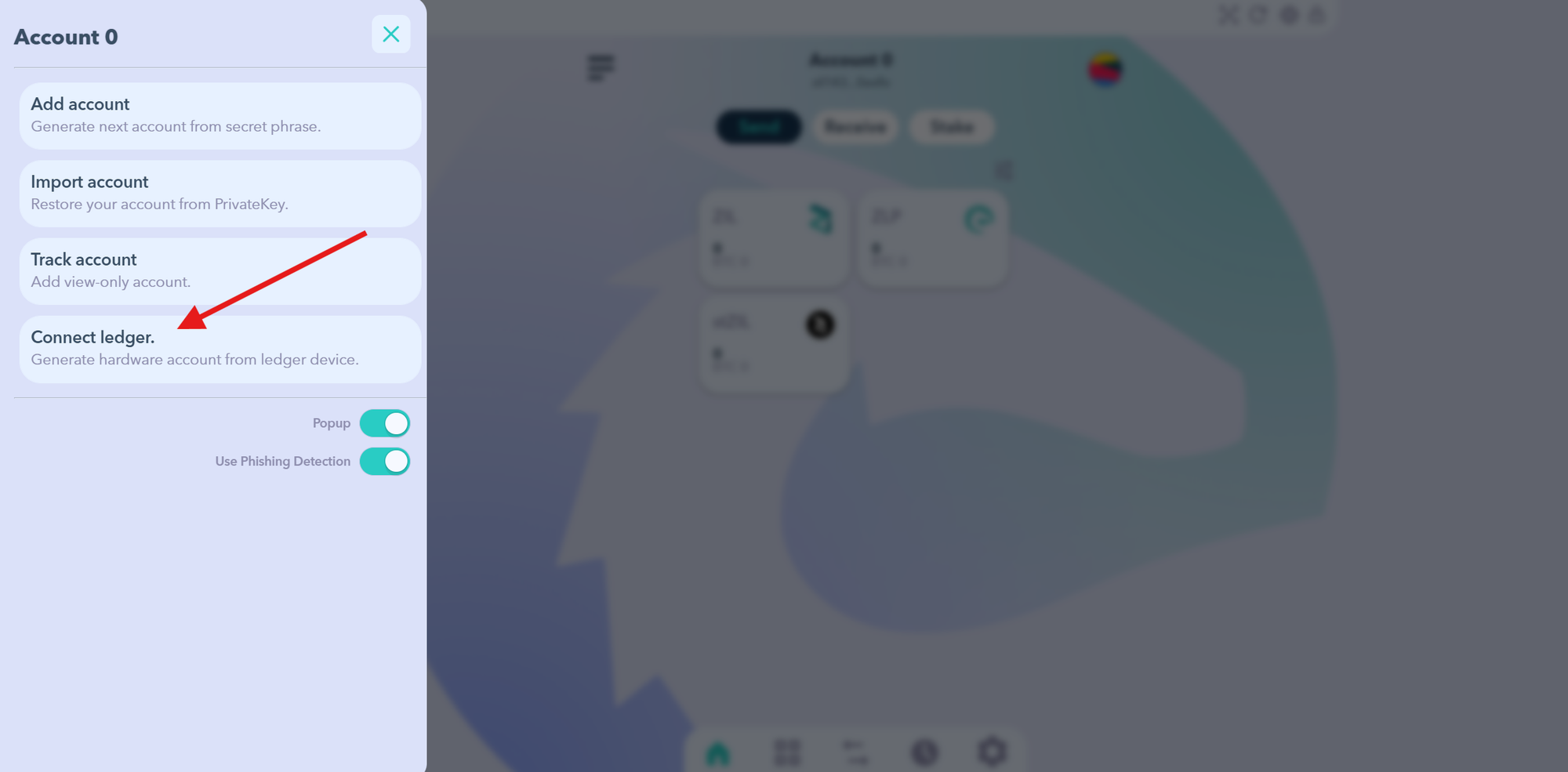
- Click the menu icon at the top left corner, then click “Connect Ledger”.
- Accept the USB connection request, then click on your device name and select “Connect”.
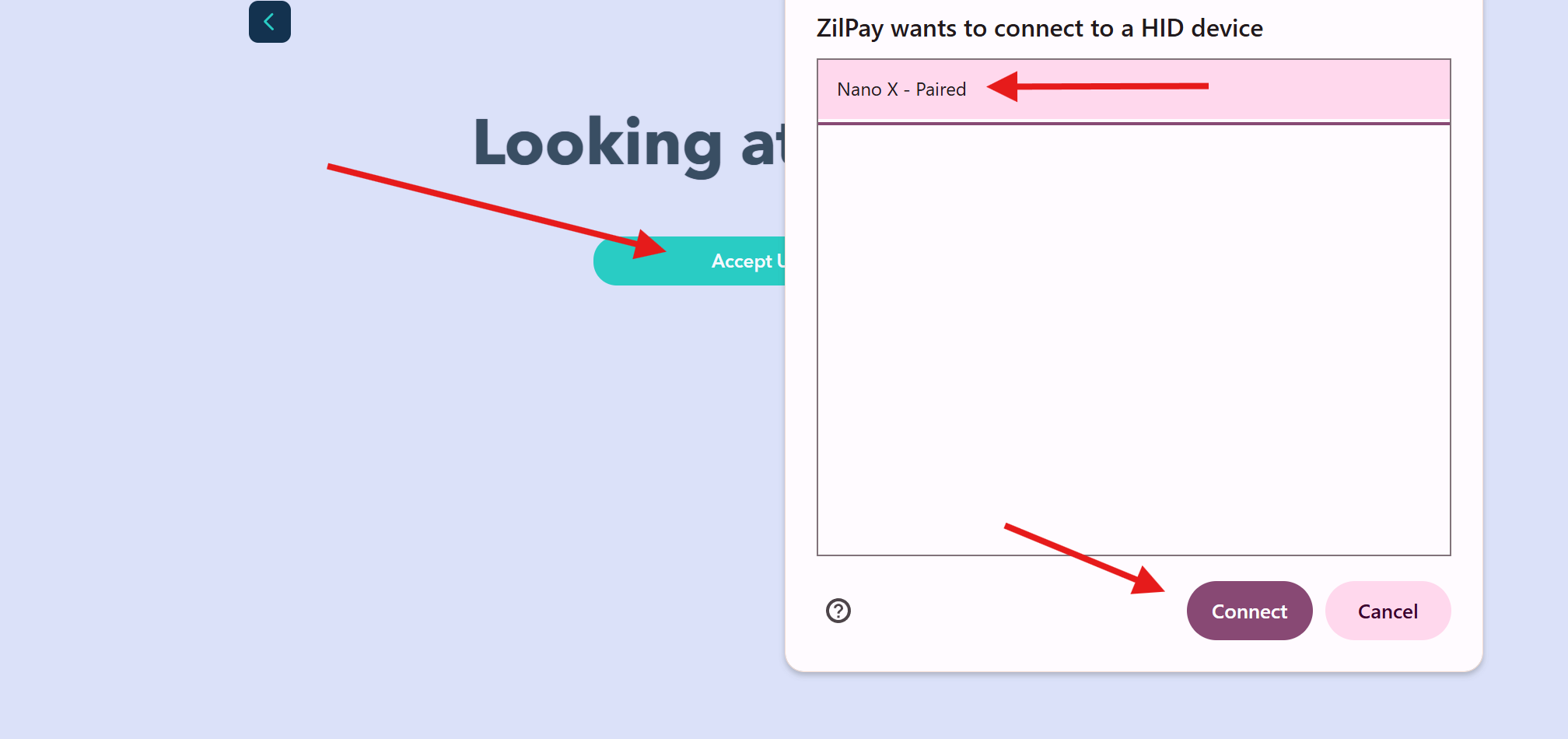
- On the next screen, your device name will appear again—click it.
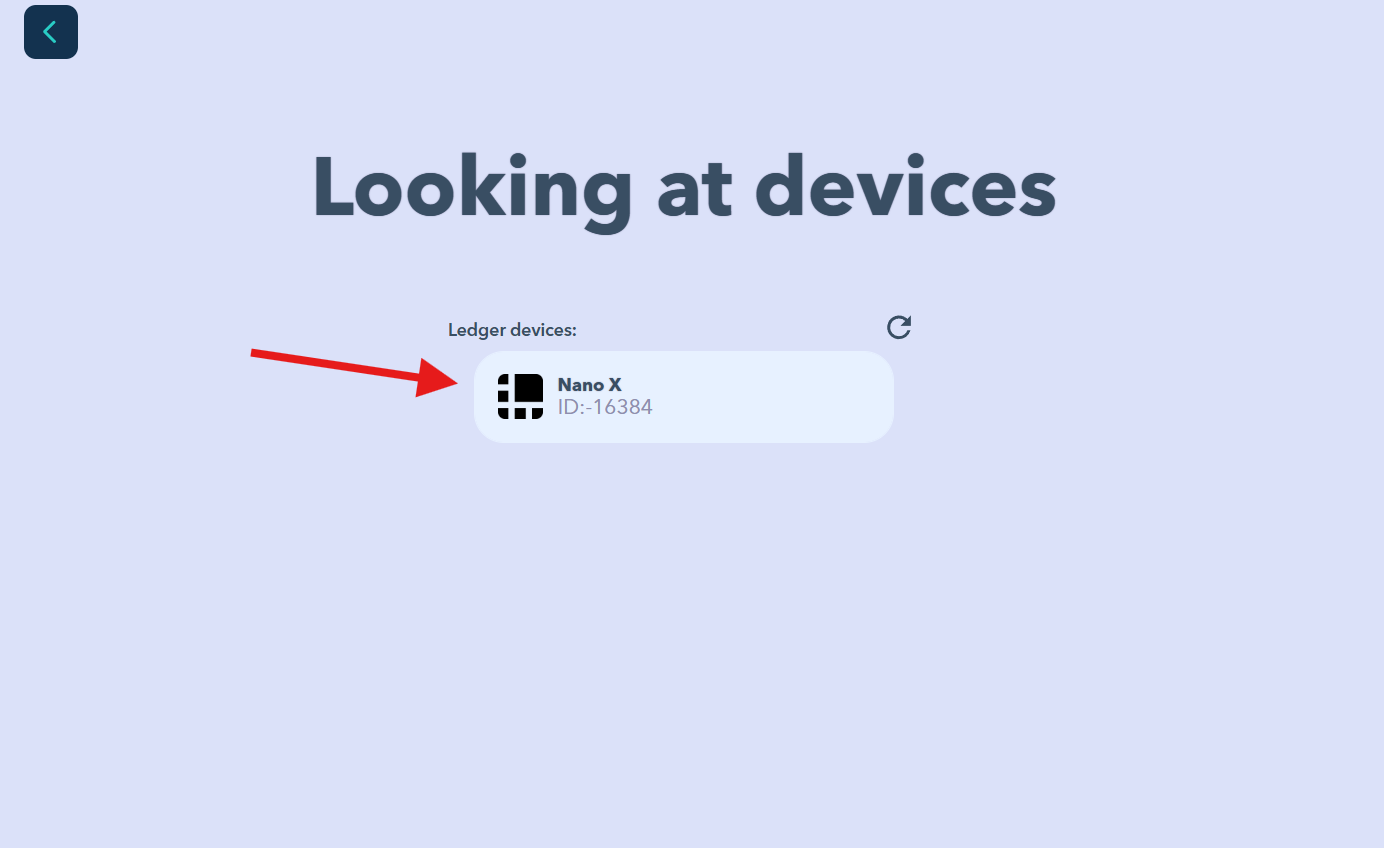
- Finally, on the next screen, click “Connect” again to complete the process.
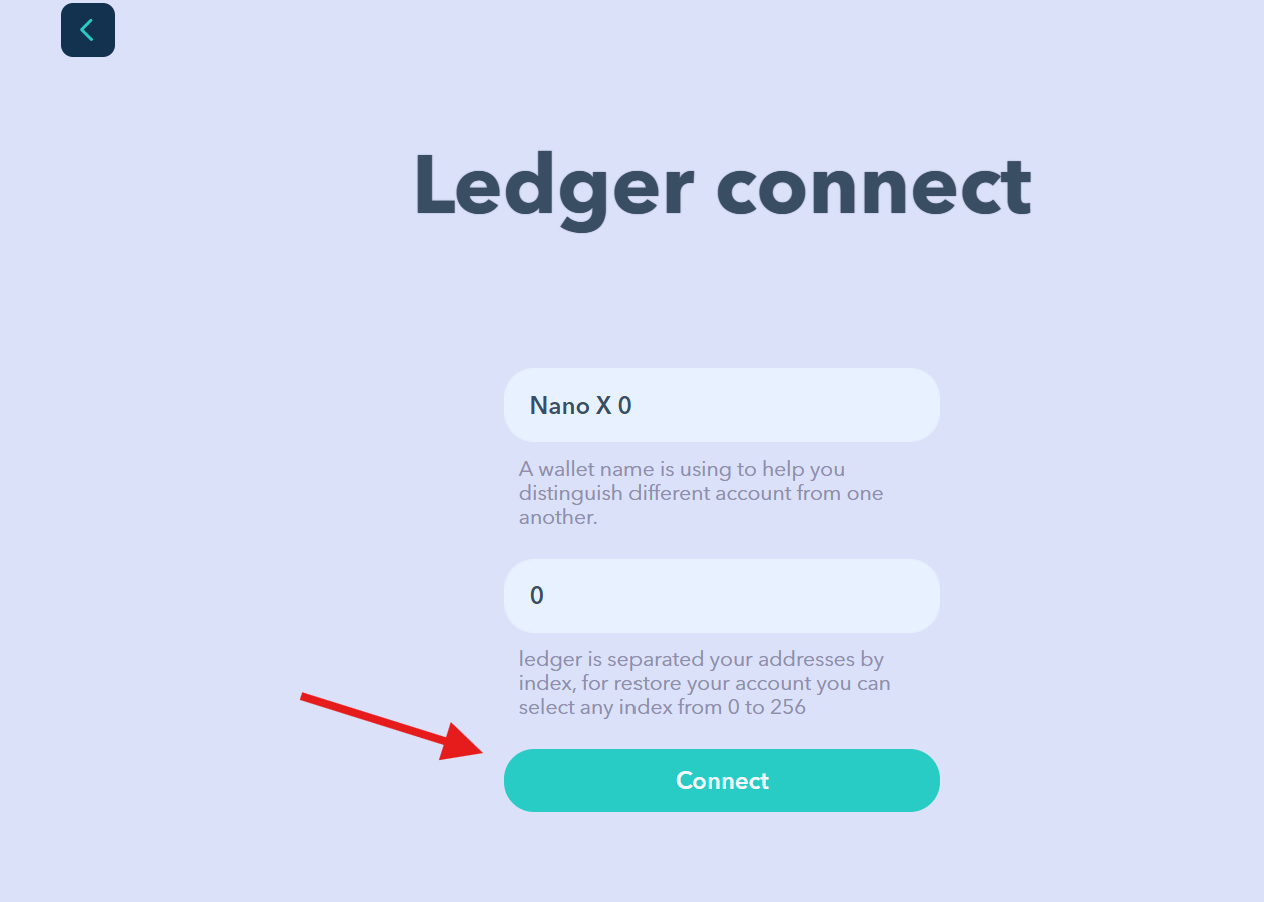
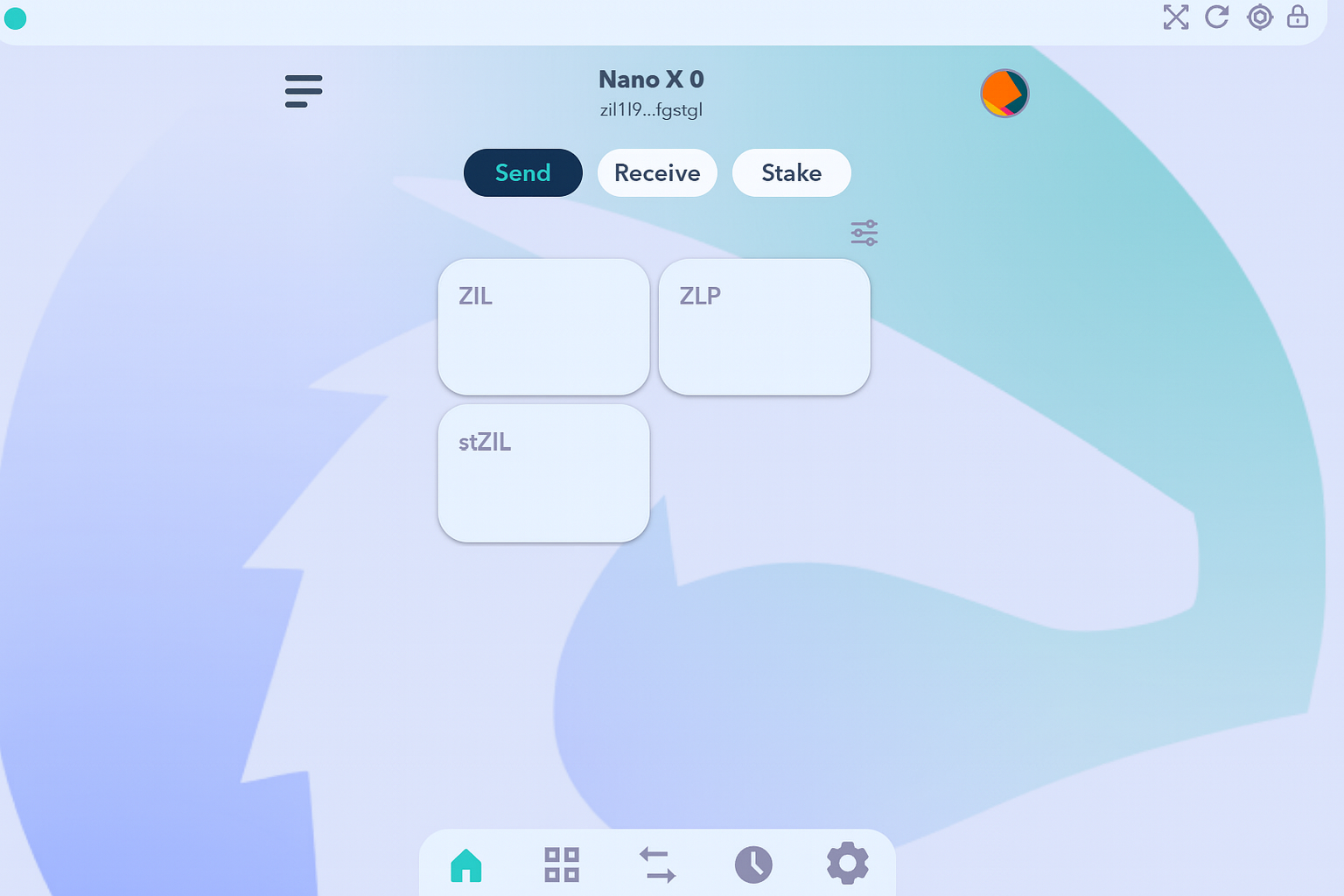
- Congratulations, Your Ledger is now successfully connected to ZilPay.
9M ago•
bullish:
0
bearish:
0
Share

 Manage all your crypto, NFT and DeFi from one place
Securely connect the portfolio you’re using to start.

bullish:
0
bearish:
0

bullish:
0
bearish:
0

bullish:
0
bearish:
0

bullish:
0
bearish:
0