


0
0
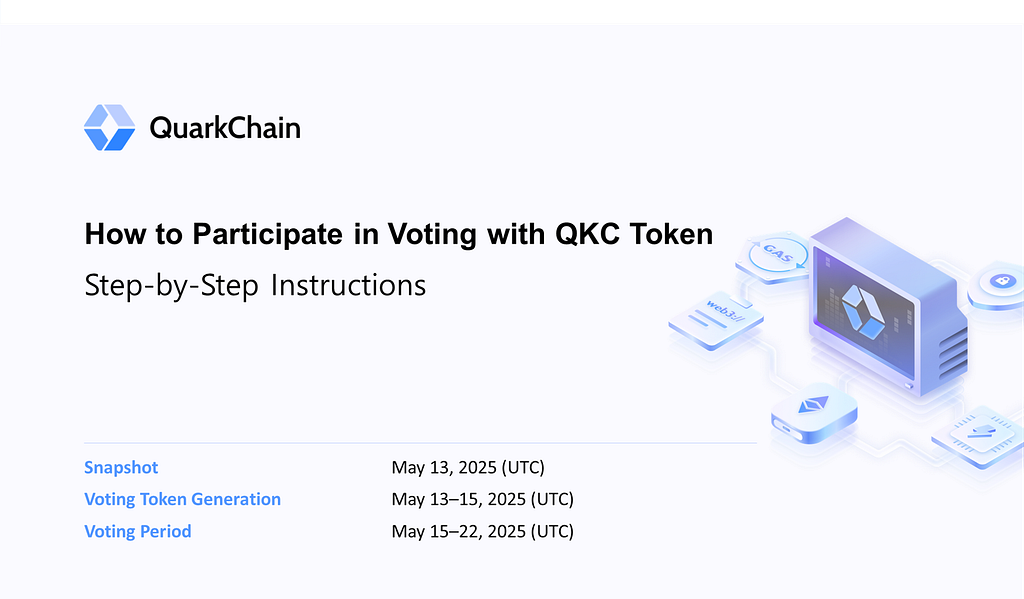
QKC is available in three formats: ERC-20, BEP-20, and native mainnet tokens. All are eligible to vote, but to participate, holders MUST have their tokens — whether ERC-20, BEP-20, or mainnet — in an ETH-compatible self-custodial wallet (e.g., MetaMask/Rabby/Rainbow/Trezor) before the snapshot.
Below is a step-by-step guide specifically for mainnet token holders, as an additional setup is required.
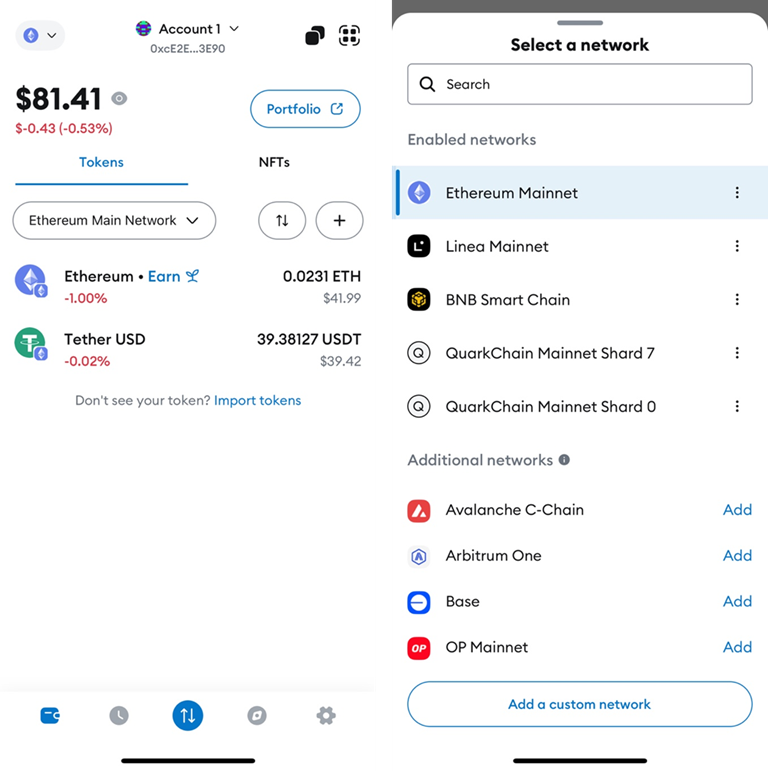
2. On the network information input screen, enter the following RPC URL:
https://mainnet-s0-ethapi.quarkchain.io
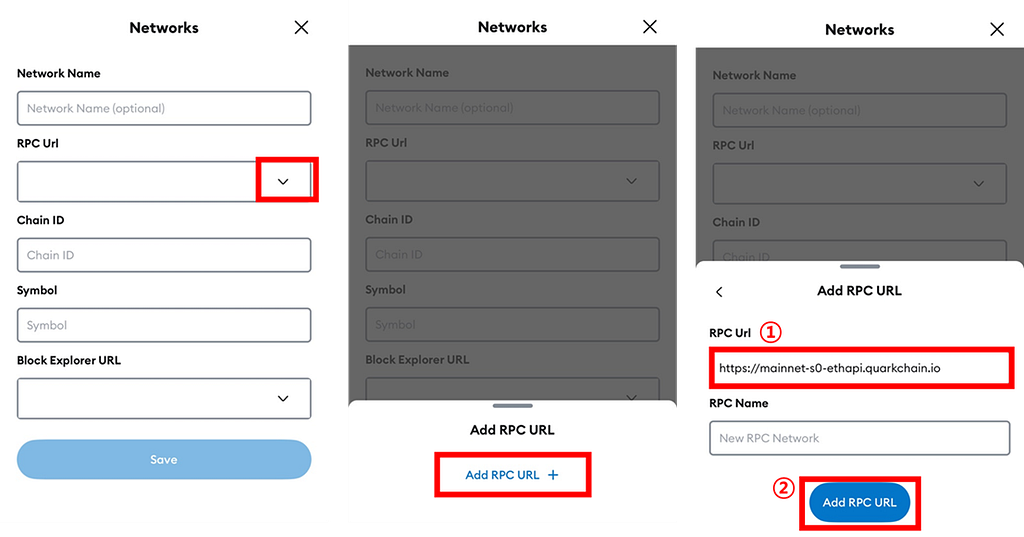
3. Fill in the remaining network information:
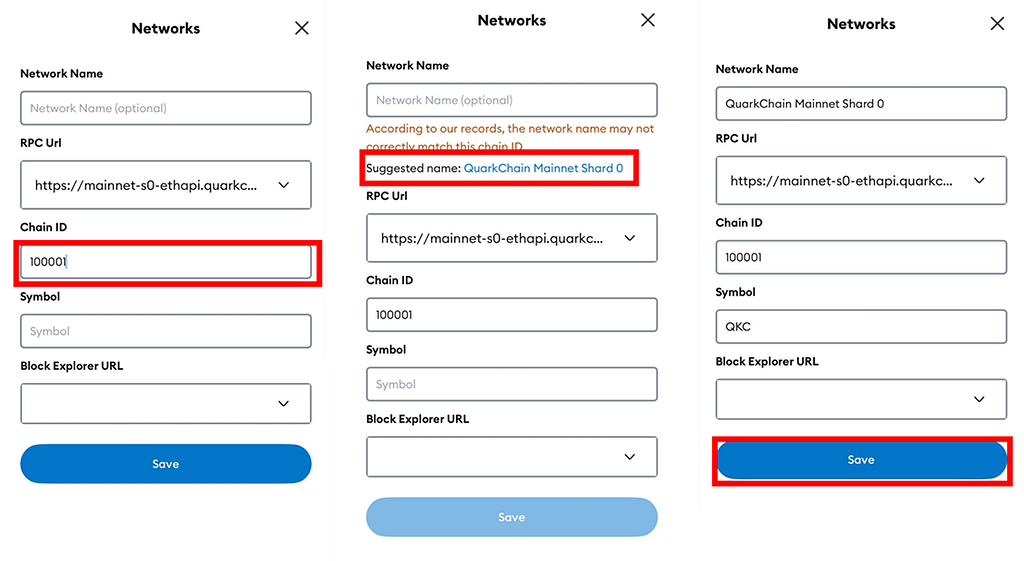
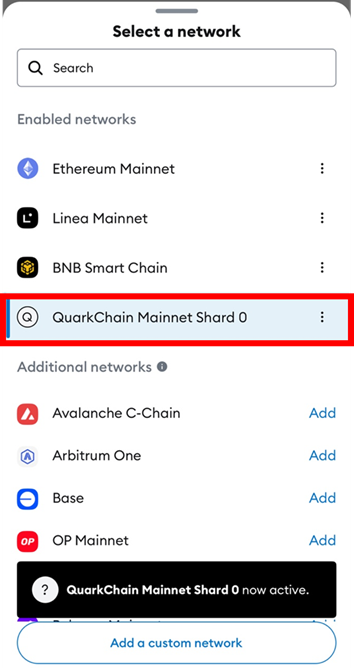
4. Tap the network icon in the upper-left corner again to confirm that “QuarkChain Mainnet Shard 0” has been added. Then, switch to this newly added QuarkChain network.
Please note that Upbit and Bithumb do not support mainnet token withdrawals to personal wallets. Therefore, first, withdraw to Gate.io, then send to MetaMask.
Caution: Withdrawing to the wrong address will result in the loss of tokens. We highly recommend performing a test withdrawal and verifying the withdrawn QKC token in your ETH wallet before withdrawing all QKC tokens for voting!
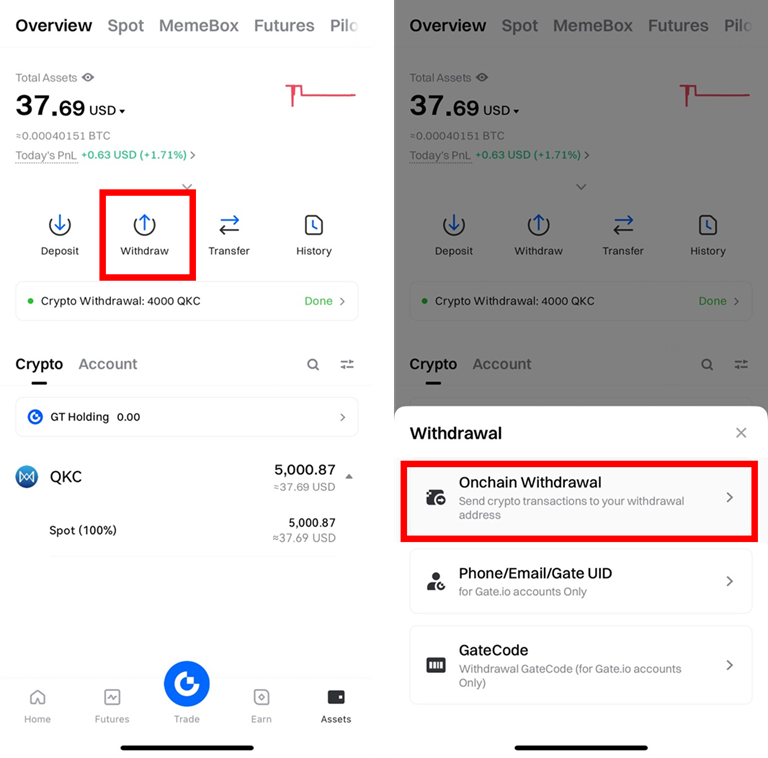
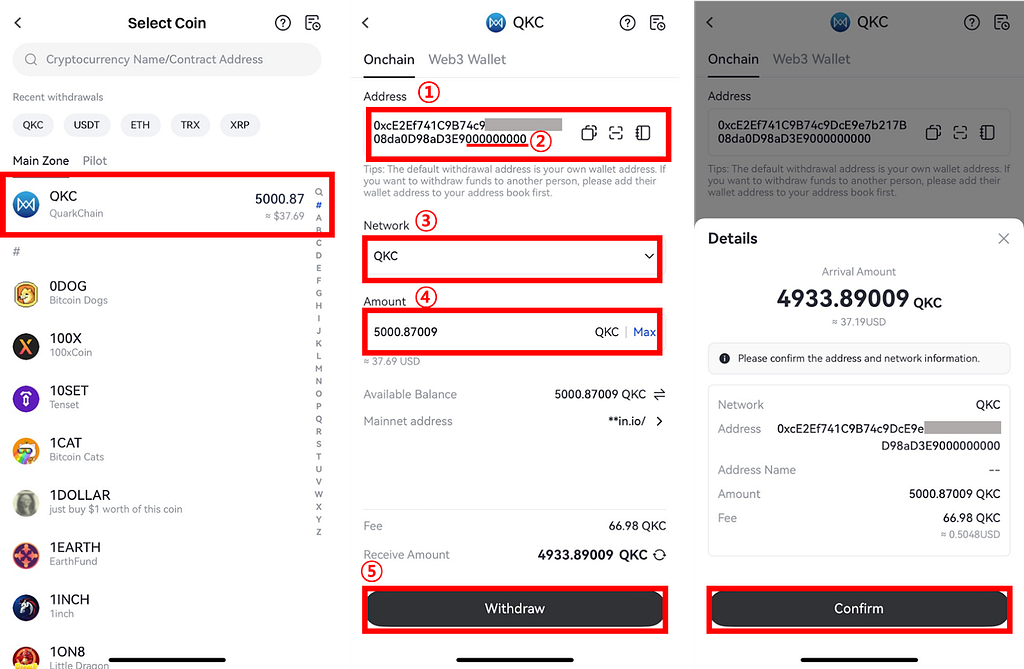
2. Select “QKC”, then enter the withdrawal address, select “QKC” as the network, and input the withdrawal amount → tap “Withdraw” → then “Confirm”
Note: You must add “00000000” (eight zeros) to the end of your ETH address (0x + 40 characters) to form your QKC mainnet address (0x + 48 characters). Appending eight zeros to the ETH address will transfer QKC to shard 0 in your ETH wallet.
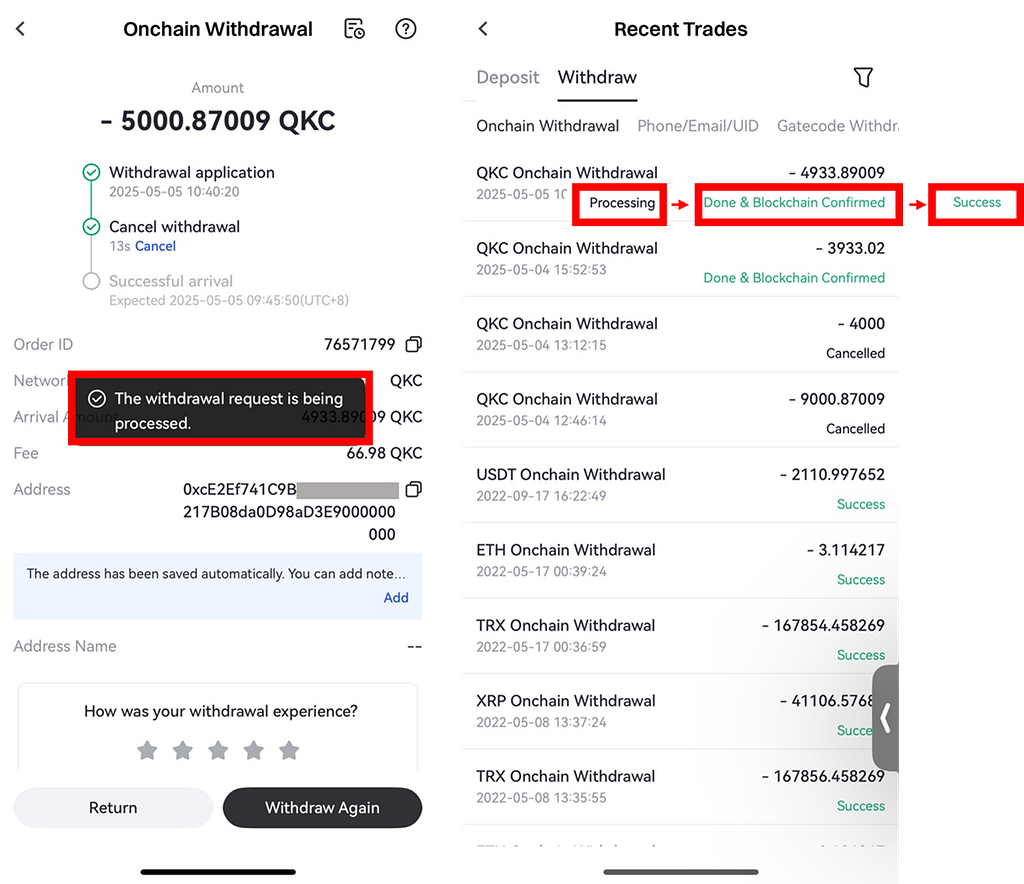
3. The status will change from “Processing” → “Done & Blockchain Confirmed” → “Success” as the withdrawal is completed.
4. Check in MetaMask to confirm that the tokens have been withdrawn.
📢 For full details, see the official voting process announcement: Click
If you have any questions, please visit our community channels for support and more information.
0
0
 Manage all your crypto, NFT and DeFi from one place
Securely connect the portfolio you’re using to start.


0
0


