
ERC-20 FOUR to Polygon POS FOUR Bridge Manual
0
0
As FOUR token Multiverse is expanding, it is important to know how to use it. The first step is always the bridge. FOUR tokens have been integrated into the official Ethereum — Polygon cross-chain bridge, so ERC-20 FOUR token holders can now easily migrate between two universes.
*Bridge link: https://wallet.polygon.technology/bridge
Bridging ERC-20 FOUR tokens to Polygon Mainnet
Using a scalability solution is almost a must nowadays, where interacting with contracts in the Ethereum Mainnet can be very costly from a gas perspective. With that in mind, we extend FOUR token multiverses in Polygon. If you have tokens in Ethereum main net you can bridge them to Polygon main net.
Below we’ll present a step-by-step guide on how to do it. The process consists of three parts:
- Connect Polygon Mainnet in Metamask (as it doesn’t come integrated as a default).
- Make sure you have MATIC tokens (to pay for gas costs)
- Bridge your tokens to Polygon.
Connecting Polygon main net in Metamask and bridging your tokens
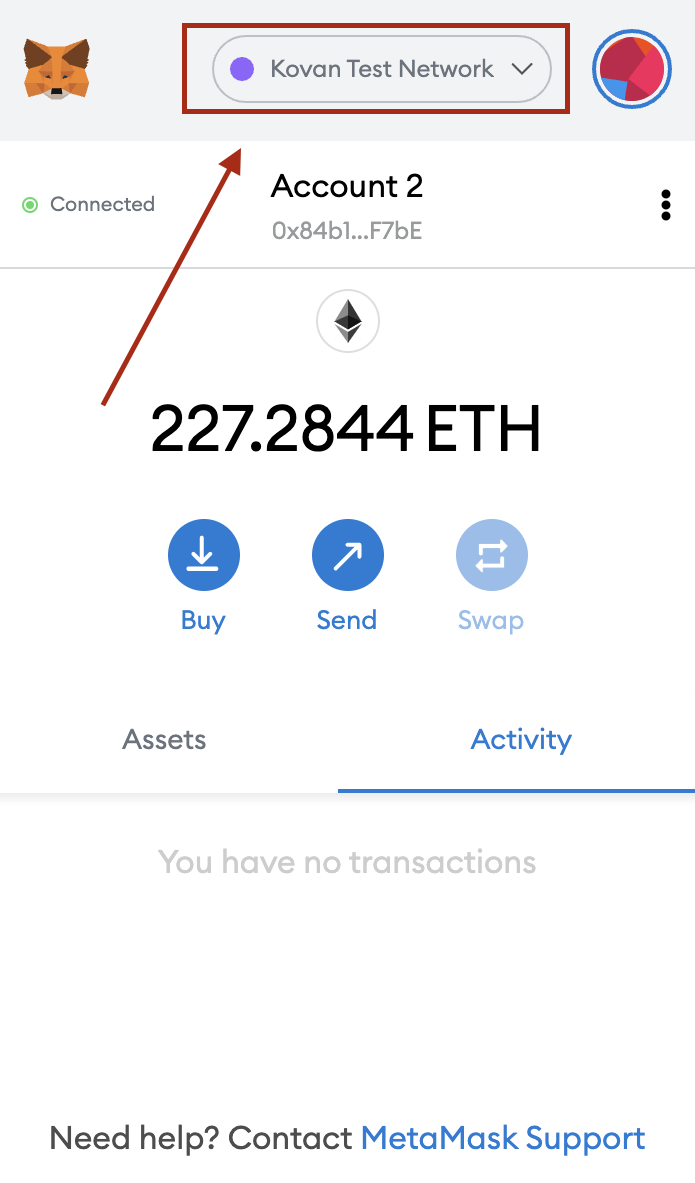
In order to add the Polygon Network to your Metamask, follow this step:
- Open your Metamask
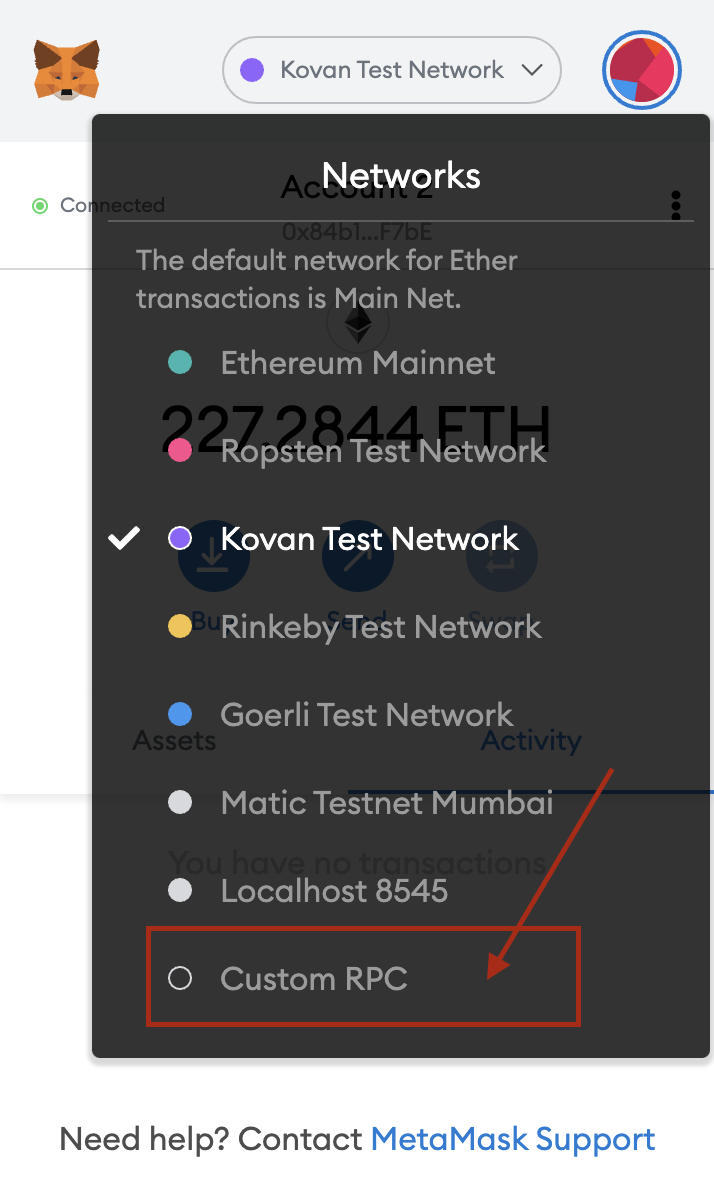
- Click on the Networks section
- Once the Networks list shows up, click on “Custom RPC”
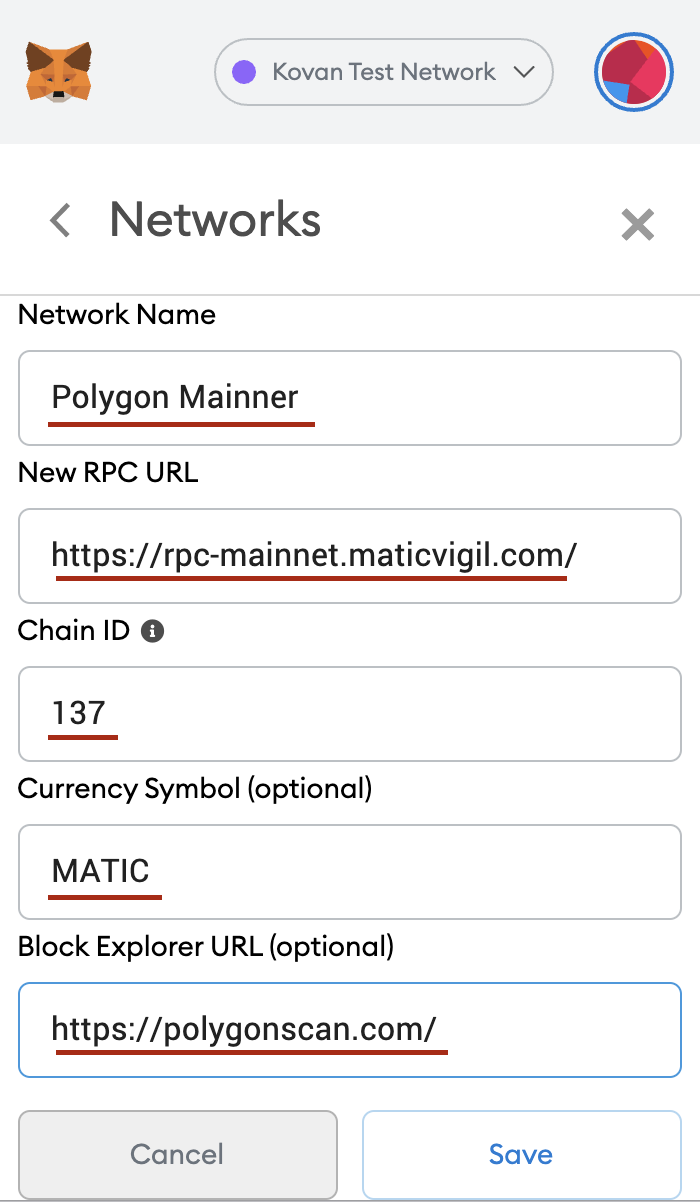
- Add the following information:
- Network Name: Polygon Mainnet
- New RPC URL (choose one of the URLs): https://rpc-mainnet.matic.network or https://rpc-mainnet.maticvigil.com or https://rpc-mainnet.matic.quiknode.pro or https://matic-mainnet.chainstacklabs.com or https://matic-mainnet-full-rpc.bwarelabs.com or https://matic-mainnet-archive-rpc.bwarelabs.com
- Chain ID: 137
- Currency Symbol (optional): MATIC
- Block Explorer URL (optional): https://polygonscan.com/
Interacting with Protocols in Polygon
To use the protocols in Polygon, it is necessary that you:
- Have MATIC tokens to pay for the gas costs (which at the moment are waaaaay cheaper when compared to the gas costs in the Ethereum main net)
- Bridge your tokens from Ethereum main net to Polygon
Getting MATIC tokens
Just like ETH is required to pay for the gas costs of any contract interaction in the Ethereum Mainnet MATIC is necessary (for the same reason) in Polygon.
You can get MATIC tokens in any DEX available in the Ethereum Main net (such as at @SushiSwap, @Uniswap, or @1inch, for example) and then bridge the tokens to Polygon. Check the below instruction for FOUR tokens you can use the same steps to bridge MATIC token to Polygon.
Bridging tokens from Ethereum Main net to Polygon
Users can bring tokens from the Ethereum main net to Polygon through Polygon’s official bridge or through other protocols that provide this same service, such as Zapper.
*Note: Do not forget that MATIC tokens are necessary to interact with any contract in Polygon.
So let’s go through a step-by-step here by using the official bridge.
- Go to https://wallet.polygon.technology/wallet and connect your wallet.

2. Once the wallet is connected, type FOUR token in the search field and click on Deposit. You will be redirected to the Bridge option.
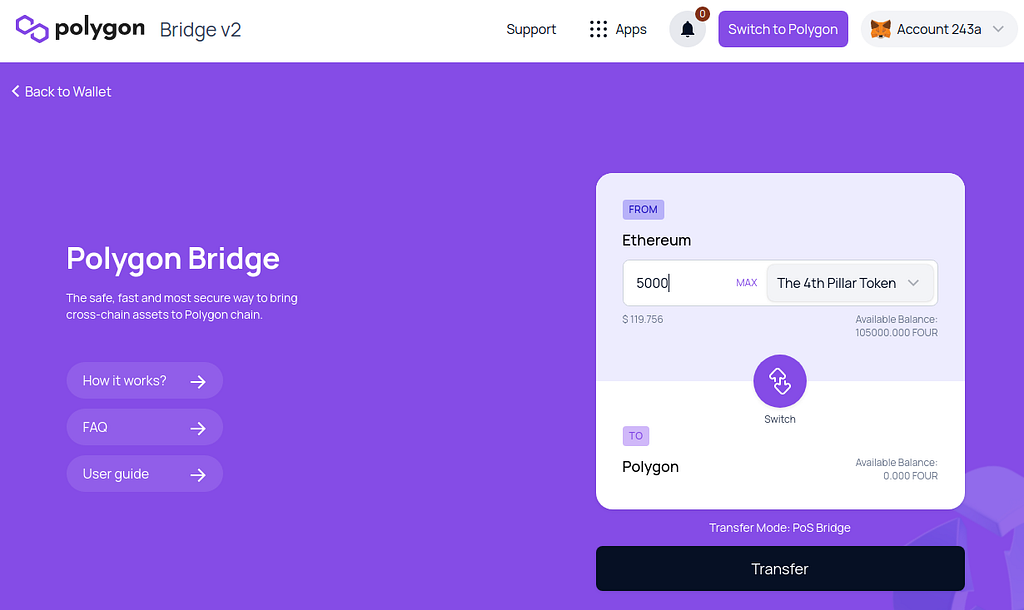
3. Type desired amount of FOUR tokens and click Transfer. You will get notice.
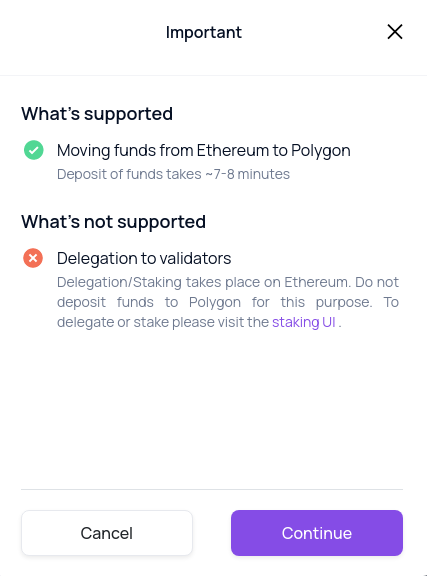
4. Confirm notice by clicking Continue.
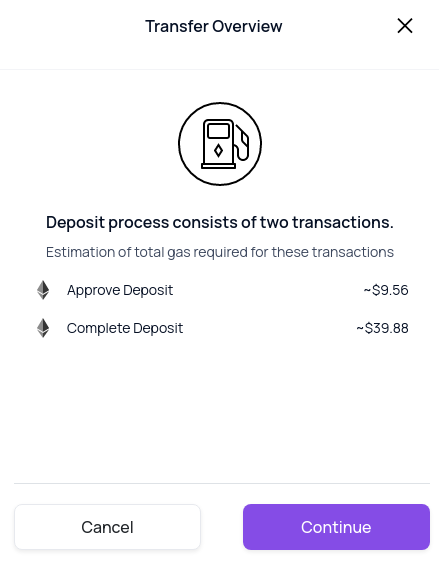
5. Confirm transaction fees by clicking Continue.
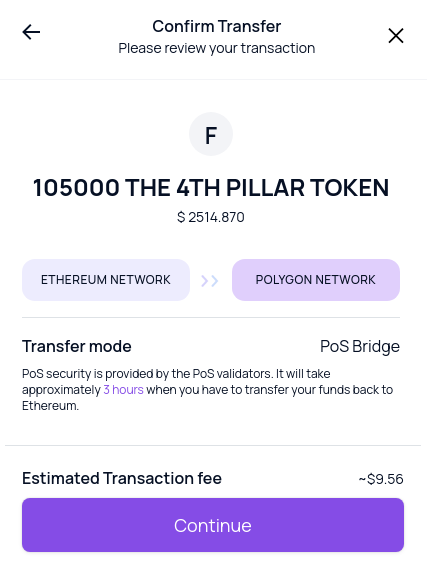
6. Confirm the transaction by clicking Continue.
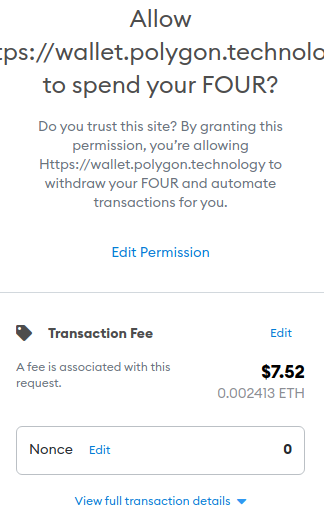
7. Confirm transaction in Metamask by clicking blue button Confirm
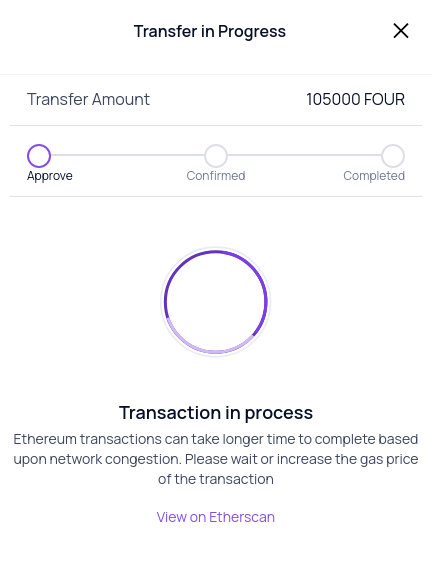
8. Transaction in the progress window.
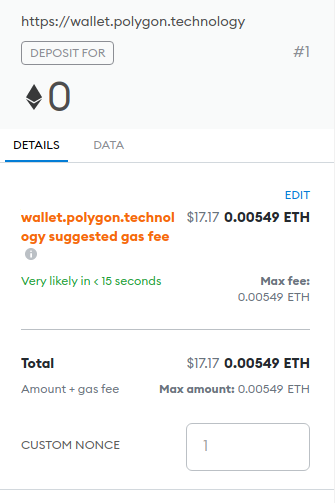
9. Confirm transaction on the polygon in Metamask by clicking blue button Confirm
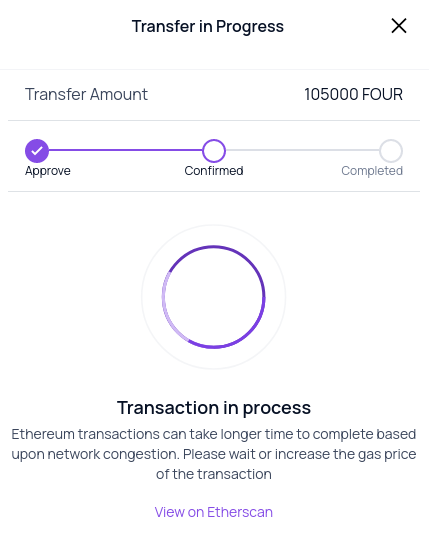
10. Transaction in the progress window. Waiting for the transaction to complete.

11. Transaction completed
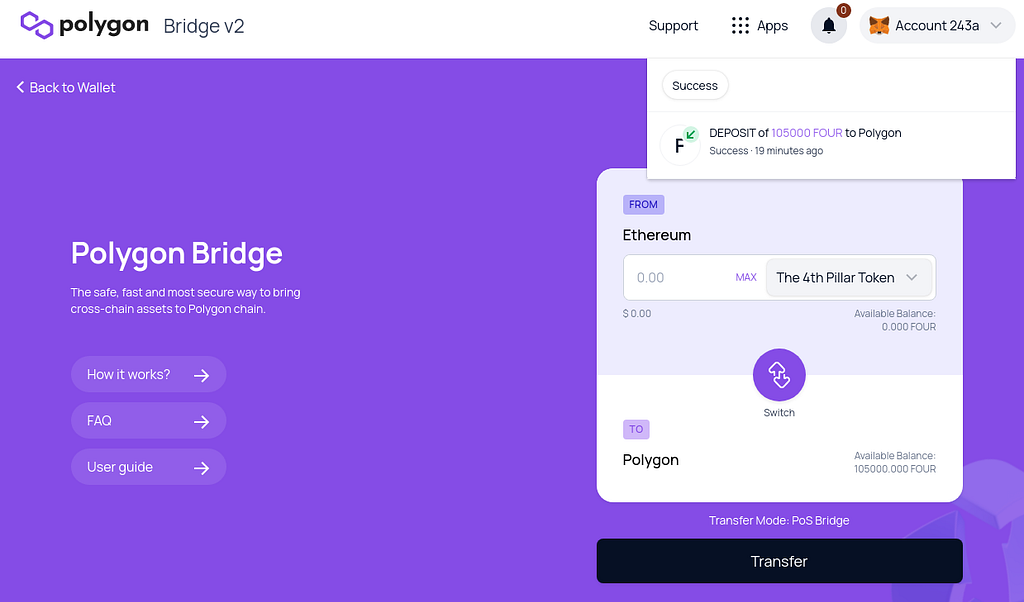
Once the transaction is complete, your outstanding balance will be updated in Polygon’s dashboard. So that’s it! You’re ready to explore polygon network, swap your crypto and save money with gas costs 🙌🏼
Explore 4thTech:
Disclaimer
4thTech is a blockchain technology innovation and development initiative. Its main focus goes to the development of future experimental blockchain technology. 4thTech does not guarantee or influence the token price or deal with financial or trading token elements, nor offer any licensed financial services, such as investment or brokerage services, capital raising, fund management, or investment advice. The content of this talk is provided for information purposes only and is not to be used or considered to be an investment recommendation or an offer or solicitation to buy, sell or subscribe to any securities or other financial instruments.
ERC-20 FOUR to Polygon POS FOUR Bridge Manual was originally published in /4thtech on Medium, where people are continuing the conversation by highlighting and responding to this story.
0
0


 Manage all your crypto, NFT and DeFi from one place
Securely connect the portfolio you’re using to start.

0
0


