Best Solscan Alternatives in 2026 for Wallet Tracking and Token Research

Key Takeaways
- Solscan is an essential tool for quick lookups, but other platforms excel in specialized use cases like analytics and trading.
- CoinStats is best suited for tracking multi-wallet Solana portfolios alongside cross-chain assets and overall performance.
- Solana Explorer serves as a direct alternative for verifying raw on-chain account and transaction data.
- Orb simplifies complex transaction logs by providing AI-driven explanations and readable time-based filtering.
- Birdeye Terminal offers dedicated market research, focusing on token prices, trending charts, and smart money flows.
Solscan is where most people land when they want to dig into transaction history or simply check if the transaction went through. Here, you paste a Solana wallet address or transaction signature into a search bar and you get all its details. It’s fast, familiar and free for everyday lookups. It also isn’t the right tool for every job.
The best Solscan alternative depends on what you want to see.
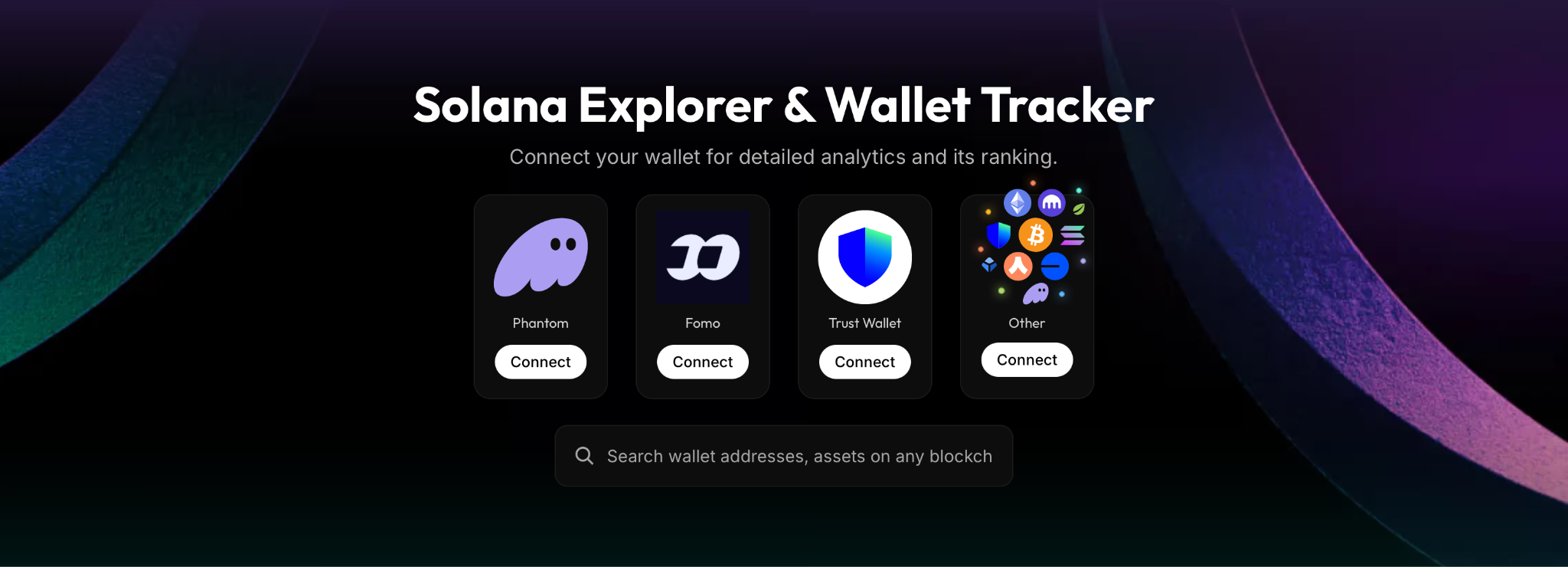
For example, if you need a bird’s eye view of your Solana assets, then CoinStats Solana Explorer & Wallet Tracker is what you should choose. Similarly, there are different tools excelling in different use cases. We will explore the best ones here.
And if you intend to actively participate in the Solana network as a user, you’d need more than one of the tools we list here.
Before you proceed, keep in mind that this article compares Solscan and its alternatives as online research tools and user interfaces for end users. The article does not compare APIs or other developer tools.
What is Solscan?
Solscan is a blockchain explorer for Solana, like Etherscan is for Ethereum. In other words, it is a search engine for transactions and public data on the Solana network.
You can paste in a wallet address, transaction signature, token mint, or program ID and see what’s on-chain.
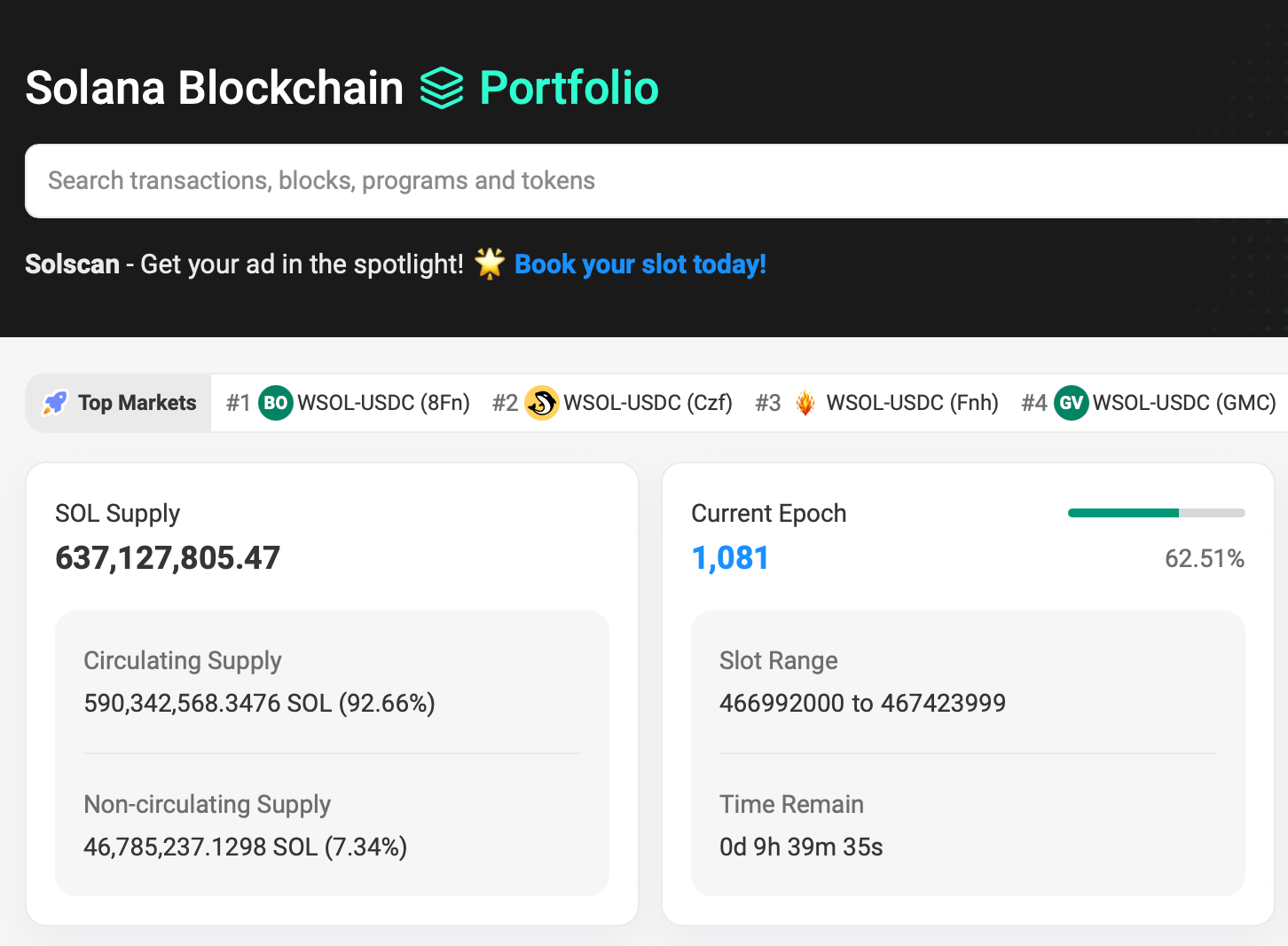
What Solscan used for:
- Checking whether a transaction succeeded, plus its fees, timestamp, and the instructions inside it
- Viewing a wallet’s SOL and token balances, NFTs, and transaction history
- Looking up token details such as supply, holders, and transfers
- Inspecting validators, programs (smart contracts), and network stats
- Tracking stablecoin flows like USDC and USDT on Solana
Solscan launched in 2021 as an independent project by Vietnamese co-founders and was later acquired by Etherscan in 2024. It still runs as its own product at solscan.io.
Why do you need a Solscan alternative?
Solscan is a strong default. Etherscan acquired it in early 2024, and according to Helius’s explorer roundup it now offers dashboards for priority fees, stablecoins, launchpads, DeFi activity and whale tracking. For most one-off lookups, you don’t really need anything more.
There are situations that push people to look for more tools. Say you traded on a DEX multiple times and at the end of it, you want an easy visual way to understand your PnL, then CoinStats is an excellent fit. Or maybe there is a transaction signature you want to understand in plain english, a tool that uses AI to break it down would be a helpful alternative.
Which Solscan alternative fits your needs?
| Tool | Best suited to | Main consideration |
|---|---|---|
| CoinStats | Tracking a portfolio across supported wallets, exchanges and chains | Check connection coverage and which analytics your plan includes. |
| Solana Explorer | Looking up transactions, accounts and network activity | Detailed records can take more interpretation. |
| Orb | Reading and filtering Solana transaction history | Check underlying transaction details when a summary is unclear. |
| Birdeye Terminal | Researching token prices and market activity | Market research does not replace your personal portfolio records. |
What to look for in a Solscan alternative?
Start with the feature you are missing.
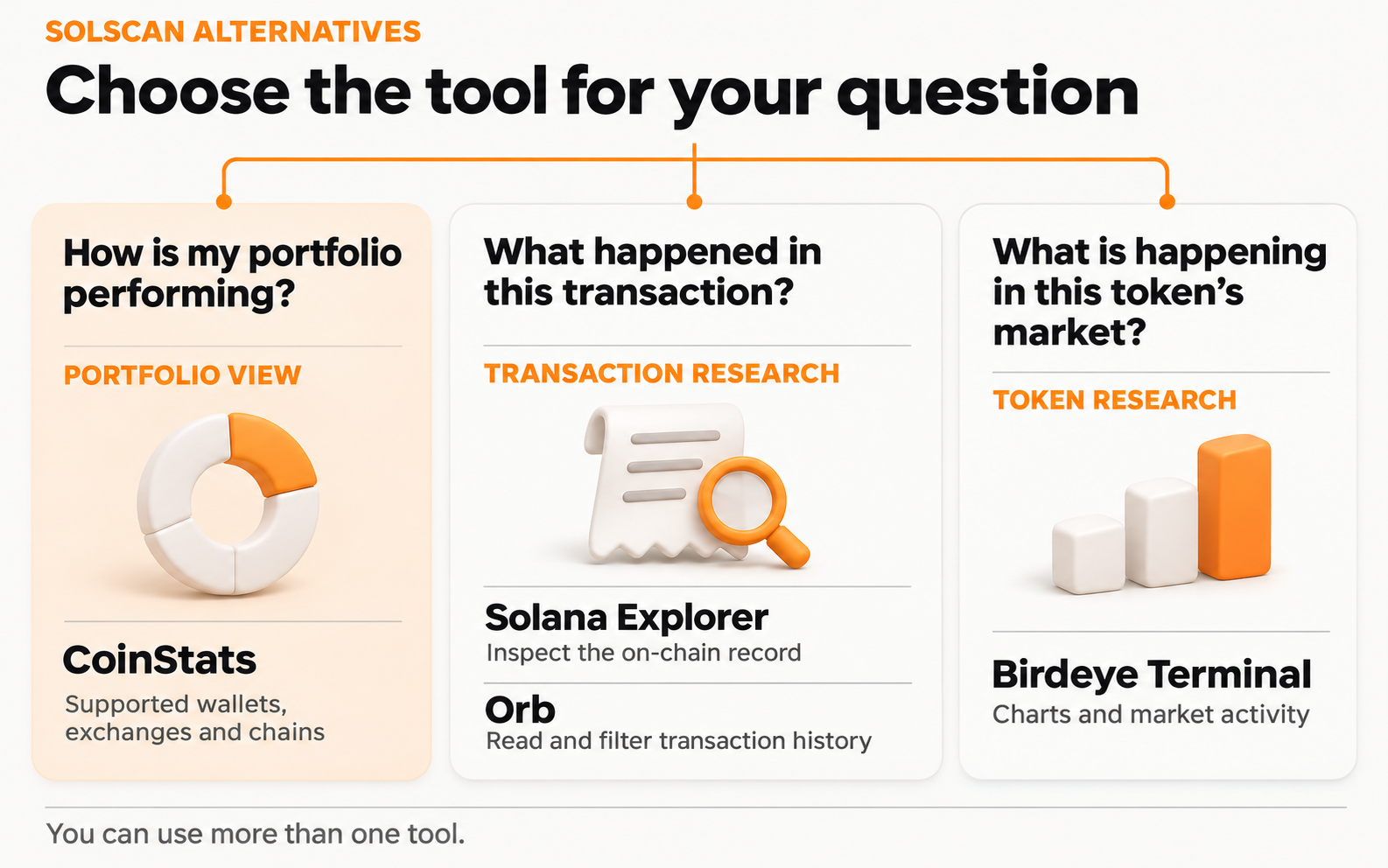
Solscan already displays wallet holdings and supported DeFi positions. Its portfolio view includes token balances, estimated values and certain liquidity positions. Moving to another tool just to see a wallet balance does not add any value.
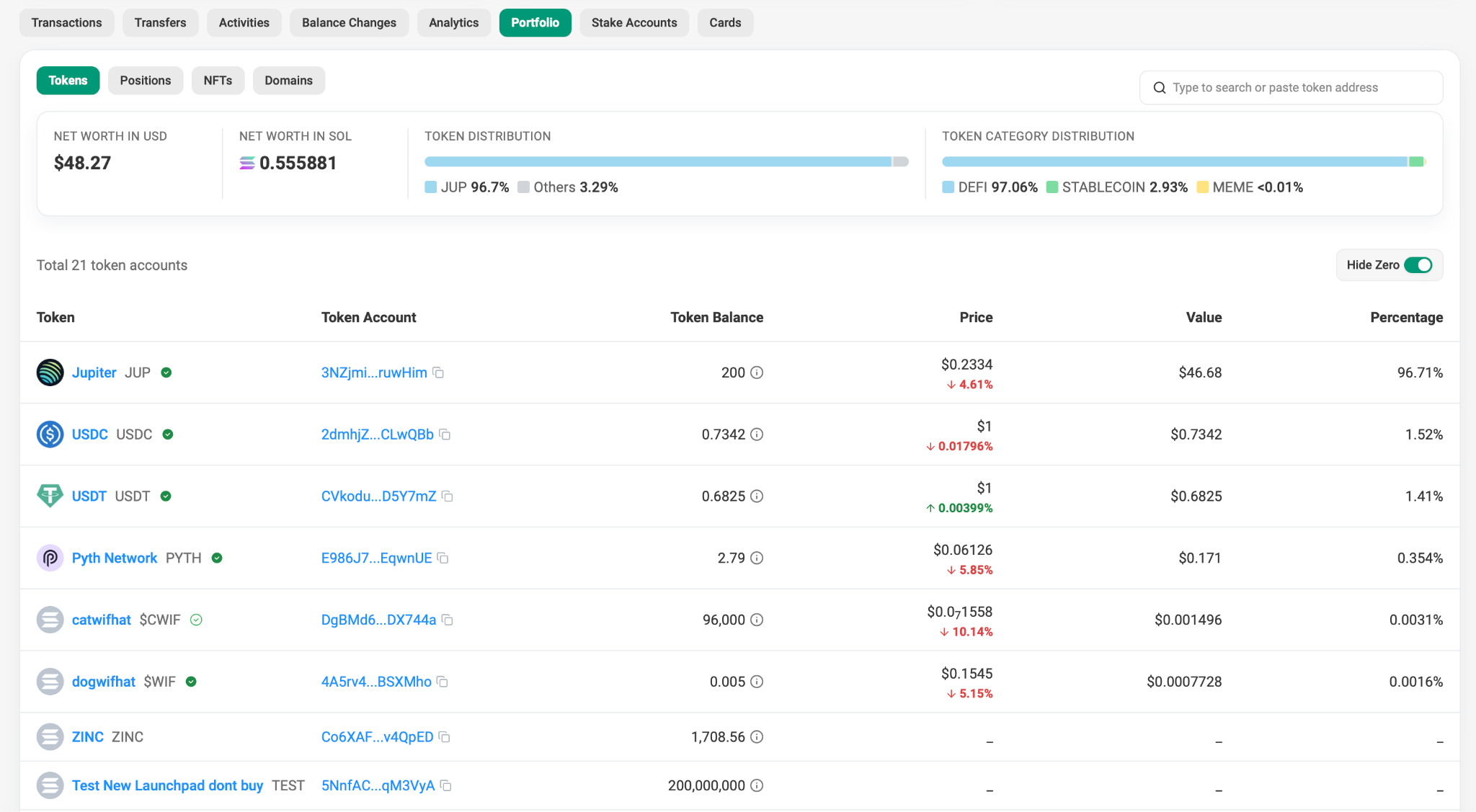
A useful alternative should make your next question easier to answer:
- What happened in this transaction? Choose an explorer with the level of detail you need.
- How is my portfolio performing? Look for consolidated holdings, transaction history and profit and loss analysis.
- What is happening in this token’s market? Use a tool built around price charts and trading activity.
For ongoing portfolio monitoring, our Solana Wallet Tracker gives you a place to follow Solana alongside your other supported assets. An explorer can remain part of the same workflow when you need to investigate a specific transaction.
1. CoinStats: Helps track your Solana portfolio
CoinStats is a useful Solscan alternative when your holdings extend beyond one Solana address. You can think of it as a personalized Solana explorer for your assets because you can get a granular view of all your Solana assets across platforms from a single app.
You might keep SOL in Phantom, hold other assets on an exchange and use a second wallet for DeFi. Bringing those connections into one portfolio helps you review your exposure without adding up separate account pages.
See holdings and performance together
Our portfolio analytics let you review individual portfolios or all portfolios together. Available views include asset allocation, performance and profit and loss charts.
Say, you transfer 10 SOL from one wallet you own to another, you have not earned 10 SOL. A useful performance view needs to account for the transfer and the original purchase history.
Check your Solana DeFi coverage
Our supported Solana protocols include Jito, Marinade, Orca and Raydium, among others. Check the supported position types for the protocols you actually use.
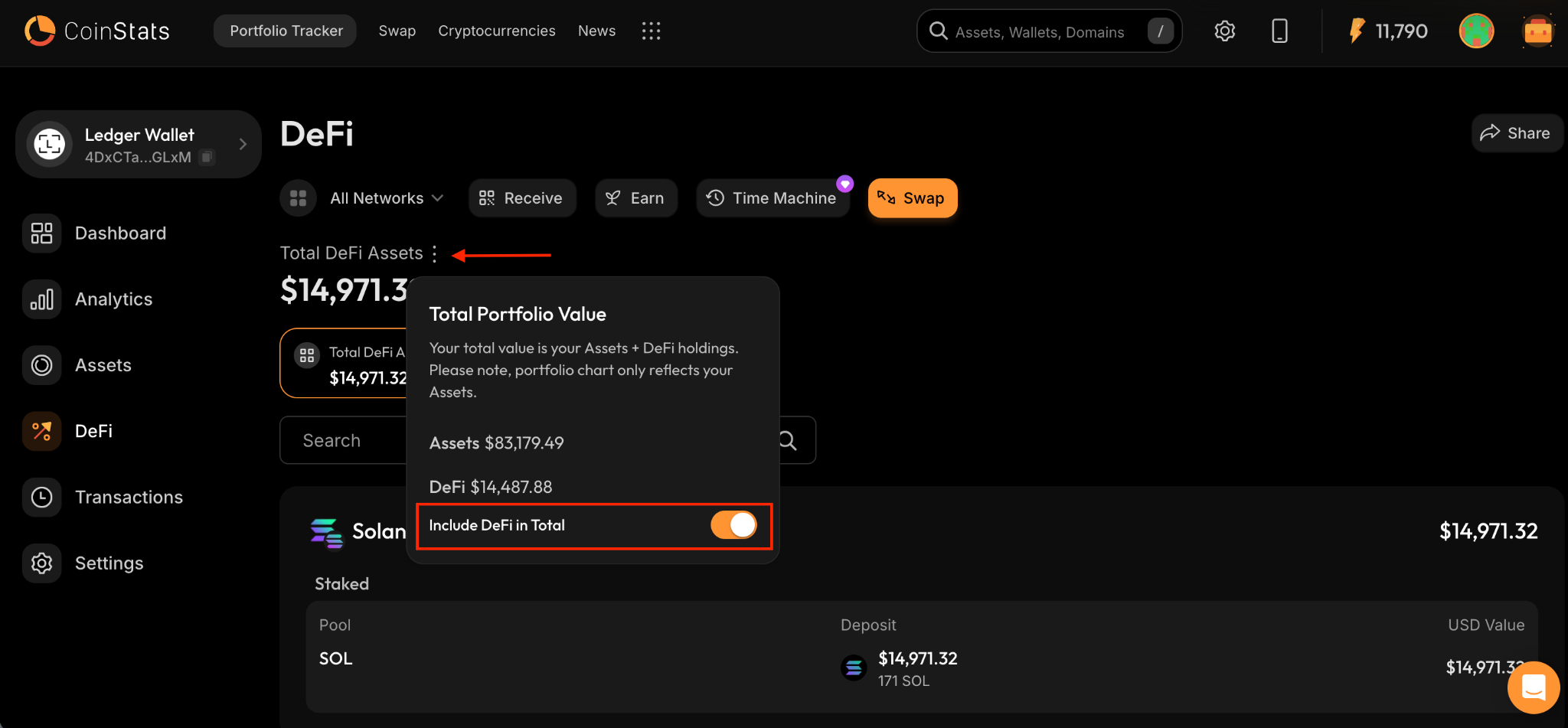
Solana staking appears under the DeFi tab. You can also choose whether DeFi holdings contribute to your total portfolio value with the “Include DeFi in Total” toggle.
Add your wallet by its public address
To use the public-address connection:
- Open CoinStats’ Portfolio Tracker and select Connect Wallet.
- Search for the wallet you want to track.
- Enter its public Solana address and connect it.
- Review the imported holdings and transaction history before relying on the performance figures.
A public-address import lets you observe on-chain activity without moving your assets. It does not give the tracker your private key.
2. Solana Explorer: Direct alternative for checking transactions
Solana Explorer is a direct alternative for looking up transactions and accounts. The Solana network directory lists it as an explorer for transactions, accounts, tokens and clusters.
It is a useful second view when you have a transaction signature and want to inspect the record on another interface.
Before comparing results, check that both explorers are showing the same Solana network. Mainnet and development networks have separate records.
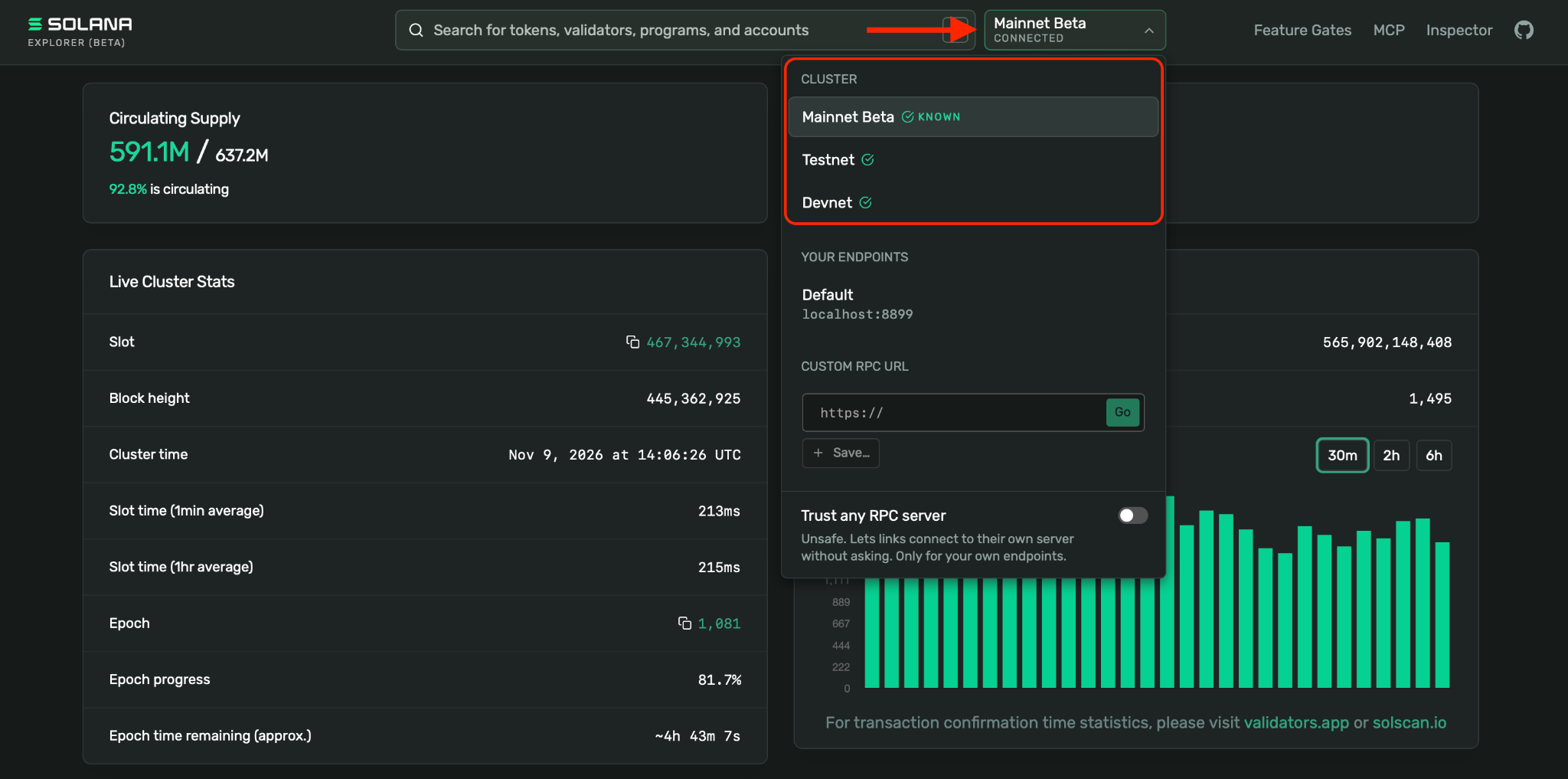
Choose Solana Explorer when the record itself is your priority. If you mainly want a combined view of assets held across exchanges and wallets, CoinStats as a portfolio tracker will be more useful for that task.
3. Orb for reading Solana transaction history
Orb, built by Helius, is another Solana explorer worth considering when a busy transaction history is difficult to follow.
Helius documents several features designed to make that history easier to read:
- Parsed events that translate transaction details into readable descriptions
- Time filters for narrowing the period you want to investigate
- Oldest-first sorting for tracing earlier activity
- Filters for spam transactions and unwanted assets
Orb also offers AI explanations. They help in interpreting a transaction, then check the underlying accounts, amounts and instructions if the explanation affects an important decision.
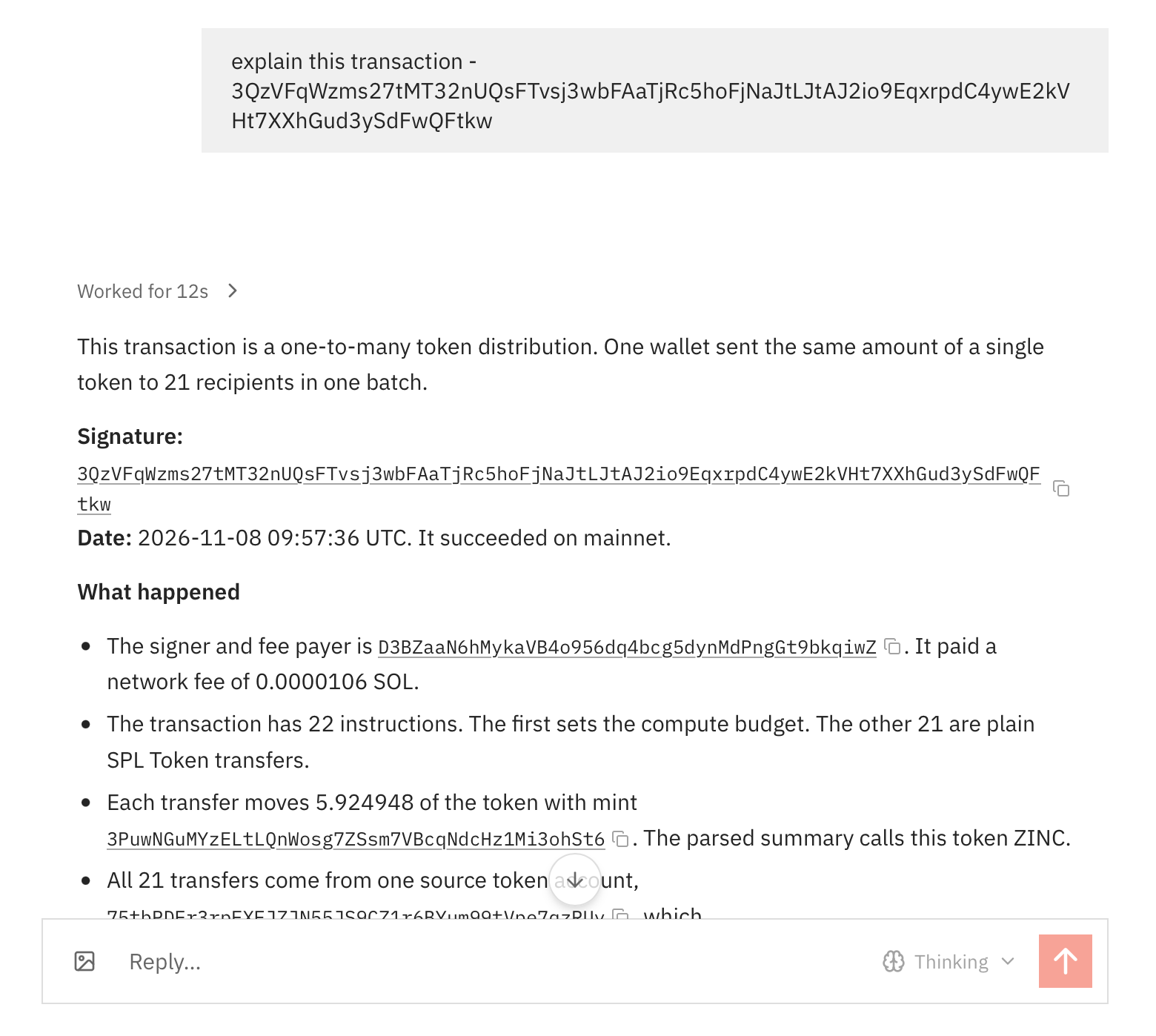
Choose Orb when navigation and interpretation are the main reasons you are looking for an alternative to Solscan.
4. Birdeye Terminal: Useful for Solana token research
Birdeye Terminal suits readers whose main interest is a token’s market activity. Birdeye renamed its token-tracking interface in October 2026, and the dedicated terminal now sits separately from the company’s main website.
Its focus includes price charts, trending tokens, historical market data and smart money flows.
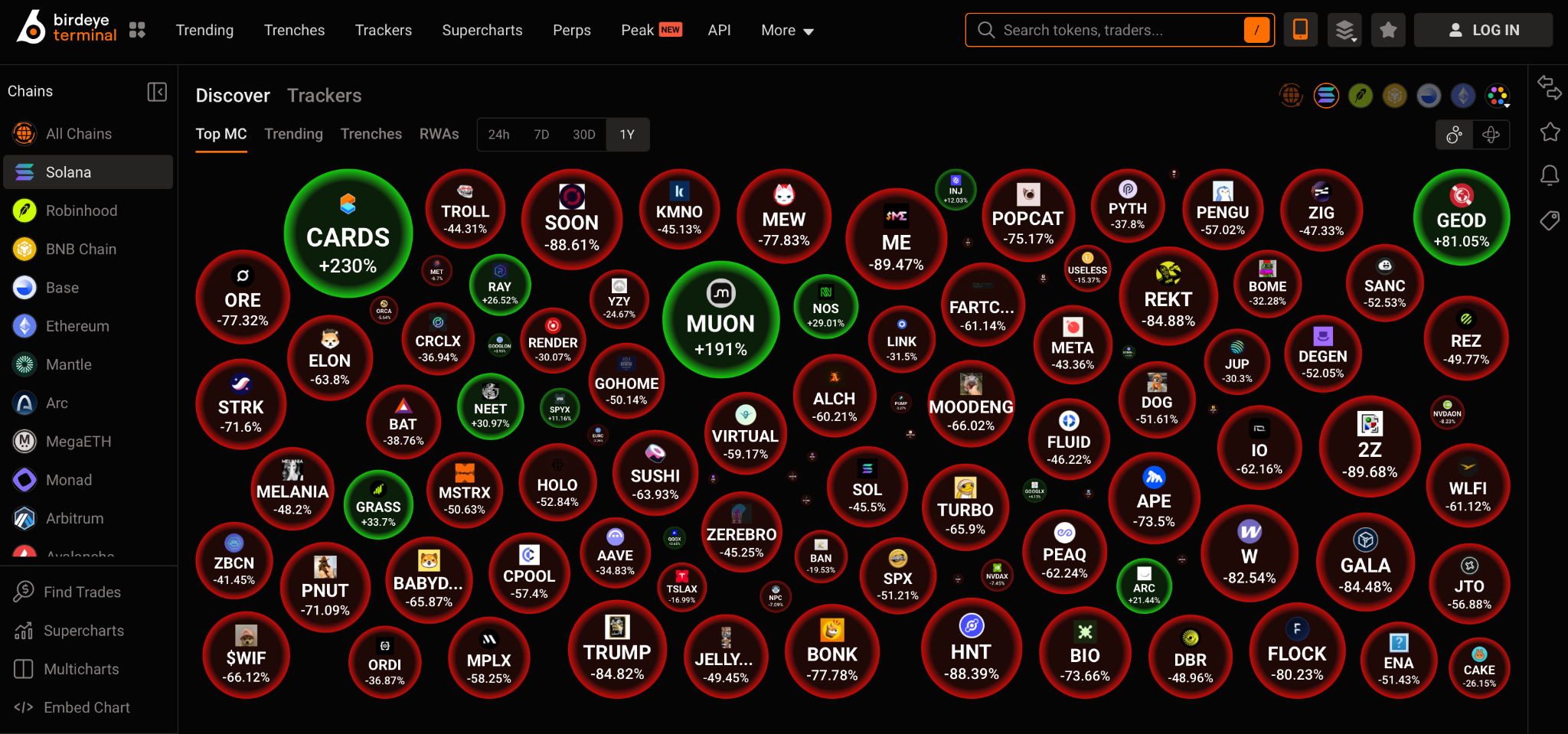
Birdeye Terminal is a different kind of alternative from a general block explorer. Choose it for market research, then use an explorer for transaction details and your portfolio records to assess your own returns. Another wallet’s activity does not establish that copying its trades will be profitable.
How to compare Solscan alternatives using your wallet
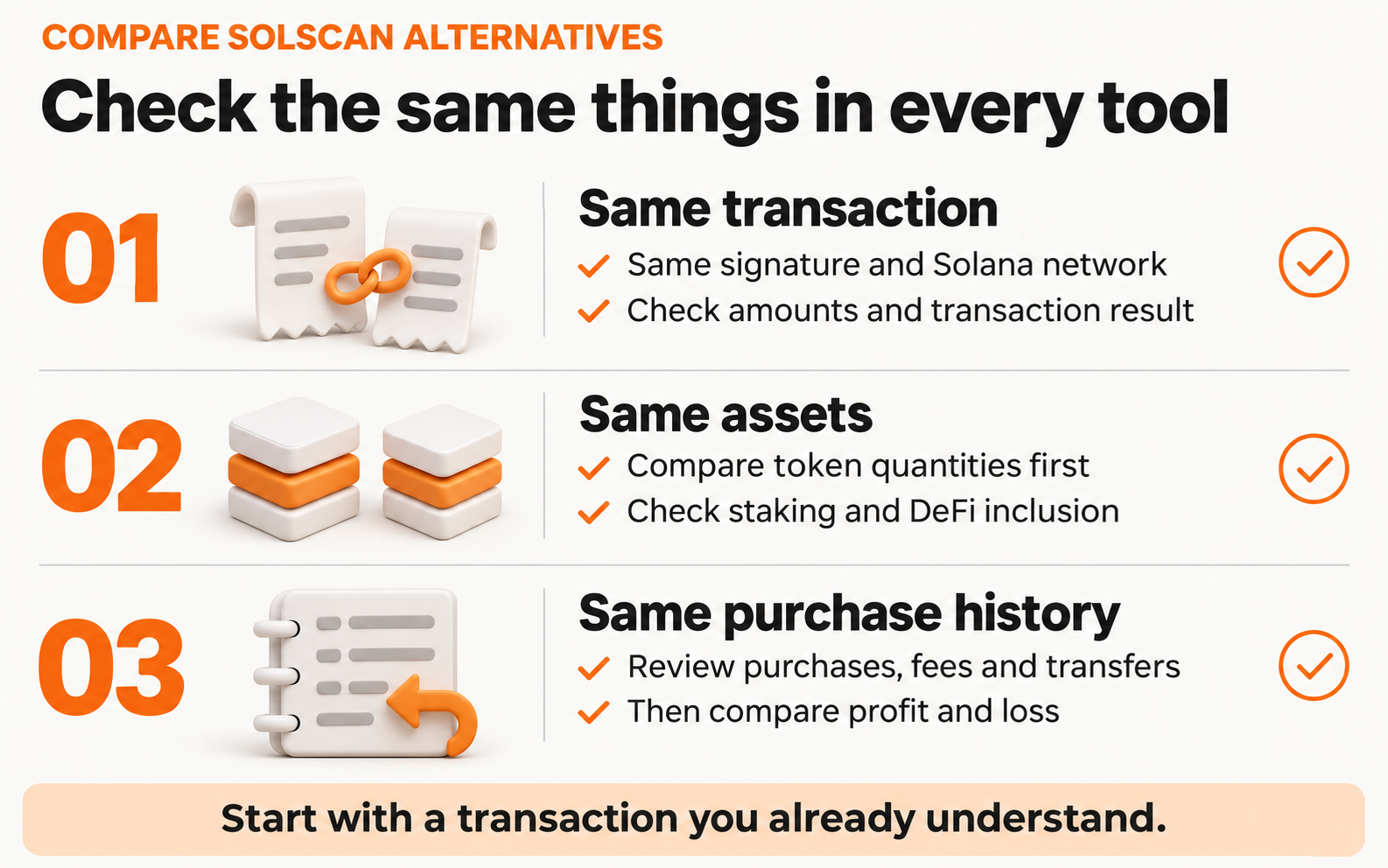
Before making a tool part of your routine, try it with an activity you already understand.
Compare the same transaction
Take one completed transfer or swap from your own history.
Look up the same signature in the explorers you are comparing.
Check whether you can identify the assets, amounts and results without guessing.
Compare the same assets
Check token quantities before comparing dollar totals. Totals can differ because of price updates, unsupported positions or settings that include staking and DeFi separately.
In CoinStats, review your DeFi inclusion setting and protocol coverage when the numbers differ from another interface.
Check the purchase history behind PnL
A current balance does not reveal what you paid. Check that your tracker has the relevant purchases and that transfers between your own accounts are treated appropriately.
Our P/L settings let you include or exclude transfers so you can avoid mistaking wallet movement for trading performance.
Also Read: How profit and loss calculations work in CoinStats
Conclusion
Choose CoinStats when you want to follow your Solana holdings as part of a broader portfolio. Choose Solana Explorer for another view of on-chain records, Orb for readable transaction history, or Birdeye Terminal for token market research.
Frequently asked questions
What is the best Solscan alternative for everyday Solana users?
CoinStats is the best alternative to Solscan if you transact on Solana frequently and want easily understandable visibility into your transactions and portfolio.
What is the best Solscan alternative for developers?
Orb and the official Solana Explorer cover most developer needs. Orb shows program IDLs, verification status and inner instructions, with devnet and testnet support. Solana Explorer adds feature gate history and a transaction inspector for encoded messages.
What is the difference between Solscan and CoinStats?
Solscan provides detailed information about Solana accounts and transactions, including holdings and supported DeFi positions. CoinStats focuses on managing a broader portfolio across supported connections. Our analytics can help you review allocations and performance across those portfolios. You can use an explorer to investigate a transaction and CoinStats to monitor the overall portfolio.
Are there free alternatives to Solscan?
Solana Explorer and Orb offer public transaction lookup, and CoinStats offers a free plan that is suitable for most people. For as little as $1.66 per month, you can upgrade to tracking up to 100 portfolios, asset allocation analytics, and much more. Note that free access to a public explorer does not mean the provider’s developer API or every advanced analytics feature is also free.
Can I track a Phantom wallet with a Solscan alternative?
Yes. You can search its public Solana address in a compatible explorer or use our Phantom wallet connection to track it in CoinStats. Make sure you use the address for the network you want to follow. A wallet app can contain accounts on more than one blockchain.
Do I need to move my funds to use another explorer?
No. Looking up a public address or transaction signature does not move funds. Adding a public wallet address for tracking also does not transfer ownership of its assets. You do not need to reveal a seed phrase or private key to inspect public blockchain activity.
Can I use a Solscan transaction ID in another explorer?
Yes. A Solana transaction ID, commonly called a transaction signature, identifies the on-chain transaction. Paste that signature into a compatible Solana explorer and select the same network. If no result appears, check that you copied the full signature and allow for a possible indexing delay before drawing conclusions about the transaction.