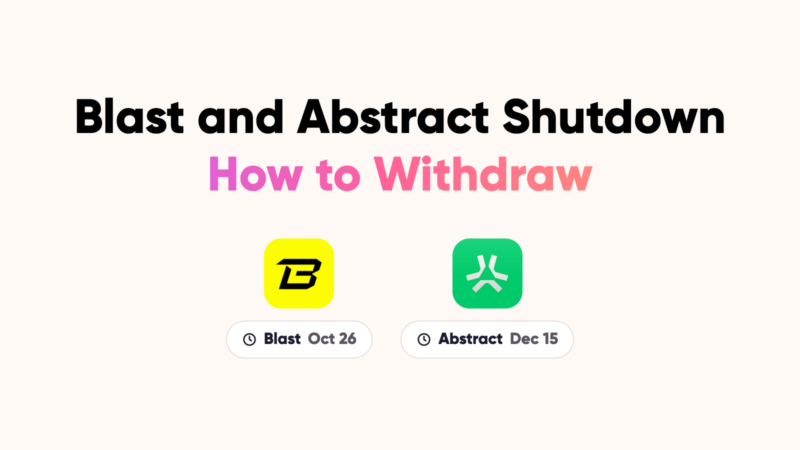
Blast and Abstract Are Shutting Down: How to Withdraw Your Funds

The Blast shutdown deadline is October 26, 2026, and Abstract, another Ethereum layer 2 network, shuts down on December 15. If you hold funds on either one, move them before the deadline to keep full access to them.
This guide shows you how to find those funds in CoinStats and how to withdraw them from each network, in three steps.
- Blast: withdraw by October 26, 2026. Withdrawals take about a day.
- Abstract: withdraw by December 15, 2026, or lose access.
- Where: only on each network’s official bridge or migration page.
- Never: share your seed phrase. Nobody legitimate will ask for it.
Why you’re seeing this message
CoinStats shows a “Withdraw your funds before the network shutdown” warning banner in portfolio to anyone whose own portfolio holds a balance on Blast or Abstract. You saw it because at least one of your connected wallets still has funds on one of these networks.
Both teams have announced they are winding down their chains. Blast announced its shutdown on October 2, 2026, saying the cost of running the network now exceeds its revenue. Abstract’s Migration Hub says the chain shuts down on December 15, 2026, and that users who don’t migrate will lose access to their funds.
CoinStats only reads your wallet balances. We can’t move funds for you, and we will never ask for your seed phrase or private key. Every step below happens in your own wallet, on each network’s official website. The warning disappears once your wallets no longer hold a balance on Blast or Abstract, and wallets you only follow in your watchlist never trigger it.
How to withdraw your funds before the Blast shutdown
First find which wallets hold funds, then withdraw from Blast, then from Abstract. Each step is self-contained, so skip the network you don’t use.
Find your wallets in CoinStats
Start hereIf you came here from the warning in your portfolio, this shows which wallets hold funds on Blast or Abstract, and how much.
- Open your CoinStats portfolio and sign in.
- Click the selected portfolio card at the top of the left menu to open your portfolio list. On mobile, tap the card at the top of the page.
- Stay on the My Portfolios tab. Wallets in your watchlist don’t count.
- Type “Blast” or “Abstract” in the Search field. A standalone Abstract wallet shows up as its own entry.
- For a multi-chain wallet such as MetaMask, select it, open the network menu (it shows All Networks by default) and pick Blast or Abstract.
- Check the balance and assets for that network, and note the wallet address. You’ll connect this same wallet on the bridge.
Repeat for every wallet you’ve connected.
Once you know where your funds are, start with Blast. Its deadline is first, and each withdrawal takes about a day to arrive.
Withdraw from Blast before the shutdown
By Oct 26, 2026Before the Blast shutdown on October 26, move your assets back to Ethereum mainnet on the official Blast bridge.
Before you start
- Check withdrawals are open. Blast paused them for about a week after October 2 while it exits Lido. Confirm on the bridge page or Blast on X.
- Close your positions. Funds in lending apps, pools or vaults must go back to your wallet first.
- Keep ETH for gas on Blast, and some on Ethereum for a possible claim step.
- Check the Blast app (PWA) balances too.
Steps
- Go to blast.io/en/bridge. Type the address yourself.
- Connect the wallet that holds your funds on Blast.
- Open the Withdraw tab and check the route is Blast to Ethereum.
- Choose the asset and amount, review the fee and waiting time, then confirm in your wallet.
- Save the transaction hash and follow progress in the History tab.
- If the bridge asks you to prove or claim on Ethereum, complete that step and pay the gas fee.
- Confirm the funds arrived on Ethereum in your wallet or on Etherscan.
Missed the deadline? Funds stay withdrawable, but only through Blast’s bridge contracts on Ethereum. Use contract addresses from Blast’s official channels only.
Abstract’s deadline is later, but funds left there after it are lost for good, so don’t leave it to the last week.
Withdraw from Abstract
By Dec 15, 2026Move your assets off the chain with Abstract’s official Migration Hub.
Before you start
- Withdraw from apps first. Funds in pools, lending markets or games must go back to your wallet.
- Keep a little ETH for fees and move it last.
- NFTs need their own route. Check each collection’s instructions on the Migration Hub.
- Tokens that only exist on Abstract may need swapping to ETH there first.
Steps
- Go to migrate.abs.xyz. Type the address yourself.
- Connect the wallet that holds your funds on Abstract. Check every address you used, one at a time.
- Bridge your assets with the Migration Hub or the native Abstract bridge.
- Pick the destination network and confirm the transaction in your wallet.
- Wait for the transfer, then confirm the funds arrived on the destination network.
Third-party bridges are quicker but charge a fee. Open them from the Migration Hub’s own links, not from search results.
Stay safe
Shutdowns attract scammers posing as “recovery” or “migration” helpers. Keep these rules:
- Never share your seed phrase or private key. No bridge, support agent or CoinStats team member will ever ask for it.
- Type bridge addresses yourself, or use the links in each network’s official announcement. Ignore ads, direct messages and unsolicited emails.
- Don’t approve unusual token permissions, such as unlimited spending for a token you aren’t bridging.
- Don’t send tokens directly to a bridge contract address. Always use the bridge’s own interface.
- Start early. A paused bridge or a busy network on the last day can leave you past the deadline.
- Keep a record of each transaction (date, amount, value) for your tax reports.