
How to import HackenAI wallet to MetaMask
3
0
One of the most frequent questions we get is, “Can I add HAI to MetaMask?” The answer is yes! Here’s a quick guide on how to import your HackenAI wallet to MetaMask.
Step 1: If you’re new to MetaMask, create a new wallet.
a. Go to https://metamask.io.
b. Click “Install” for your supported browser (Chrome, Firefox, Brave, or Edge).
c. Create a new wallet with MetaMask. Remember to write down your seed phrase. It’s your keys = your crypto.
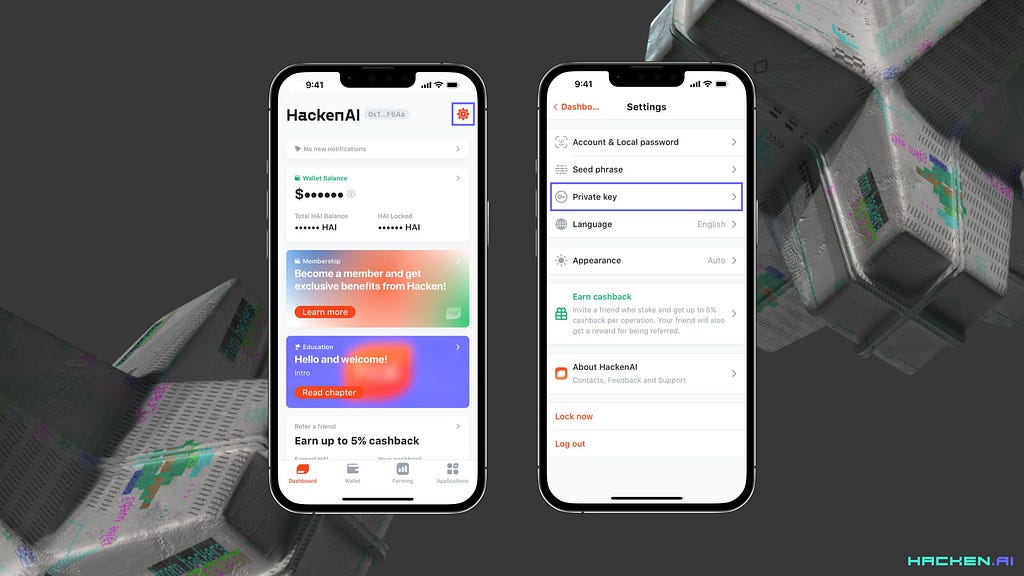
Step 2: Get your wallet’s private key from the HackenAI app.
Go to the Dashboard tab, then Settings (gear icon in the top-right corner), and select “Private Key.”
Step 3: Import the private key into MetaMask.
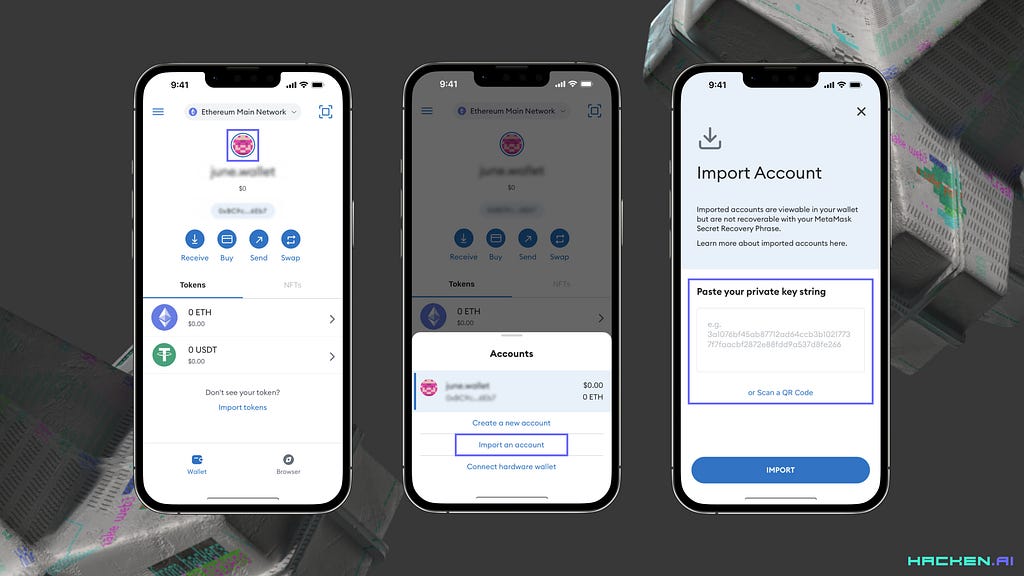
a. Click “Import Account” on the menu pad (for more info on how account importing works, check this link: https://metamask.zendesk.com/hc/en-us/articles/360015489331-Importing-an-Account).
b. Paste your private key from your HackenAI app.
c. Click “Import.”
Congratulations! You’ve successfully added your HackenAI wallet to MetaMask. If you encounter any issues or have further questions, don’t hesitate to contact our support team on Discord: discord.gg/Hacken.
3
0

 Manage all your crypto, NFT and DeFi from one place
Securely connect the portfolio you’re using to start.