
Upbit Deposit Suspension: Urgent Update for QTUM, RVN, and QI Holders

0
0
BitcoinWorld
Upbit Deposit Suspension: Urgent Update for QTUM, RVN, and QI Holders
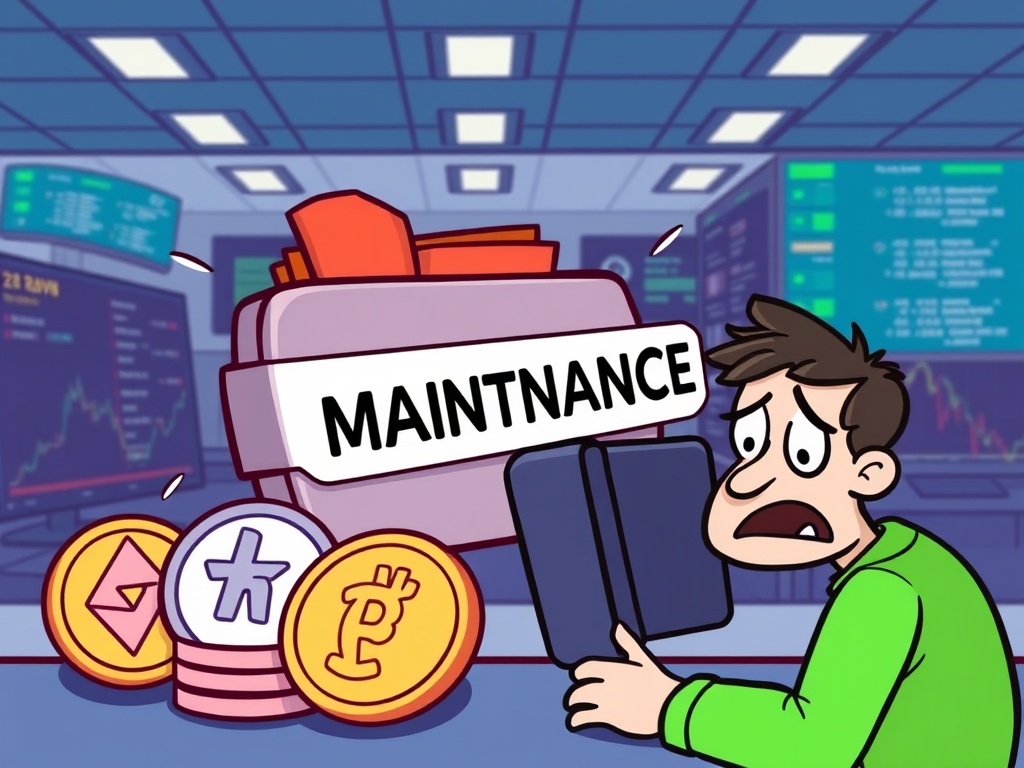
Attention crypto users! A significant announcement from Upbit, a leading South Korean crypto exchange, is here. The platform has declared an urgent Upbit deposit suspension for several digital assets. This temporary halt will affect Qtum (QTUM), Ravencoin (RVN), and QiSwap (QI), starting promptly at 2:00 p.m. UTC on September 4. Understanding this update is crucial for anyone holding or planning to transact with these specific cryptocurrencies.
What’s Behind This Urgent Upbit Deposit Suspension?
Upbit has clearly stated that the reason for this Upbit deposit suspension is essential wallet system maintenance. Such maintenance is a common and critical practice in the cryptocurrency world. It ensures the ongoing security and operational efficiency of the exchange’s infrastructure. Think of it as a necessary tune-up to keep everything running smoothly and, most importantly, to protect your digital assets.
This means that from the specified time, users will not be able to move these particular cryptocurrencies onto or off the Upbit platform. It’s a proactive measure designed to prevent any potential issues during the upgrade process.
Which Cryptocurrencies Are Affected by This Suspension?
It is important to know precisely which digital assets are impacted by this Upbit deposit suspension. The affected cryptocurrencies include:
- Qtum (QTUM): This is a decentralized blockchain application platform, known for combining the security of Bitcoin’s UTXO model with the smart contract capabilities of Ethereum.
- Ravencoin (RVN): A peer-to-peer network, Ravencoin is specifically designed for the efficient and secure transfer of assets from one party to another.
- QiSwap (QI): Operating as a decentralized exchange, QiSwap is built directly on the Qtum blockchain, facilitating token swaps within that ecosystem.
If you hold any of these digital assets on Upbit, or if you had plans to deposit or withdraw them soon, this temporary halt directly impacts your immediate transaction capabilities. Always verify the exact start time in your local timezone.
What Should Upbit Users Do During This Period?
During the Upbit deposit suspension, it is vital for users to take specific actions to avoid complications. Here are some actionable insights:
- Plan Ahead: If you anticipate needing to deposit or withdraw QTUM, RVN, or QI, ensure you complete these transactions well before the 2:00 p.m. UTC, September 4 deadline.
- Stay Informed: Regularly check Upbit’s official announcement channels, such as their website or social media, for updates. Exchanges typically provide clear communication once maintenance is complete and services resume.
- Avoid Transactions: Do not attempt to initiate deposits or withdrawals for these specific coins during the suspension period. Such attempts will likely fail and could lead to unnecessary complications or delays in resolving your funds.
Being prepared and following these guidelines will help you navigate this period smoothly.
Why is Wallet Maintenance Crucial for Crypto Exchanges?
Wallet system maintenance, which often leads to an Upbit deposit suspension, is a standard and necessary practice across the entire crypto industry. These planned downtimes serve several critical purposes:
- Enhance Security: Maintenance allows exchanges to patch any newly discovered vulnerabilities, upgrade security protocols, and fortify their defenses against potential cyber threats.
- Improve Performance: It provides an opportunity to optimize transaction speeds, improve system stability, and ensure the platform can handle increasing user demand without bottlenecks.
- Integrate Updates: Exchanges can implement new features, integrate blockchain upgrades, or adapt to changes in the underlying protocols of the cryptocurrencies they support.
While an inconvenience for users, these measures are ultimately for the benefit of the entire community, safeguarding investments and ensuring a reliable, secure trading environment.
The temporary Upbit deposit suspension for QTUM, RVN, and QI is a reminder of the dynamic nature of cryptocurrency exchanges. By staying informed, planning accordingly, and adhering to official guidance, users can navigate these essential maintenance periods effectively. Always prioritize official announcements from Upbit to get the most accurate information regarding the resumption of services. Your proactive approach ensures a smoother experience in the ever-evolving world of digital assets.
Frequently Asked Questions (FAQs)
Q1: When does the Upbit deposit suspension officially begin?
The suspension for QTUM, RVN, and QI deposits and withdrawals will begin at 2:00 p.m. UTC on September 4.
Q2: Which specific cryptocurrencies are affected by this suspension?
The affected cryptocurrencies are Qtum (QTUM), Ravencoin (RVN), and QiSwap (QI).
Q3: Can I still trade QTUM, RVN, or QI on Upbit during the suspension?
The announcement specifically mentions the suspension of deposits and withdrawals. Trading activities for these assets on the platform are typically unaffected unless explicitly stated otherwise by Upbit. However, liquidity might be impacted.
Q4: What should I do if I need to move these coins urgently?
If you need to deposit or withdraw QTUM, RVN, or QI, you must complete these transactions before the 2:00 p.m. UTC deadline on September 4. After this time, these services will be temporarily unavailable.
Q5: How long is the Upbit deposit suspension expected to last?
Upbit’s announcement states the suspension is temporary due to wallet system maintenance. The duration is not specified, but users should monitor Upbit’s official channels for updates on when services will resume.
Did you find this urgent update helpful? Share this crucial information with your friends, fellow traders, and anyone in your crypto community who might be affected by the Upbit deposit suspension. Spreading awareness helps everyone stay informed and prepared!
To learn more about the latest crypto market trends, explore our article on key developments shaping cryptocurrency institutional adoption.
This post Upbit Deposit Suspension: Urgent Update for QTUM, RVN, and QI Holders first appeared on BitcoinWorld and is written by Editorial Team
0
0


 Manage all your crypto, NFT and DeFi from one place
Securely connect the portfolio you’re using to start.


0
0

0
0
