
How to Set Price Alerts in CoinStats: A 2026 Guide

You probably already know the feeling. You check BTC, then ETH, then a watchlist coin you swore you'd stop obsessing over, and ten minutes later, you're refreshing the same charts again.
That's exactly what price alerts are supposed to fix. A good alert setup turns market monitoring into a rules-based workflow. You define what matters, pick how you want to be notified, and let the system watch the market for you instead of babysitting charts all day. That core pattern is standard across modern alerting platforms: set a trigger condition, choose a notification channel, and let the system monitor until the threshold is reached.
Most guides stop at the button clicks. That's useful, but it's not enough. Knowing how to set price alerts only matters if the alerts you create help you make better decisions. The difference between a clean setup and a noisy one is the difference between a useful signal and a phone full of ignored notifications.
Powering alerts yourself? See market data API alternatives.
Creating Your First Price Alert in CoinStats
The easiest way to learn how to set price alerts is to start with the two primary alert types. One is a specific price level. The other is a percentage move over a recent period.
That gives you coverage for both planned levels and sudden momentum.
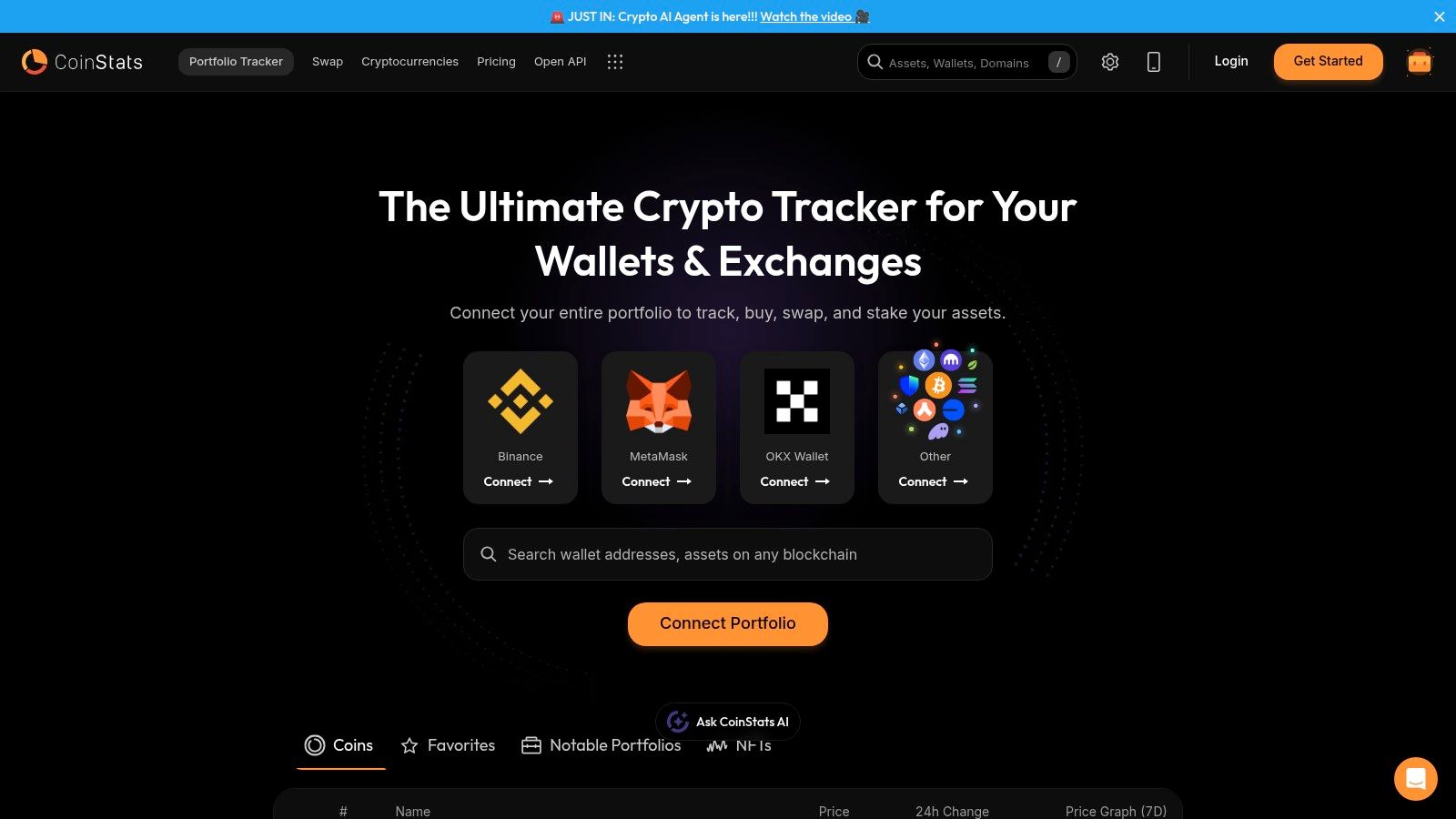
Set a price level alert
A price level alert answers a simple question. Notify me when this coin reaches a level I care about.
Use it when you already have a thesis. Maybe you want to add to BTC on weakness, reduce exposure in strength, or just know when the price returns to a level you've been waiting on. If you're tracking the live Bitcoin price page, this is usually the first alert worth creating.
A clean setup looks like this:
Choose the asset you want to track. Start with one coin, not your whole watchlist.
Select the alert type for a price limit or target price.
Enter the trigger value that matters to your strategy.
Decide the direction of the trigger. Above, below, or crossing a level.
Turn on notifications in the channel you monitor.
That last step matters more than people think. An alert you only receive in a buried inbox isn't really an alert. It's delayed information.
Practical rule: If an alert is tied to a potential trade, send it to the fastest channel you reliably notice.
Set a percentage change alert
A percentage change alert is better when you care less about an exact level and more about a meaningful move. This is useful for coins that trade fast, for watchlist names you don't want to stare at, or for catching sharp pullbacks and breakouts.
The setup is similar, but your trigger is based on change, not a hard price. In practice, you pick the asset, choose the percentage-change condition, define the time window available in the app, and save the alert.
Use this type of alert when:
You trade momentum: You want to know when a coin starts moving, even if you didn't mark a precise level.
You buy dips: You care about a significant pullback, not a specific number.
You monitor many assets: Relative moves help you spot action without opening every chart.
What works for first-time users
Individuals often make one of two mistakes. They either set alerts so tight that normal market noise triggers them constantly, or they set them so far away that the alert becomes irrelevant by the time it fires.
A better first setup is small and intentional:
| Alert type | Best use | Common mistake |
|---|---|---|
| Price level | Planned entries, exits, reclaim, or breakdown levels | Setting too many nearby levels |
| Percentage change | Catching momentum or sudden drawdowns | Using it on every coin in your watchlist |
Start with one high-conviction alert per coin. Then watch how often it fires and whether you act on it. That feedback loop is how you improve alert quality fast.
Tailoring Alerts for Your Crypto Strategy
Two investors can hold the same asset and need completely different alerts. That's why copying someone else's setup usually fails.
The question isn't just how to set price alerts. It's what alerts match the way you make decisions.
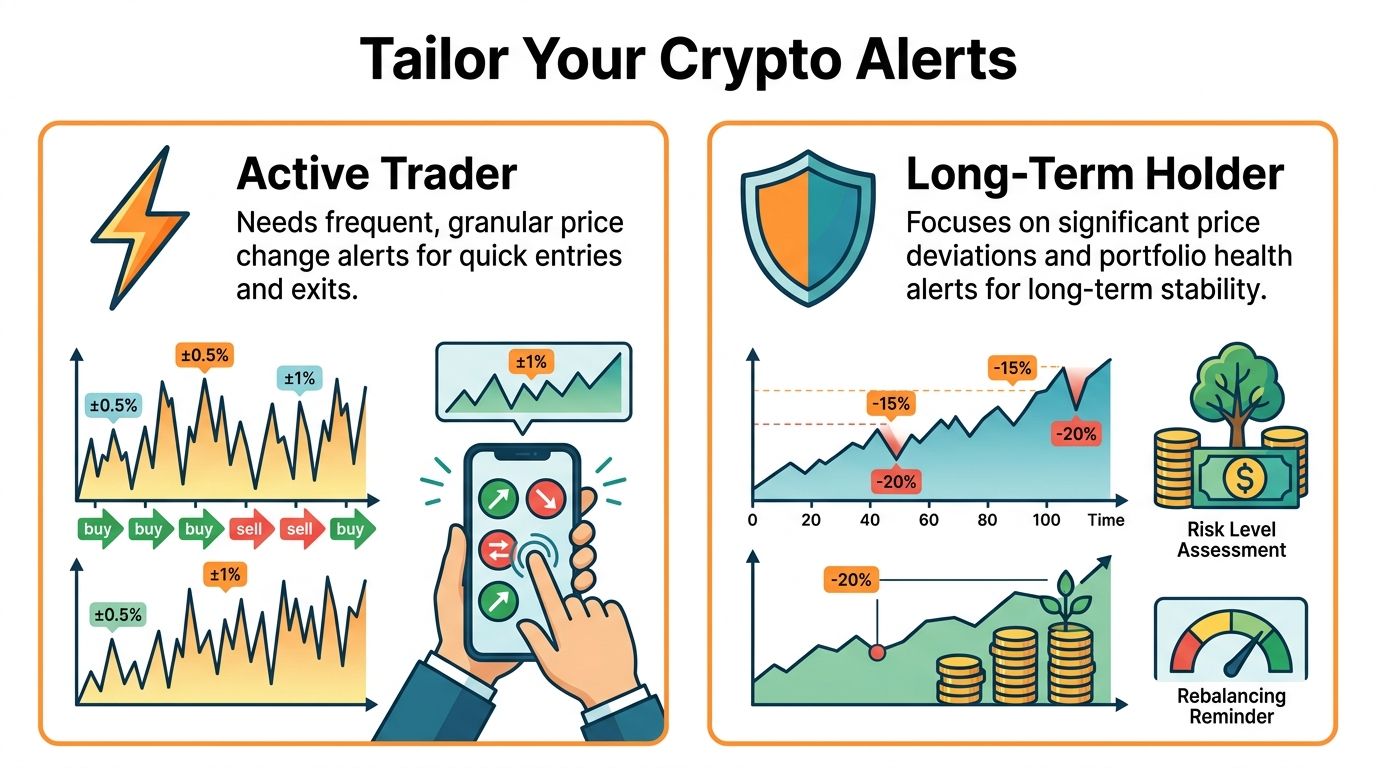
Active trader
An active trader usually wants tighter, more tactical notifications. The point isn't to know everything. It's to know when a setup is close enough to deserve attention.
If that's your style, your alert stack should revolve around:
Entry levels: Price reaches a support retest, breakout line, or invalidation zone.
Exit levels: Price tags a target you preplanned before entering the trade.
Fast change alerts: A sharp move tells you to open the chart and check structure, liquidity, and context.
Stablecoin watchlist context: If you're rotating risk and parking capital in stable assets, monitoring something like Tether can help keep your portfolio view grounded.
Multi-channel delivery plays a key role. Alerting systems have evolved toward real-time delivery across email, push notifications, and mobile, which reduces constant screen monitoring and helps investors manage volatile markets across devices – particularly useful for crypto markets that move around the clock.
If you're trading intraday or swing setups, an alert should tell you when to look closer. It shouldn't make the decision for you.
Long-term HODLer
A long-term holder needs fewer alerts and wider spacing. You're not trying to react to every candle. You're trying to get notified when market conditions materially change your accumulation, de-risking, or portfolio review plan.
That usually means focusing on:
Major buy zones: Areas where you'd be comfortable adding over time.
Large upside milestones: Levels where you may want to review concentration risk.
Broad drawdown alerts: Meaningful drops that justify a fresh portfolio check.
Portfolio health: Tracking the full account matters more than obsessing over one coin.
For that workflow, a portfolio view matters as much as the alert itself. A tool like the CoinStats Portfolio Tracker helps you evaluate whether an alert matters in the context of your total holdings, not just a single ticker.
A simple decision filter
Before saving any alert, ask three questions:
Would I take action if this triggered?
Is this tied to my strategy or just curiosity?
Do I need this on one coin, or on my portfolio as a whole?
If the answer to the first question is no, don't create the alert.
Advanced Monitoring Beyond Single Coins
Single-coin alerts are useful, but they only show one slice of your risk. Once you manage multiple wallets, exchanges, and sectors, the bigger edge comes from monitoring your portfolio, not just individual coins.
Use portfolio-level triggers
A portfolio alert is the right tool when your next decision depends on your total exposure. Maybe you want a notification when your overall account reaches a milestone, drops into a review zone, or swings enough to justify rebalancing.
That's different from watching one chart. It's a macro check on whether your allocation still matches your plan.
Good use cases include:
Milestone tracking: You want to review allocation after the portfolio reaches a target value.
Drawdown control: You want a prompt to reassess risk if the whole portfolio weakens.
Rebalancing discipline: You don't want one strong sector to gradually dominate the account.
Watch market context, not just holdings
Broader monitoring also helps when the market shifts before your coins do. Alerts tied to market-wide changes, listings, or other aggregate signals can give you earlier context than a single-asset trigger.
That matters for assets that tend to move with sector rotation. If you're tracking a DeFi name like Uniswap, the coin-specific alert matters, but so does the broader market backdrop around it.
The strongest alert setups combine micro signals on individual assets with macro signals on the full portfolio.
Add an intelligence layer
Rule-based alerts are precise. They fire when a condition is met. That's useful, but sometimes you also want help interpreting what to watch next.
That's where a tool like CoinStats AI fits. It complements rule-based alerts with market research and AI-driven analysis, which can help you decide whether a triggered alert is noise, a trend change, or just a level that deserves a closer look.
The practical takeaway is simple. Don't stop at coin alerts if your money is spread across multiple assets. Build a monitoring stack that reflects how you manage capital.
Automating Actions with Webhooks and the API
Some users don't want alerts to end with a push notification. They want the alert to trigger a workflow.
That's where webhooks and APIs become useful. A webhook is a message one system sends to another automatically when something happens. In this case, an alert fires, and another app receives that event right away. Think of it as a real-time notification between systems: when a condition is met in CoinStats, a webhook can instantly trigger a response in any connected app — a Slack message, a spreadsheet entry, or a custom script.
What automation looks like in practice
You don't need to jump straight to fully automated trading. The first useful step is usually simple operational automation.
Examples:
Log every important alert to a spreadsheet or internal dashboard.
Send triggered events to Slack or another team workspace.
Kick off a custom script that checks wallet balances or exposure after a threshold is hit.
Create a review queue for assets that enter a watch zone.
For serious traders, precision matters. Robust alert setups can use exact comparators like greater than or equal to or less than or equal to, and advanced systems can combine conditions with And/Or logic to reduce false triggers from short-lived spikes or session gaps. This kind of conditional logic is standard across professional-grade trading platforms and is worth building into any custom alert workflow you design around webhooks or API triggers.
Where the API fits
APIs are useful when you want to pull wallet or portfolio data into your own app, script, or reporting stack. If you're building custom monitoring around alerts, start with the CoinStats API documentation.
If your workflow depends on chain-specific wallet data, these docs are the relevant entry points:
EVM wallets: Ethereum and EVM wallet API
Solana wallets: Solana wallet API
Bitcoin wallets: Bitcoin wallet API
Other supported chains: Other chains wallet API
What doesn't work
Automation breaks down when the trigger is vague. If your alert logic is sloppy, the webhook just delivers bad input faster.
Start with events that have a clear next action. “Price crossed my invalidation level” is useful. “Price moved, and I'm curious” is not. Good automation starts with good alert design.
Best Practices for Effective Alert Hygiene
The biggest alert mistake isn't setting too few. It's keeping too many.
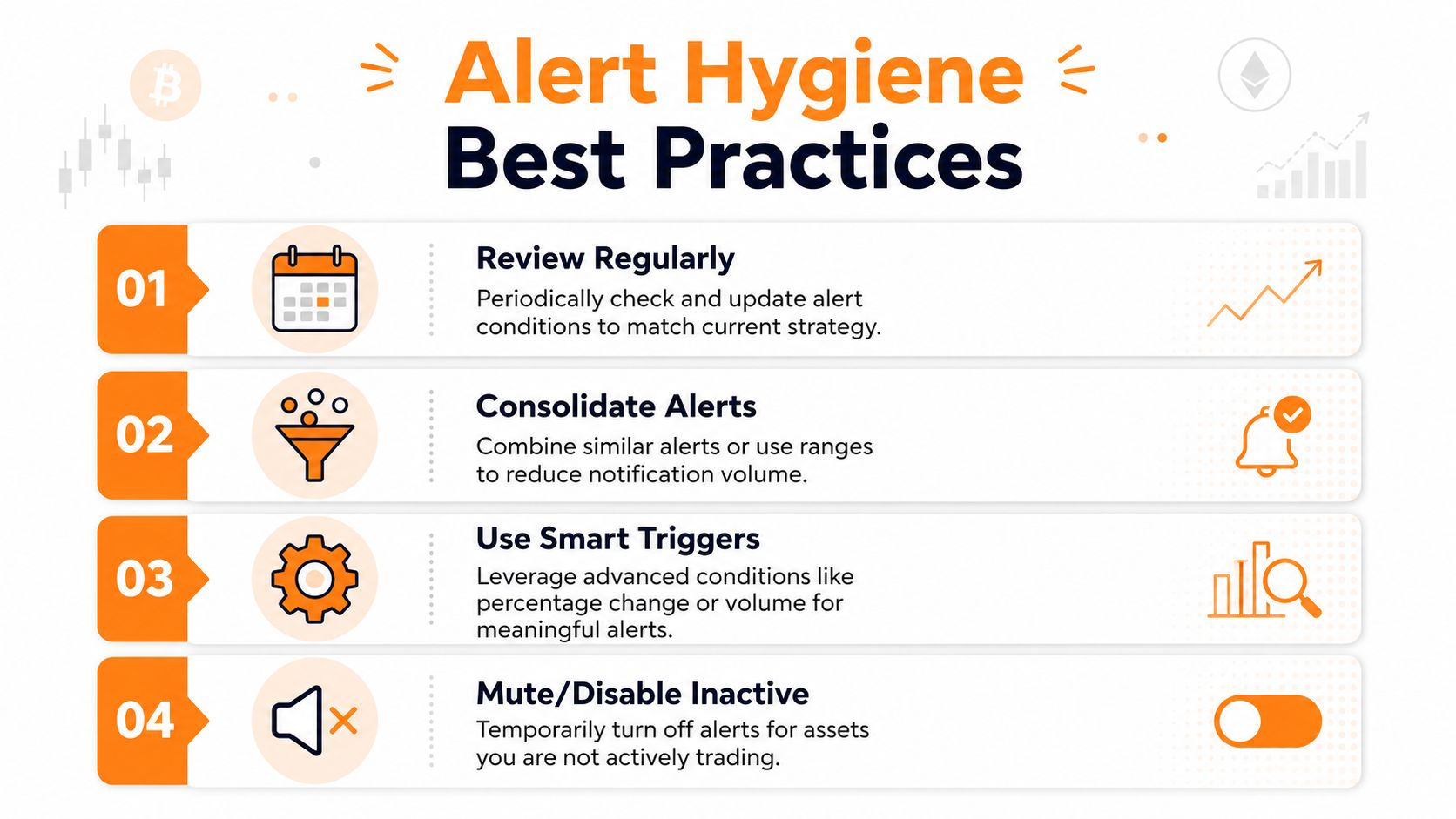
Individuals often start with a few sensible alerts, then layer on more every time the market gets busy. After a while, the phone keeps buzzing, the inbox fills up, and they stop responding. That's the primary risk. Research in UX and behavioral design consistently shows that notification overload reduces responsiveness — users begin ignoring alerts when volume outpaces their ability to act on them. The better practice is to calibrate thresholds and limit redundant notifications rather than creating more.
Review and prune
An alert tied to an old thesis should be deleted. If you bought the dip, closed the trade, or changed your time horizon, the alert has already done its job.
Use a recurring cleanup habit:
Remove stale alerts: Anything linked to an invalidated setup should go.
Merge overlapping levels: If several alerts tell you the same thing, keep the clearest one.
Pause inactive assets: If you're not trading or accumulating a coin, mute it for now.
Choose one-time or recurring on purpose
Users often create excessive noise for themselves. Some alerts should disappear after they trigger. Others should stay active because the level keeps mattering over time.
A practical rule:
| Alert style | Best use |
|---|---|
| One-time | Entry levels, event-driven trades, temporary watchlist checks |
| Recurring | Long-term support or resistance zones, ongoing risk levels, portfolio review thresholds |
Use wider logic than your emotions want
When volatility rises, people tend to tighten alerts because they don't want to miss anything. That usually backfires. You end up tracking normal movement, not meaningful movement.
Better filter: Create alerts at levels that would change your behavior, not levels that merely confirm the market is moving.
You'll know your alert hygiene is working when fewer notifications lead to faster action, not less awareness.
Frequently Asked Questions About CoinStats Alerts
Do price alerts execute trades automatically?
No. A price alert is a notification, not an order. It tells you a condition has been met, so you can review the market and decide what to do next.
Should I use price alerts or percentage alerts?
Use price alerts when you have a specific level in mind. Use percentage alerts when you care more about the size of the move than the exact number. Many investors use both, but for different jobs.
How many alerts should I create per coin?
There isn't a universal number. The better rule is to create only alerts tied to an action. If an alert fires and you wouldn't do anything with that information, remove it.
Are alerts useful for long-term investors?
Yes, if they're spaced around meaningful decisions. Long-term investors usually benefit from broader buy zones, de-risking levels, and portfolio review triggers rather than frequent tactical notifications.
What's the biggest setup mistake?
Setting alerts based on anxiety instead of strategy. That usually creates redundant notifications and weakens response quality over time.
Should I monitor single coins or my whole portfolio?
If you hold one or two assets, single-coin alerts may be enough. If you manage multiple wallets, exchanges, or sectors, portfolio-level monitoring usually gives you better context.
Do I need API access to get the value from alerts?
No. Most users get plenty of value from standard alerts alone. API access matters when you want to build custom dashboards, automate follow-up actions, or pull wallet data into your own systems.
If you want one place to track holdings, monitor market moves, and turn alerts into a cleaner daily workflow, take a look at CoinStats. The most effective setup isn't the one with the most alerts. It's the one that helps you notice the moves that matter.








It’s actually a cool and helpful piece of information. I am happy
that you just shared this useful information with us. Please keep us informed
like this. Thanks for sharing.
Wow, awesome blog format! How lengthy have you ever been blogging for?
you make running a blog glance easy. The entire look of your site is wonderful,
let alone the content!
Hello there! I simply would like to give you a huge thumbs up for the
excellent info you’ve got right here on this post. I am coming back to your website for more soon.
이 사이트를 알게 되어서 매우 기뻤습니다. 이 환상적인 읽기를 위해 시간 내줘서 감사합니다!!
저는 확실히 모든 부분을 맘에 들었습니다 그리고
당신을 북마크 해놓고 새로운 정보를 확인할 것입니다.
ファッション記事を読むのが好きで、いつも楽しみにしています。
素材も肌触りが良さそうで、実際に使ってみたくなります。
大人の女性らしさを引き立ててくれるデザインです。
購入を検討しているので、また詳しくチェックします。
またコメントさせていただきますね。
Hello there! I simply want to give you a big thumbs up
for your excellent information you have here on this post.
I will be coming back to your site for more soon.
Yes! Finally someone writes about site.