
Trezor Wallet Drained? What Onchain Lens Found in $600K iPhone Loss

0
0
Trezor Wallet Drained? What Onchain Lens Found in $600K iPhone Loss
As of November 24, 2026, a Trezor wallet drained report is spreading through crypto news today.
Per Onchain Lens, an iPhone user lost more than $600K across a Trezor Safe 7 and an Exodus wallet.
The findings went live on November 23, 2026, at around 15:45 UTC, and the cause remains unconfirmed.
What Happened in the Trezor Wallet Drained Case?
The user reported a $600K crypto stolen case spanning TRON and Solana. About $580K sat in USDT on TRON, making this a USDT TRON stolen incident.
Onchain Lens also covered this news in its tweet on X, saying it examined the transactions, signing authorities, and attacker movements.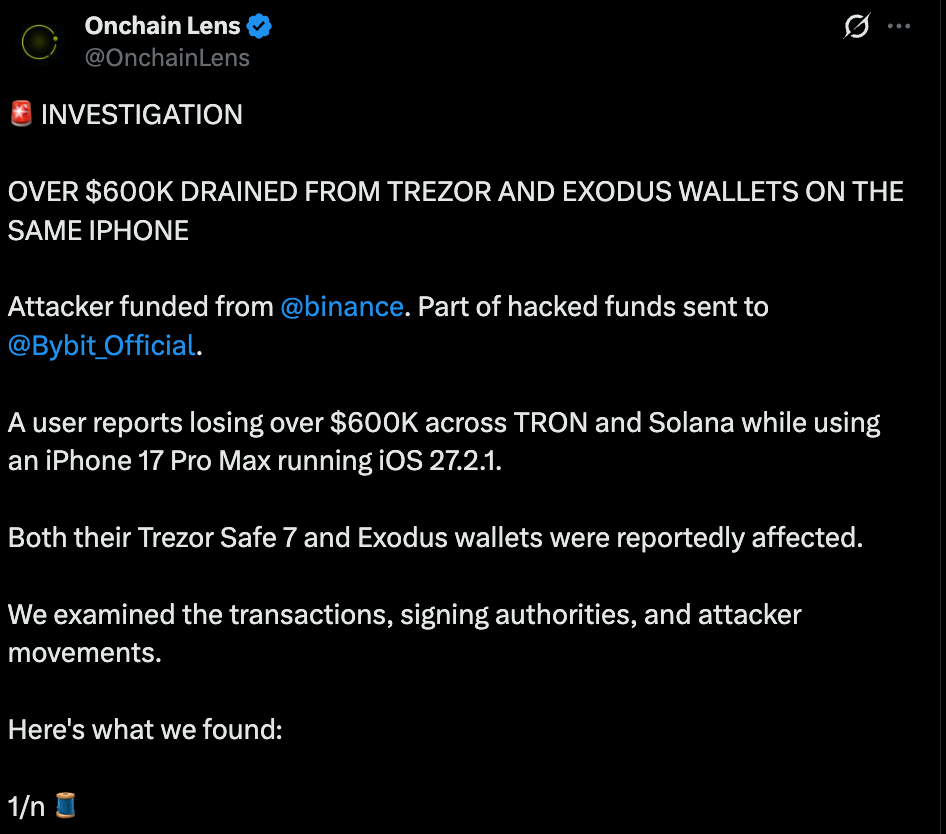
How Much Was Lost, and Where?
Wallet | Chain | Asset | Reported Loss |
Hardware wallet | TRON | USDT | About $580K |
Hardware wallet | Solana | USDC | About $23.4K |
Exodus | Same iPhone | Not specified | About $9,500 |
Onchain Lens listed the smaller $9,500 loss as an Exodus wallet drained incident on the same phone.
What Did the iPhone User Say About the Setup?
This Trezor wallet drained timeline rests on the user's own account, relayed by Onchain Lens:
The device had been in use for about two months and arrived sealed, with no visible tampering.
The recovery phrase appeared on the device screen. The user wrote it on paper, with no digital copy.
The TRON and Solana wallets shared that recovery phrase.
A Trezor Suite Bluetooth link connected the device to an iPhone 17 Pro Max running iOS 27.2.1, with Exodus on the same phone.
The user said they never approved the transfers.
How Did Onchain Lens Trace the Attacker?
Onchain Lens reported that the attacker was funded from Binance, and part of the stolen funds went to Bybit. It added that both TRON transfers were direct USDT transfers, not transferFrom() operations.
What Did Trezor Say About the Trezor Safe 7 Hack Claim?
Trezor also responded to the claims in a post on X at around 19:40 UTC on November 23. 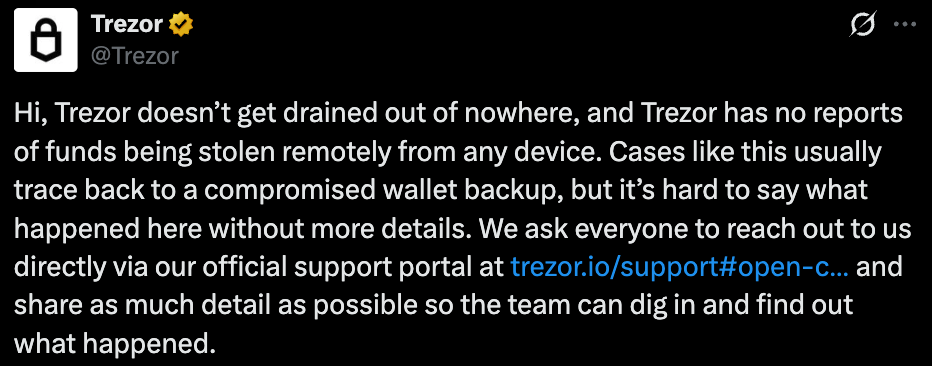
The company said it has no reports of funds being stolen remotely from any device, and that such cases usually trace back to a compromised wallet backup.
It said it could not tell what happened without more details and asked the user to contact its official support portal.
So far, no Trezor wallet drained cause has been confirmed, and no investigator has issued a Trezor Safe 7 drained verdict.
Is iOS 27.2.1 Linked to the Trezor Funds Stolen Report?
Apple released iOS 27.2.1 on November 9, 2026. Apple's security notes list Bluetooth fixes, including a pairing code rate-limit bypass for nearby attackers.
No named source has tied those fixes to the loss. Investigators have yet to establish whether Bluetooth or iOS played a role, so any iPhone crypto wallet hack theory remains unproven. No source confirms a Trezor hack either.
What Could This Mean for Hardware Wallet Security?
Analysts may read the case as a prompt to revisit seed phrase safety rather than as proof of a device flaw. Since the TRON and Solana wallets shared one recovery phrase, one exposed secret could, in theory, reach both.
For anyone tracking Trezor news today, the open question is where the signing access came from: the phone, the backup, or something else.
Until Onchain Lens or the company publishes more, any Trezor wallet drained verdict is premature. Readers following crypto news should watch both sides for updates.
Disclaimer: This article is for information only and is not financial advice. Crypto assets are volatile, and you can lose money. Verify details with official sources.
0
0
 Manage all your crypto, NFT and DeFi from one place
Securely connect the portfolio you’re using to start.